Radiomic Feature Generator
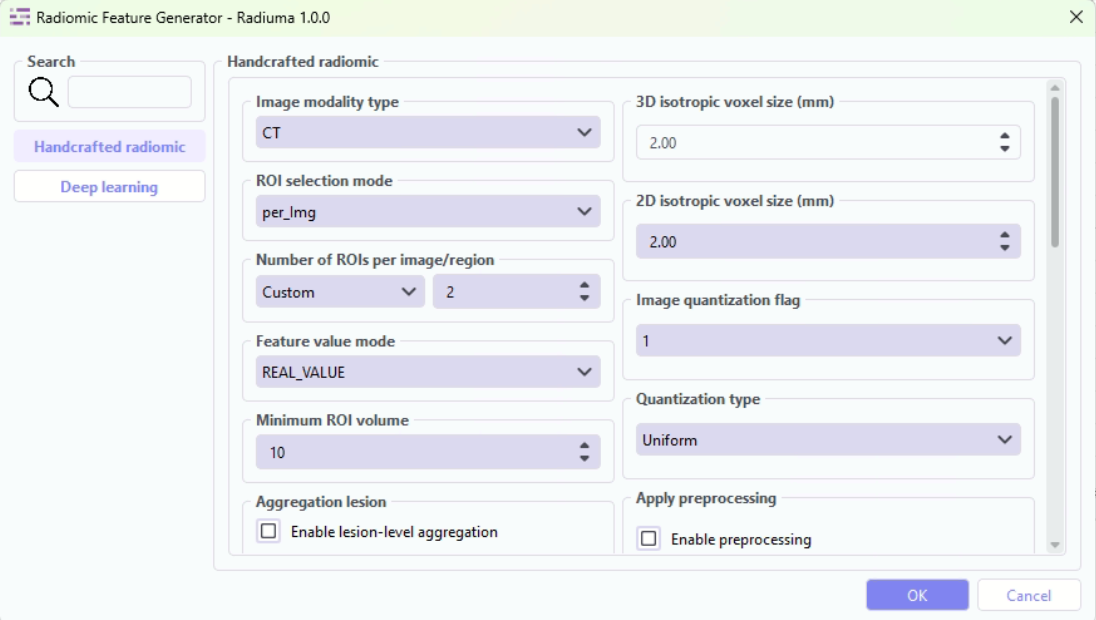
The Radiomic Feature Generator module provides an advanced interface within Radiuma for extracting standardized quantitative features from medical images, powered by the PySERA (Python-Based Standardized Extraction for Radiomics Analysis) engine an Open-source library that ensures full IBSI 1 (Image Biomarker Standardisation Initiative) compliance. This sophisticated tool enables researchers and clinicians to extract both traditional handcrafted radiomic features and deep learning-based features through a unified workflow, supporting 557 total features including 487 IBSI-compliant features, 60 diagnostic metrics, and 10 moment-invariant descriptors across multiple spatial dimensions (1st order, 2D, 2.5D, 3D). Combined with the IBSI 2-compliant filtering capabilities in the Image Filter module, Radiuma provides a comprehensive standardized pipeline for medical image analysis from preprocessing to feature extraction. With configurable parameters for modality-specific preprocessing, ROI selection strategies, feature aggregation, and advanced extraction modes, the module delivers comprehensive quantitative imaging biomarkers for disease characterization, treatment response assessment, and predictive modeling—all while maintaining standardization, reproducibility, and clinical interpretability through its integrated PySERA computational backend.
PySERA Repository: https://github.com/MohammadRSalmanpour/PySERA
Compliance: Full IBSI 1 standardization across radiomics and filtering modules
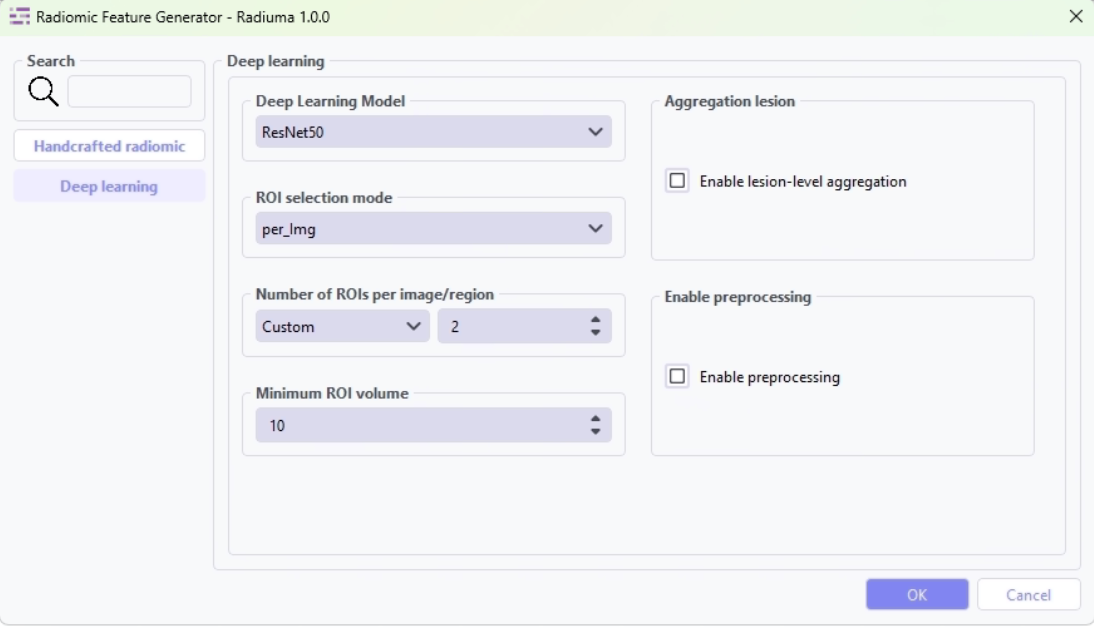
This tool can extract deep features using pre-trained CNNs: ResNet50, VGG16, and DenseNet121. Deep learning features are output as high-dimensional vectors with:
Model-specific feature dimensions (511-2047 features)
Feature names derived from the network architecture
Compatible format with traditional radiomic feature tables
Ready for machine learning and statistical analysis
Deep Learning Features:
ResNet50 deep features : 2047 feats: [‘resnet50’]
VGG16 deep features : 511 feats: [‘vgg16’]
DenseNet121 deep features : 1023 feats: [‘densenet121’]
Feature Types
First-order Statistics: Intensity-based features
Shape-based Features: Morphological characteristics
Texture Features: Spatial patterns (GLCM, GLRLM, etc.)
Wavelet Features: Multi-resolution analysis
Deep Features: CNN-based embeddings from ResNet50, VGG16, or DenseNet121
Key Parameters
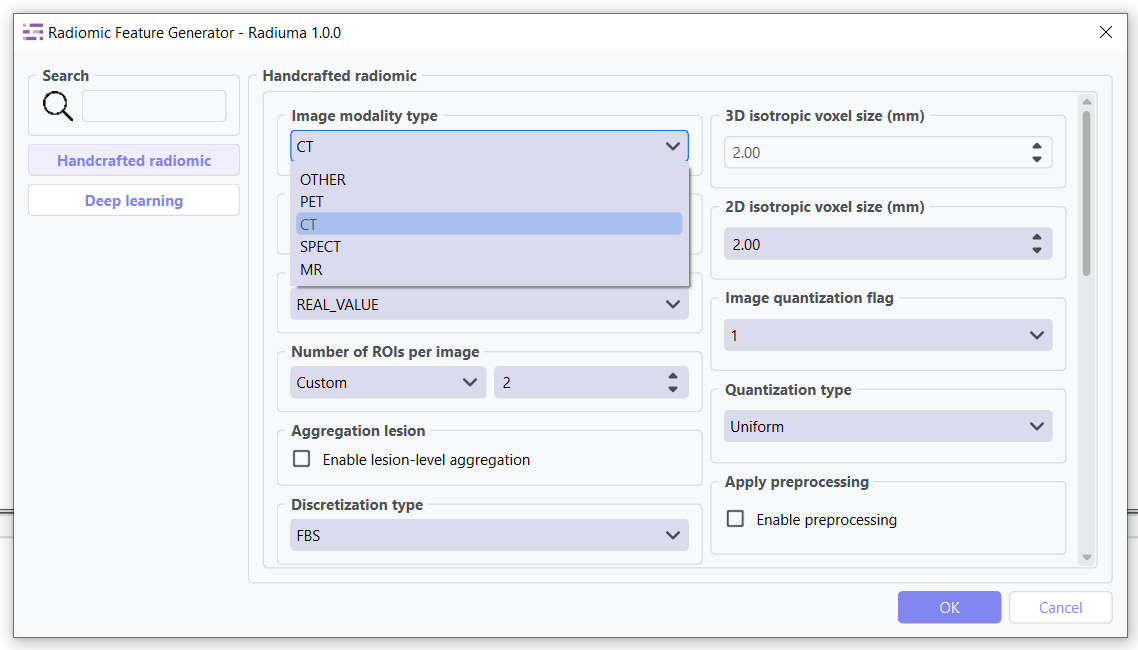
Data Type: Modality type (MR, CT, PET, OTHER)
Select the imaging modality for which radiomic features will be calculated.
MR: Magnetic Resonance images
CT: Computed Tomography images
PET: Positron Emission Tomography images
OTHER: For modalities such as Ultrasound or X-ray
This parameter ensures that modality-specific preprocessing and intensity interpretation are applied correctly before feature extraction.
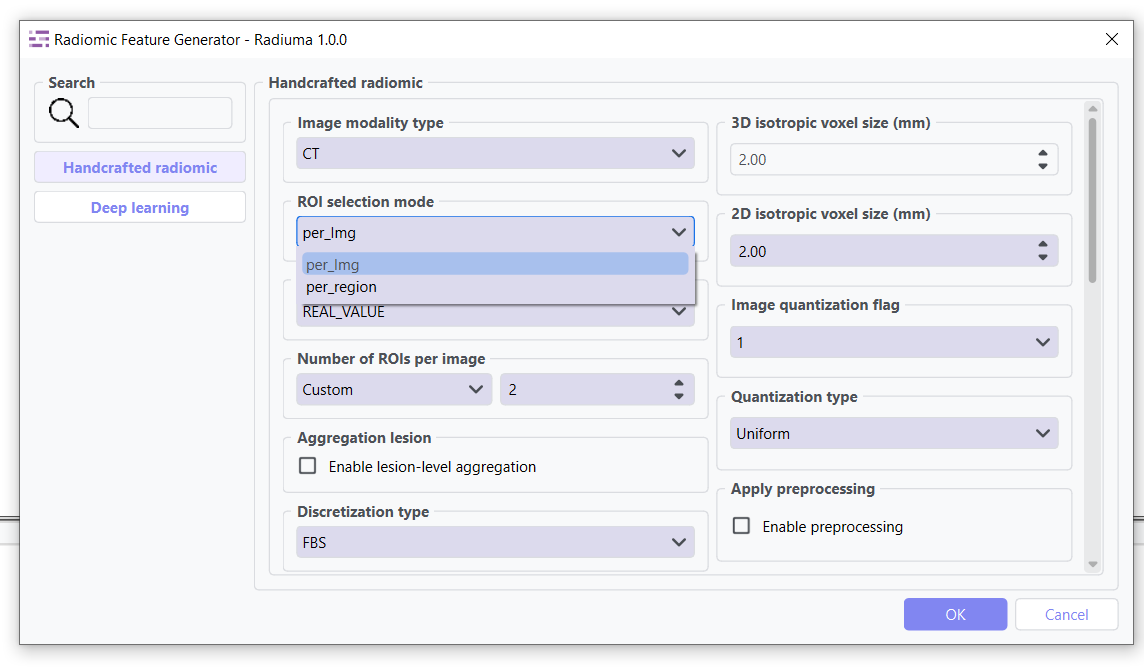
ROI Selection Mode: ROI selection strategy
Determines how regions of interest (ROIs) are selected for feature extraction.
“per_Img” (default): Selects the top roi_num ROIs per image based on size, regardless of label category.
Suitable for single or dominant lesions per scan.
Preserves original spatial relationships.
“per_region”: Selects up to roi_num ROIs separately for each label category, ensuring balanced representation across regions.
Useful in multi-lesion, multi-label, or longitudinal studies.
Requires consistent ROI labeling across datasets.
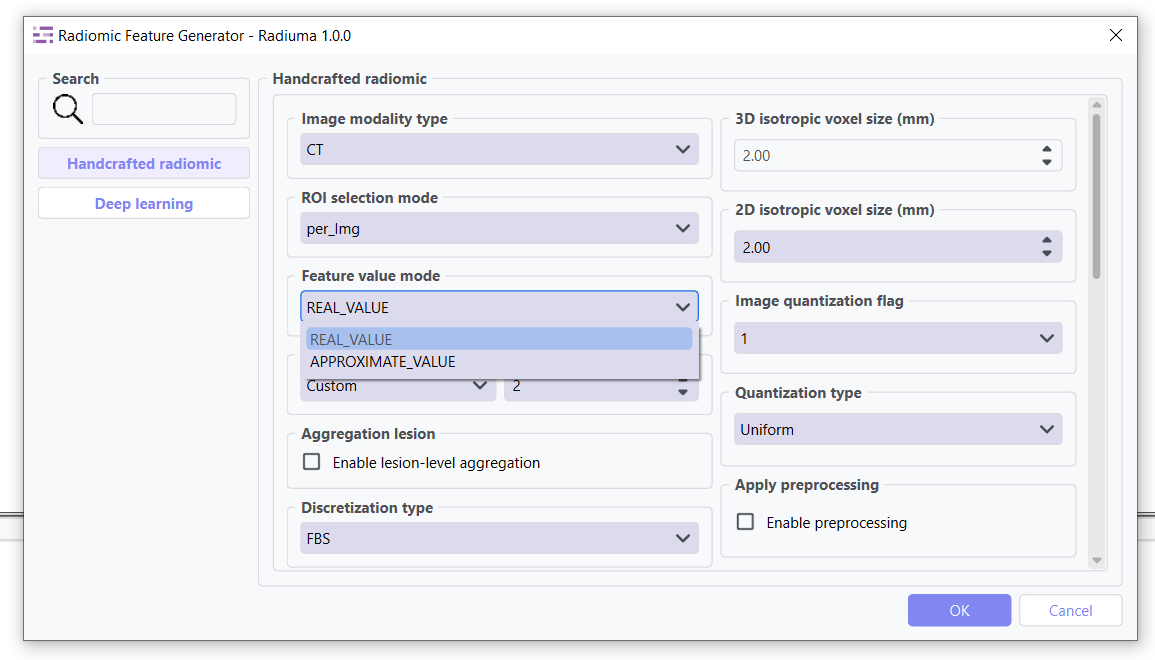
Feature Value Mode: Strategy for handling NaN values
Controls how missing or invalid feature values are handled during extraction.
“REAL_VALUE” (default): Keeps NaN values whenever feature extraction fails (e.g., small ROI, numerical instability), preserving the raw outcome without substitution.
“APPROXIMATE_VALUE”: Replaces NaN features with substitutes (e.g., very small constants like 1e-30 or synthetic masks) to maintain pipeline continuity.
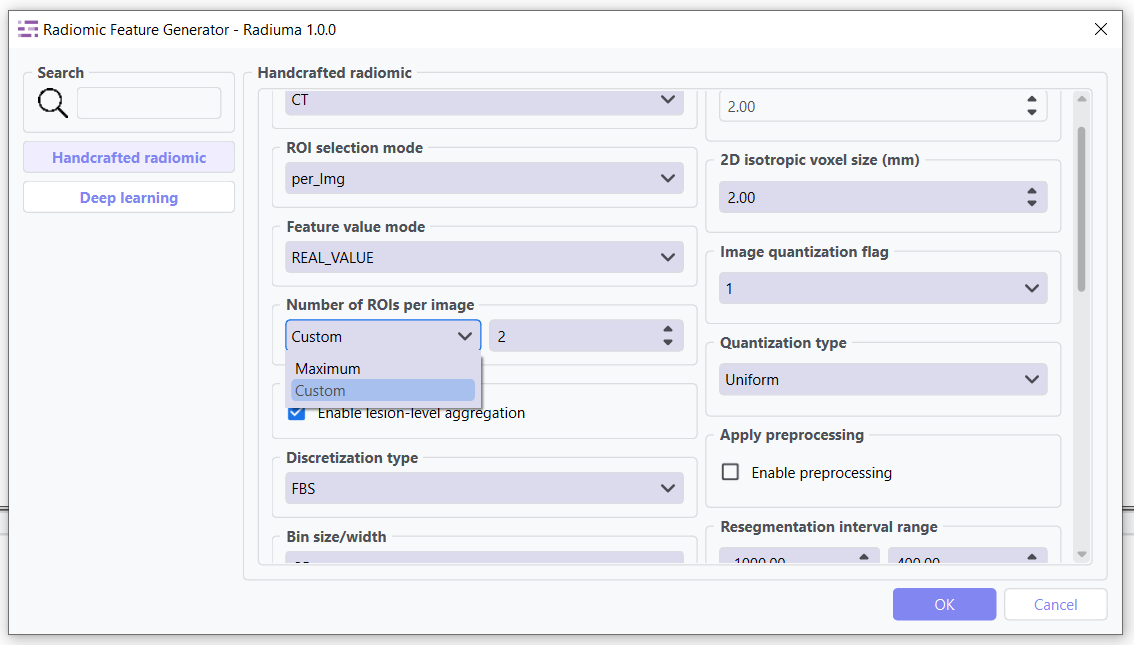
ROIs per Image/Region: Number of ROIs to process when not set to Maximum
Controls the maximum number of regions of interest to analyze per image when not using the “Maximum” option.(Default: 2 ROIs)
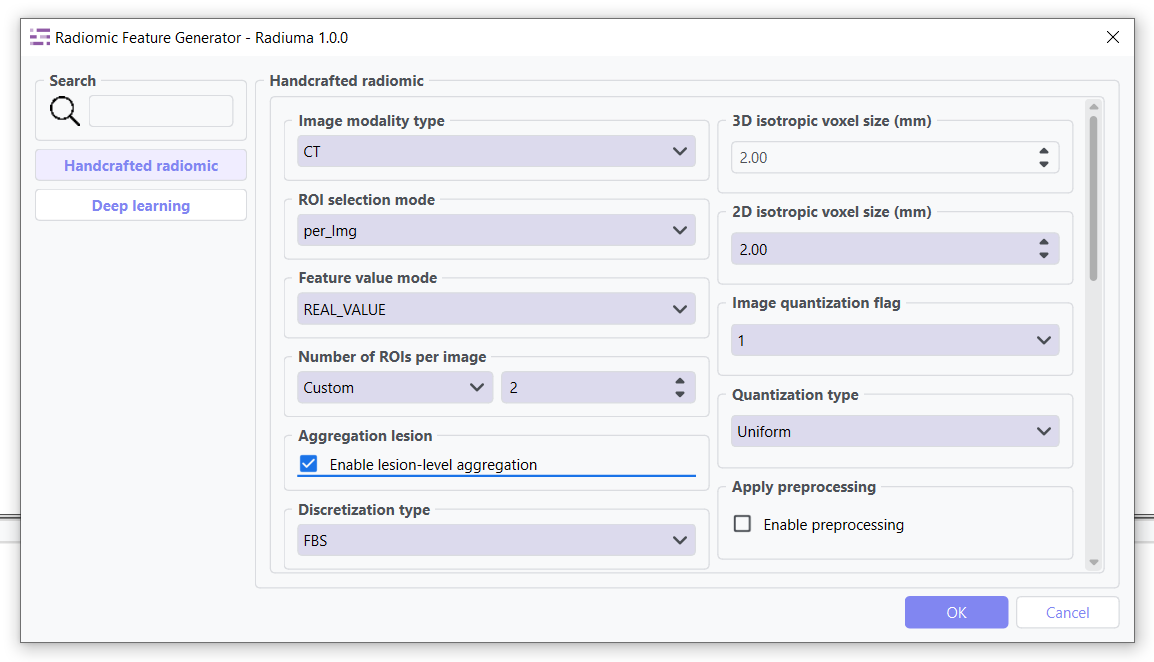
Aggregation Lesion: Multi-ROI feature aggregation
When enabled, this parameter performs lesion-level feature aggregation across ROIs belonging to the same image or anatomical region, depending on the roi_selection_mode setting.
False (default): Features extracted for each ROI individually
True: Features aggregated across related ROIs using specialized methods
Grouping Strategy:
When roi_selection_mode=”per_Img”: Aggregation performed by PatientID
When roi_selection_mode=”per_region”: Grouping based on both PatientID and label ID
Feature Aggregation Methods:
Feature aggregation is conducted on a per-feature basis using specialized approaches:
Deep Features (extraction_mode=”deep_feature”): All features are averaged across ROIs
Morphological Descriptors: Weighted average based on morph_volume_mesh for:
morph_volume_mesh
morph_volume_count
morph_surface_area
morph_max_3d_diameter
morph_major_axis_length
morph_minor_axis_length
morph_least_axis_length
Diagnostic Features: Selected from the largest lesion (based on volume)
All Remaining Features: Summed across ROIs
Missing Values: Excluded from the aggregation process
Use Cases:
Multi-focal disease analysis
Longitudinal studies with multiple time points
Whole-organ or multi-region characterization
Comparative analysis across lesion populations
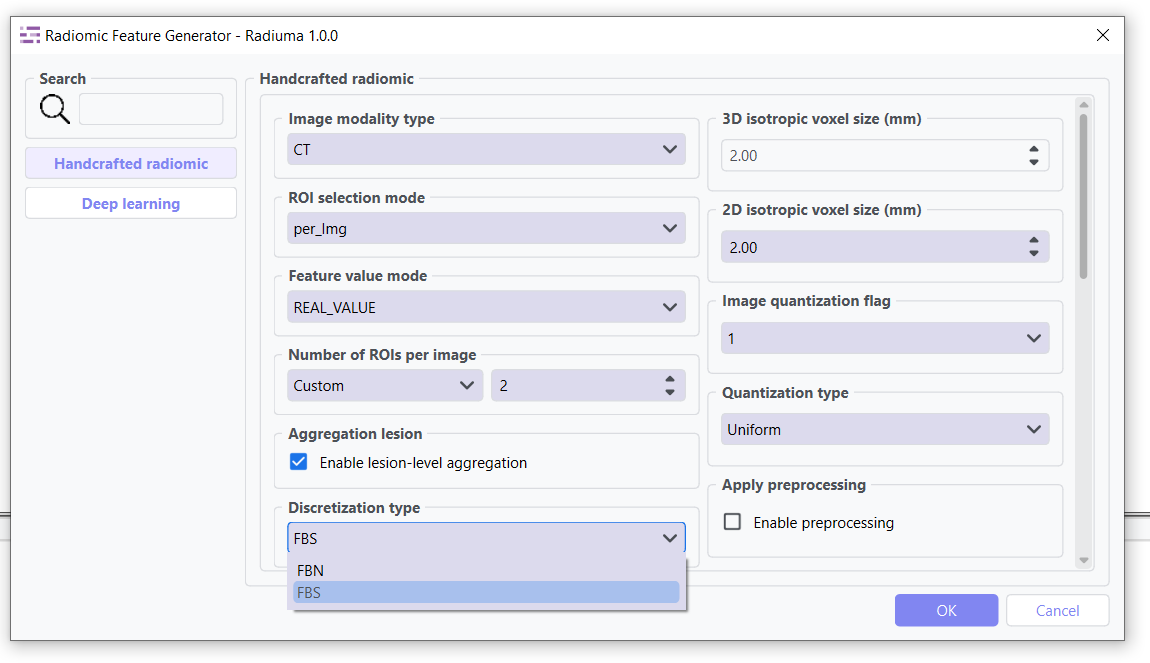
Discretization Type: Method for binning intensity values (FBS, FBN)
Bin Size: Size of intensity bins for feature calculation
Resampling Flag: Whether to perform scaling (0: disabled, 1: enabled)
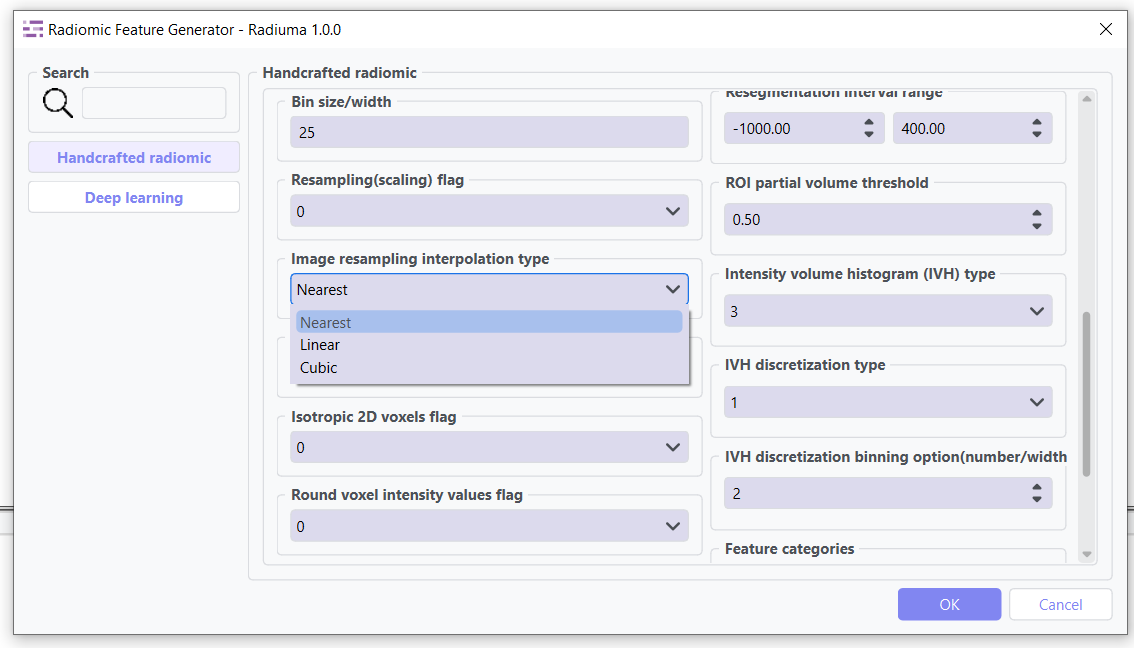
Image Interpolation: Method for resampling images (Nearest, Linear, Cubic)
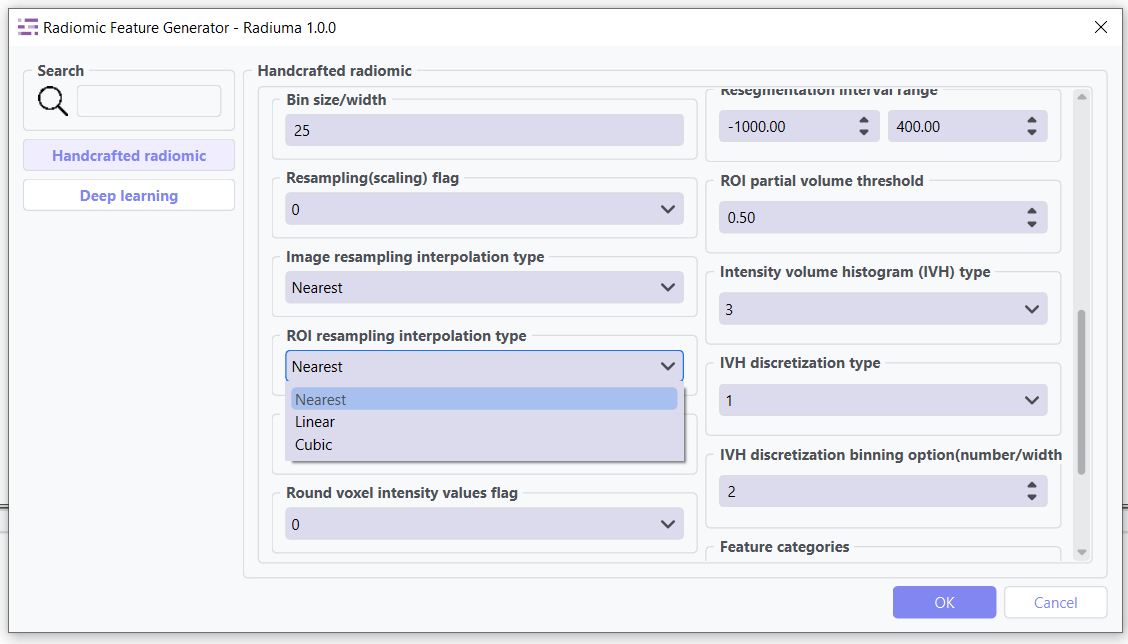
ROI Interpolation: Method for resampling masks (Nearest, Linear, Cubic)
3D Isotropic Voxel Size: Size for resampling to isotropic voxels
2D Isotropic Voxel Size: Size for 2D isotropic voxels
Isotropic 2D Voxels Flag: Whether to resample to 2D isotropic voxels
Intensity Rounding: Option to round intensity values (0: disabled, 1: enabled)
Segmentation Range: Option to limit intensity range (0: disabled, 1: enabled)
Resegmentation Interval: Min and max values for intensity range
Outlier Filtering: Methods for handling outliers (0: disabled, 1: enabled)
Quantization Method: Approach for discretizing intensities (Uniform, Lloyd)
Intensity Volume Histogram Type: Setting for IVH unit type
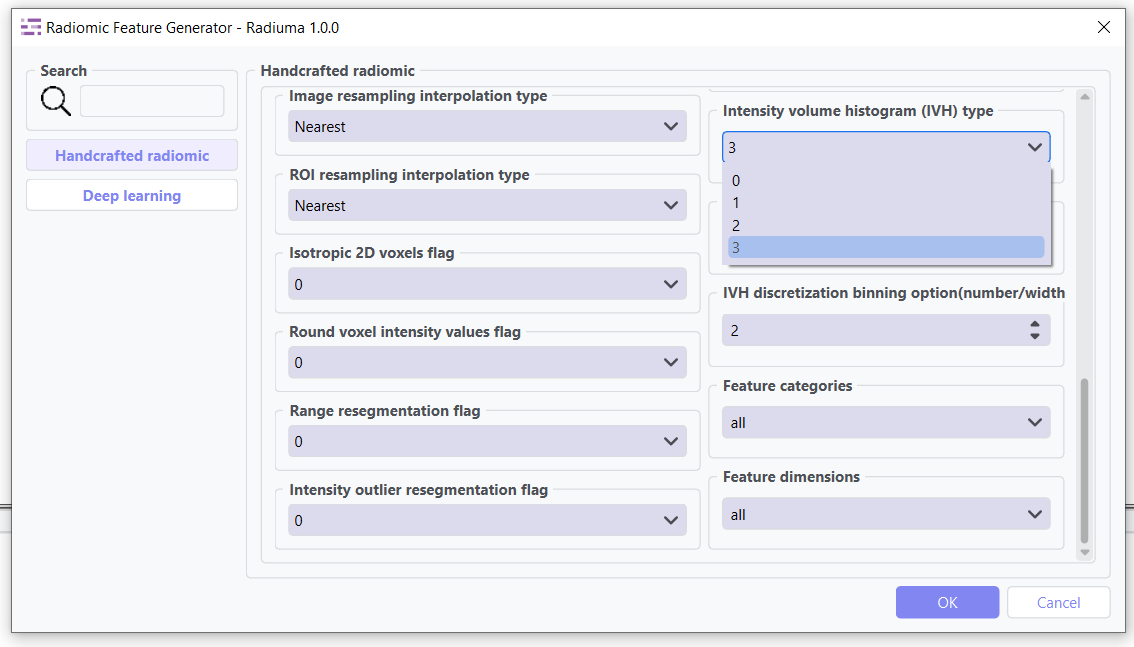
IVH Discretization Type: Discrete or Continuous (0,1, 2, 3)
IVH Bin Size: Bin size for IVH discretization
Maximum ROIs: Number of regions to analyze per image (Maximum or specific number)
Features to Output: Which feature set to calculate (options from 487 total features)
Available Feature Sets
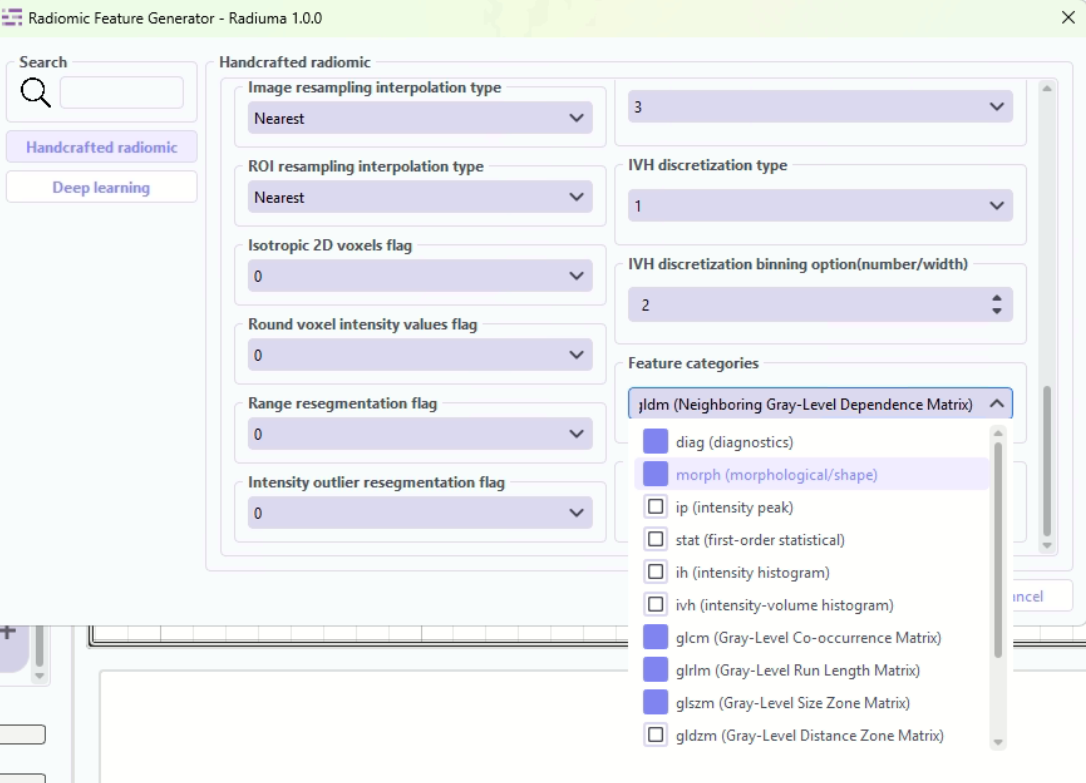
Feature Categories: Types of radiomic features to extract
Comprehensive selection of feature categories following IBSI standards.
“diag”: Diagnostic features - basic ROI statistics and quality metrics
“morph”: Morphological/shape features - 3D shape descriptors of ROIs
“ip”: Intensity peak features - peak intensity characteristics
“stat”: First-order statistical features - intensity distribution statistics
“ih”: Intensity histogram features - histogram-based intensity analysis
“ivh”: Intensity-volume histogram features - volume-intensity relationships
“glcm”: Gray-Level Co-occurrence Matrix - texture patterns from co-occurrence
“glrlm”: Gray-Level Run Length Matrix - texture patterns from run lengths
“glszm”: Gray-Level Size Zone Matrix - texture patterns from zone sizes
“gldzm”: Gray-Level Distance Zone Matrix - texture patterns from zone distances
“ngtdm”: Neighboring Gray-Tone Difference Matrix - local intensity differences
“ngldm”: Neighboring Gray-Level Dependence Matrix - intensity dependencies
“mi”: Moment-invariant features - rotation and scale invariant moments
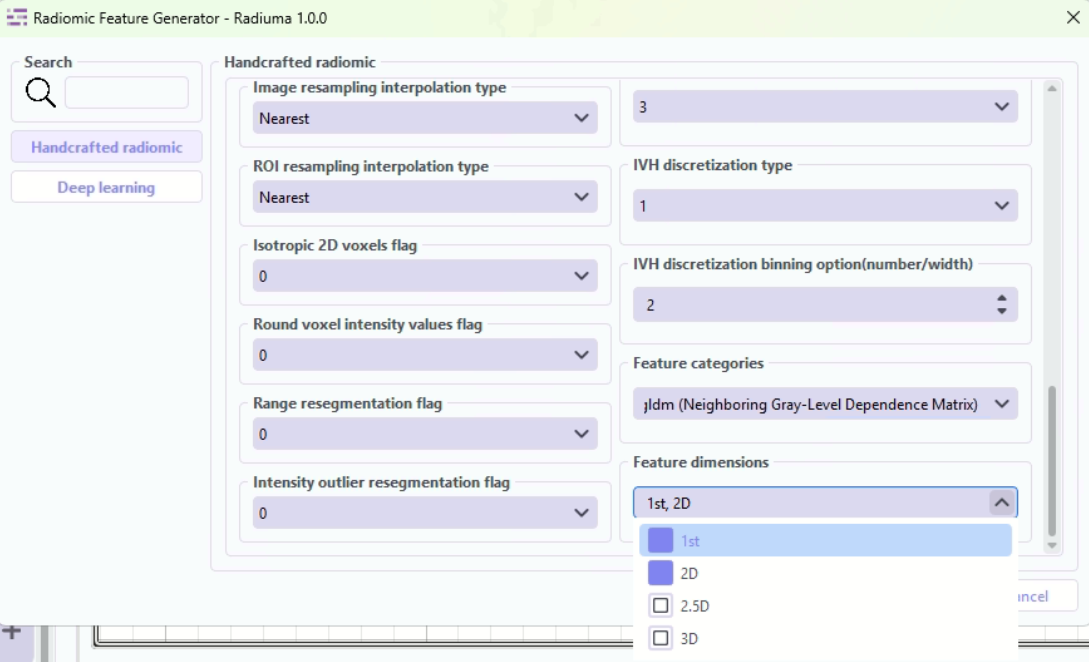
Dimensions: Spatial dimensions for feature extraction
Defines the spatial context for feature calculation.
“1st”: First-order intensity-based features (non-spatial)
“2D”: Features extracted per 2D slice (slice-wise analysis)
“2_5D”: Features aggregated across slices with limited inter-slice context
“3D”: Fully volumetric features across entire ROI (3D spatial analysis)
Workflow Integration
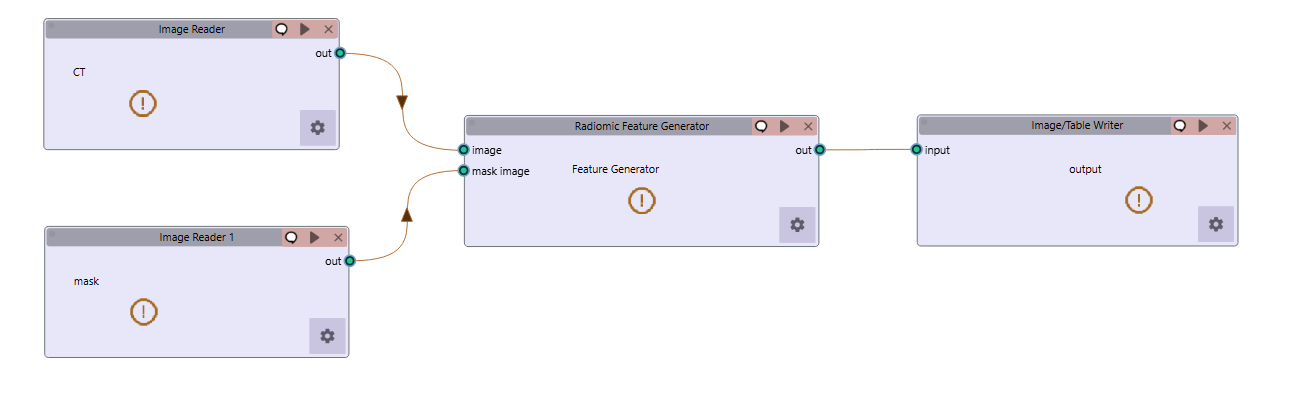
Takes both image and mask inputs
Extracts features according to standardized definitions
Example Workflow: Download the Radiomic Feature Extraction workflow
Feature Output Example
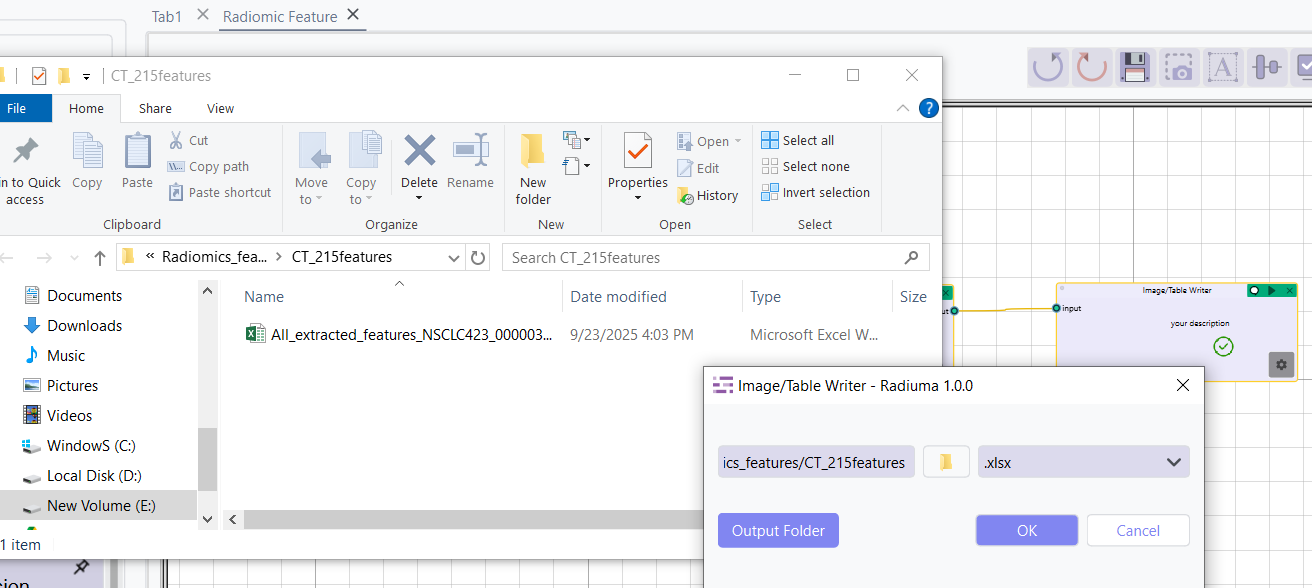
Outputs tabular data with all calculated features