Image Filter
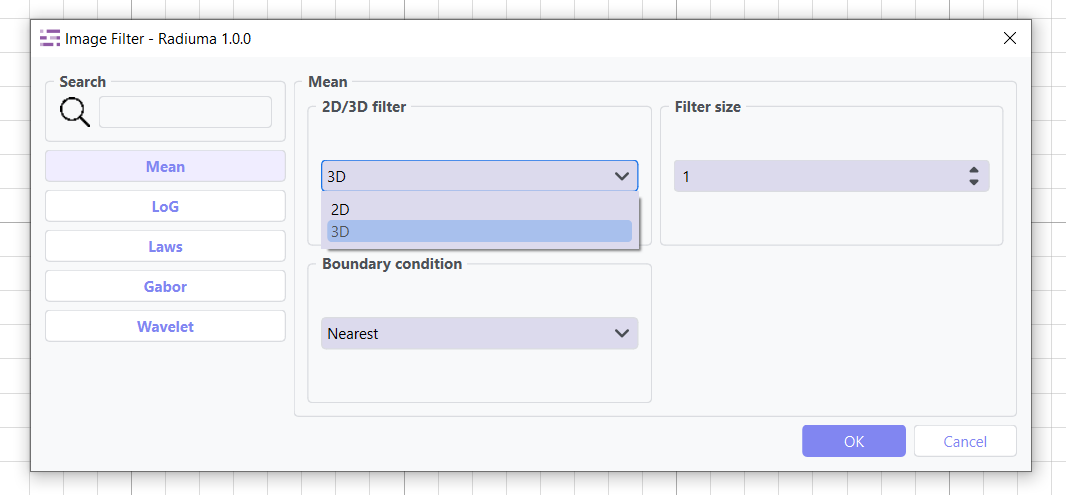
The Image Filter module provides an extensive suite of IBSI 2-compliant filtering operations within Radiuma for enhancing features, reducing noise, and preparing medical images for advanced analysis. This versatile tool enables clinicians and researchers to transform raw image data through multiple specialized filters that highlight specific characteristics, improve image quality, and extract meaningful patterns essential for quantitative analysis and computer-aided diagnosis. Supporting both 2D and 3D filtering modes with customizable boundary conditions, the module offers a range of IBSI 2-standardized algorithms including Mean Filter for noise reduction while preserving edges, LoG Filter for edge and rapid intensity change detection, Laws Filter for texture feature extraction, Gabor Filter for multi-orientation texture analysis, and Wavelet Filter for multi-scale decomposition—all accessible through an intuitive interface that ensures optimal parameter configuration for diverse clinical and research applications in medical imaging while maintaining compliance with international biomarker standardization initiatives.
Mean Filter
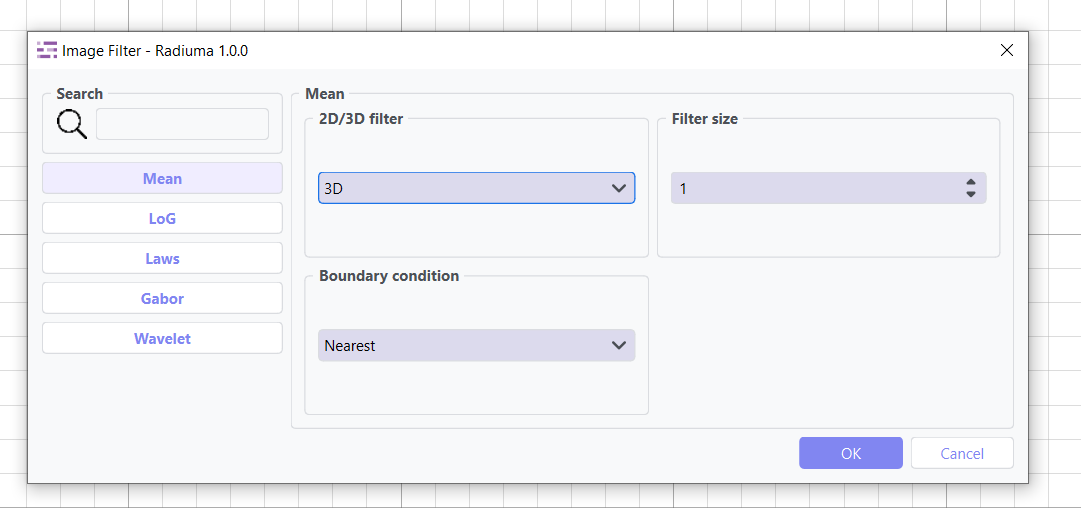
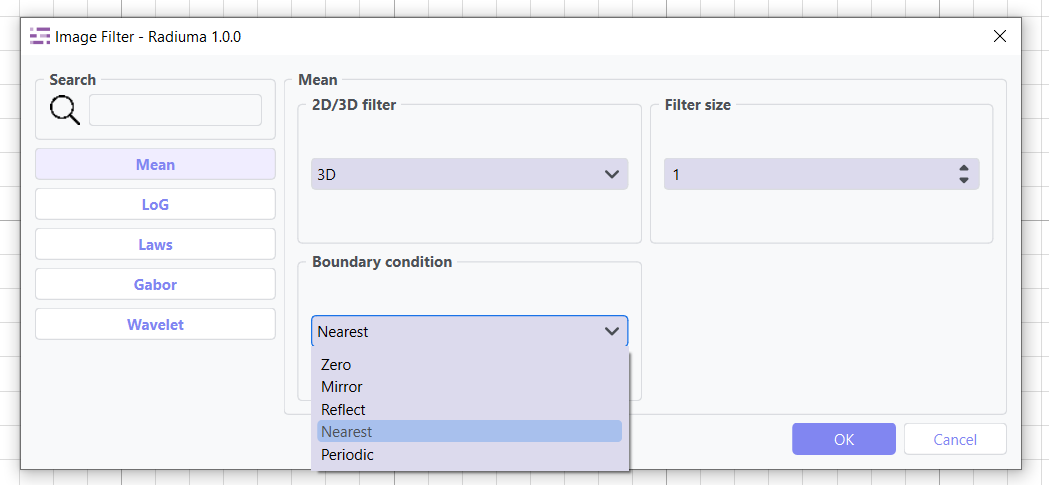
Mean Filter Smooths images by reducing noise while preserving edges.
Key Parameters
Filter Size: Size of the kernel for mean calculation (default: 1)
LoG (Laplacian of Gaussian) Filter
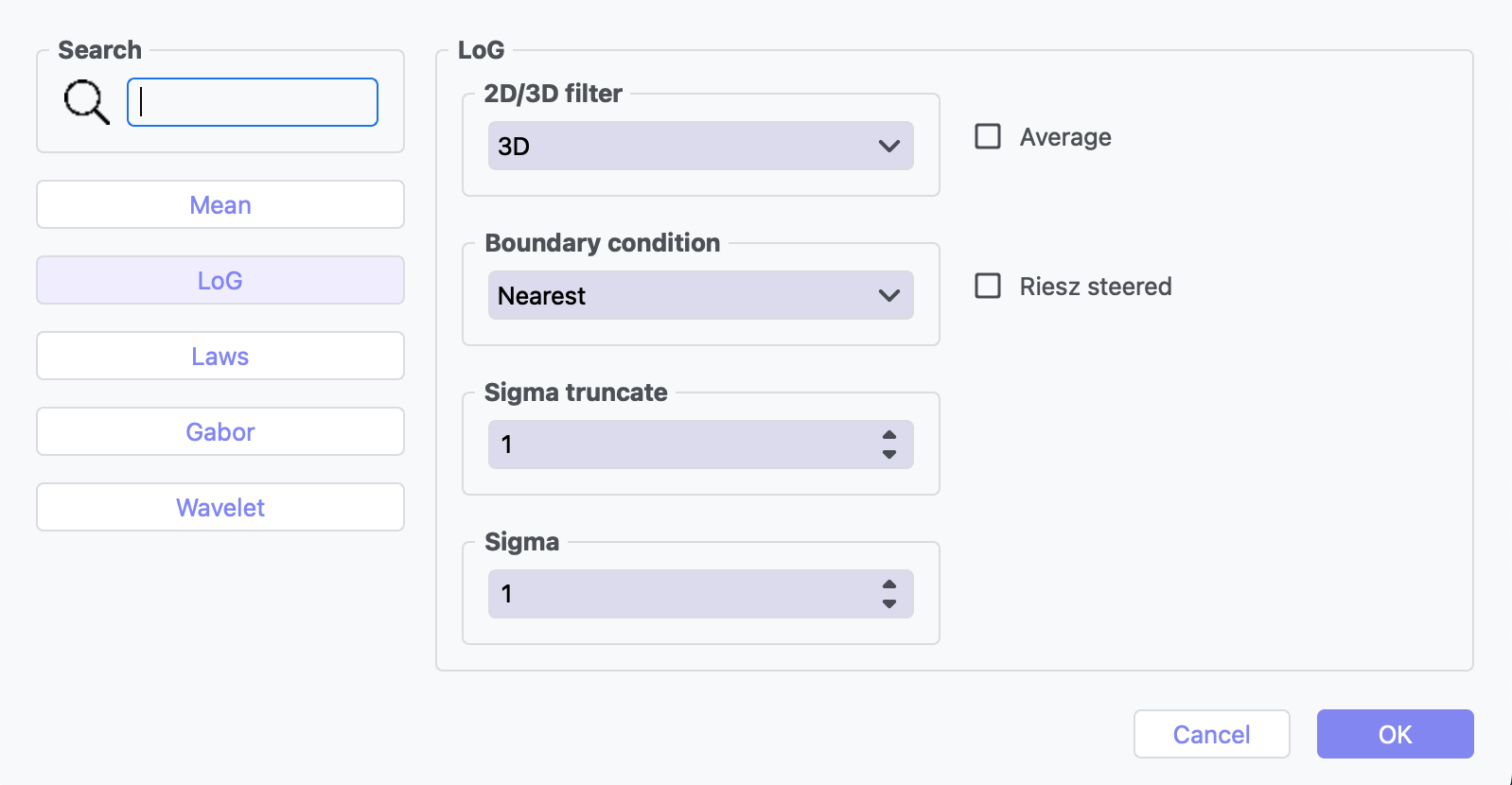
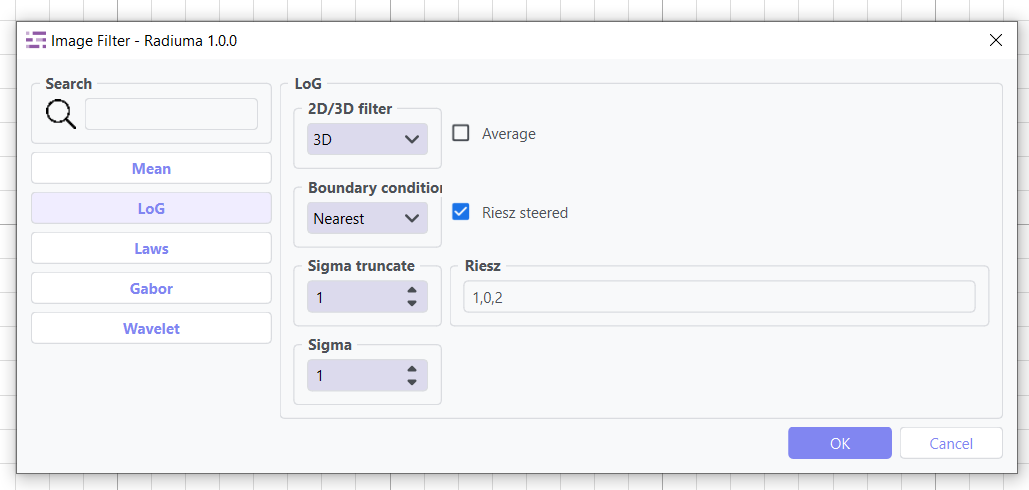
LoG Filter Highlights edges and regions of rapid intensity change.
Key Parameters
Sigma: Scale parameter for Gaussian (default: 1)
Sigma Truncate: Truncation factor for Gaussian kernel (default: 1)
Calculate Average: Whether to calculate average in filter (default: False)
Riesz Steered: Apply Riesz transform (default: False)
Riesz Parameters: Parameters for Riesz transform (default: “1,0,2”)
Laws Filter
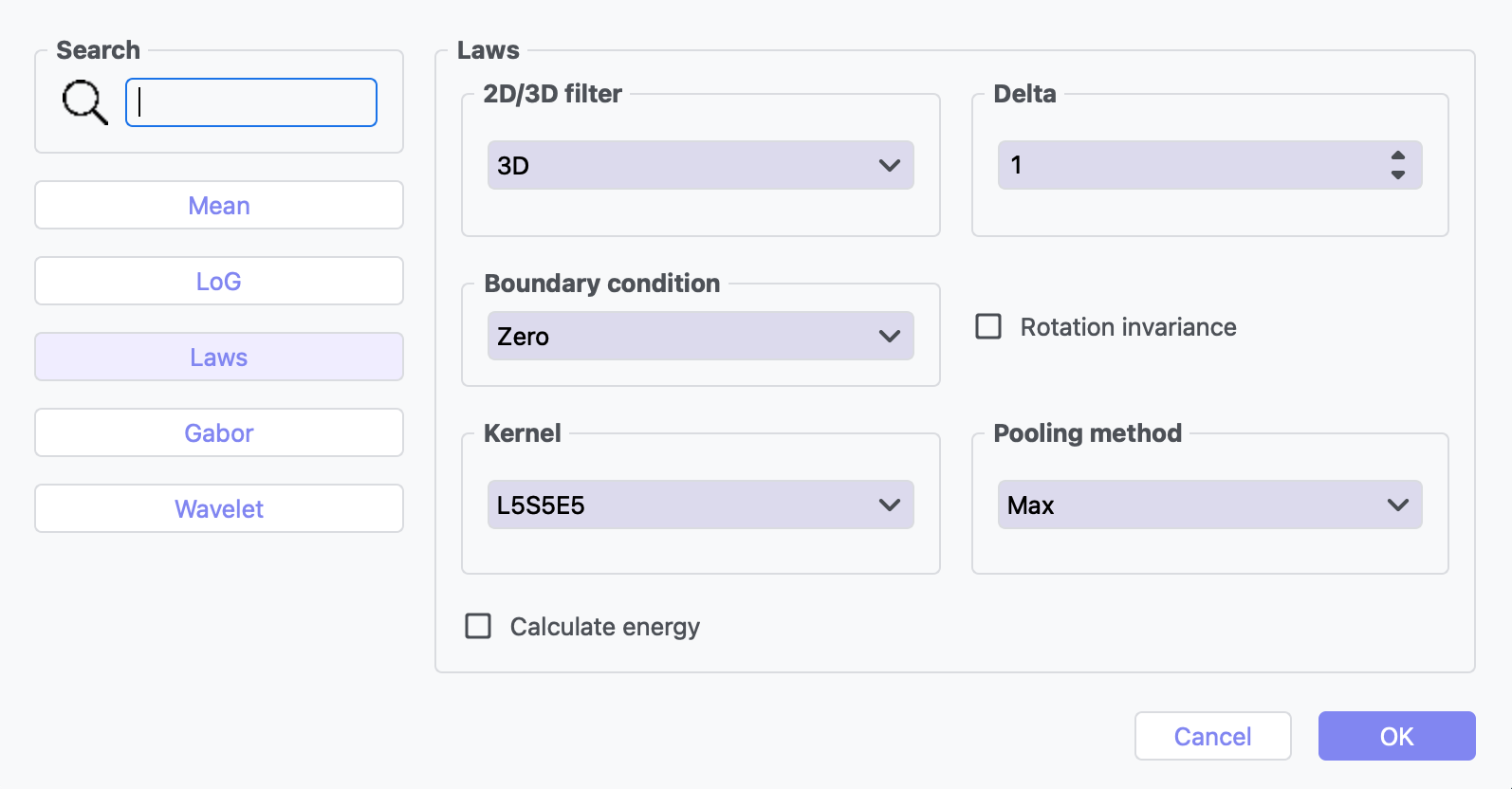
Laws Filter extracts texture features using small convolution kernels. Below are the available 2D and 3D kernels used in the Laws Filter for texture analysis.
Key Parameters
Kernel: Specific Laws kernel to apply (default: “L5S5E5”)
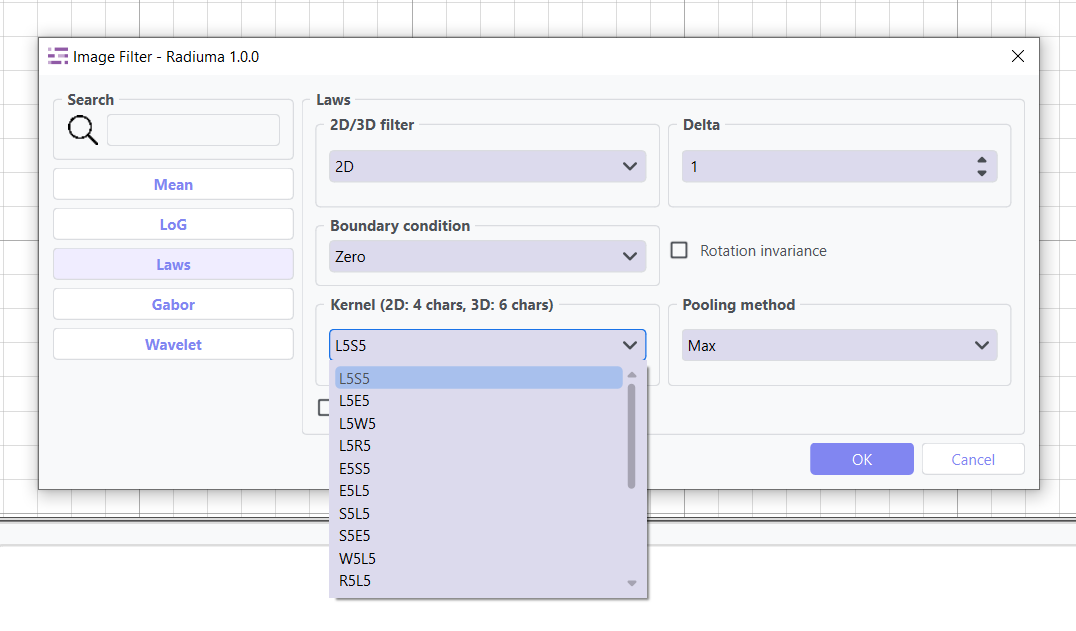
2D Kernels:
L5S5 (Level + Spot, default)
L5E5 (Level + Edge)
L5W5 (Level + Wave)
L5R5 (Level + Ripple)
E5S5 (Edge + Spot)
E5L5 (Edge + Level)
S5L5 (Spot + Level)
S5e5 (Spot + Edge)
R5L5 (Ripple + Level)
W5E5 (Wave + Edge)
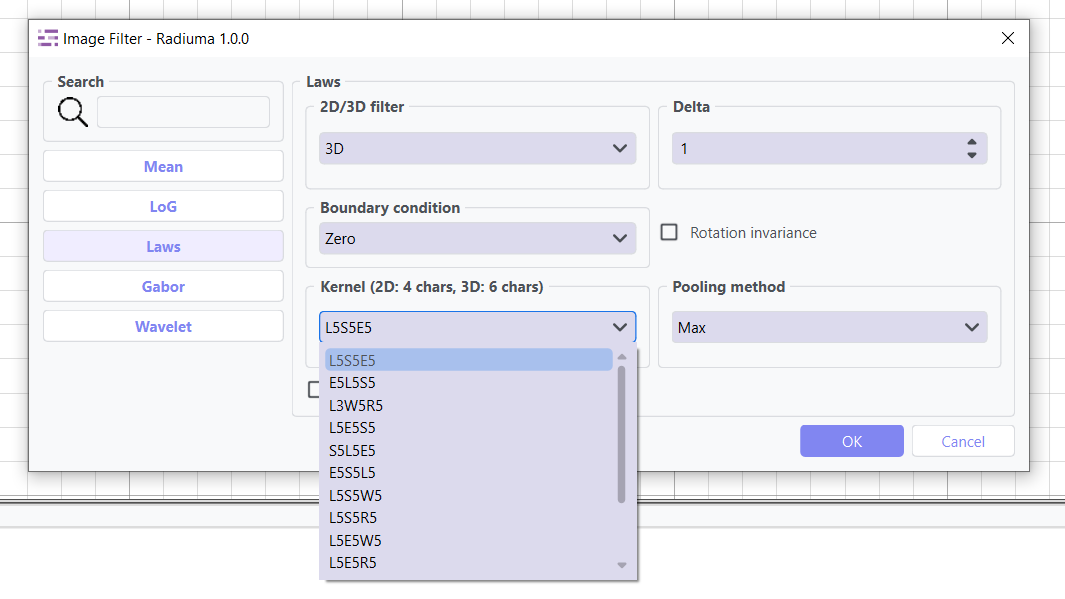
3D Kernels:
L5S5E5 (Level + Spot + Edge, default)
E5L5S5 (Edge + Level + Spot)
L3W5R5 (Level-3 + Wave + Ripple)
L5E5S5 (Level + Edge + Spot)
L3W5S5 (Level-3 + Wave + Spot)
S5L5E5 (Spot + Level + Edge)
E5S5L5 (Edge + Spot + Level )
L5S5W5 (Level + Spot + Wave)
L5E5R5 (Level + Edge + Ripple)
L5E5W5 (Level + Edge + Wave)
L5E5R5 (Level + Edge + Spot)
Calculate Energy: Calculate energy statistics (default: False)
Delta: Step size parameter (default: 1)
Rotation Invariance: Enable rotation invariance (default: False)
Pooling Method: Method for combining filter responses (default: “Max”)
Gabor Filter
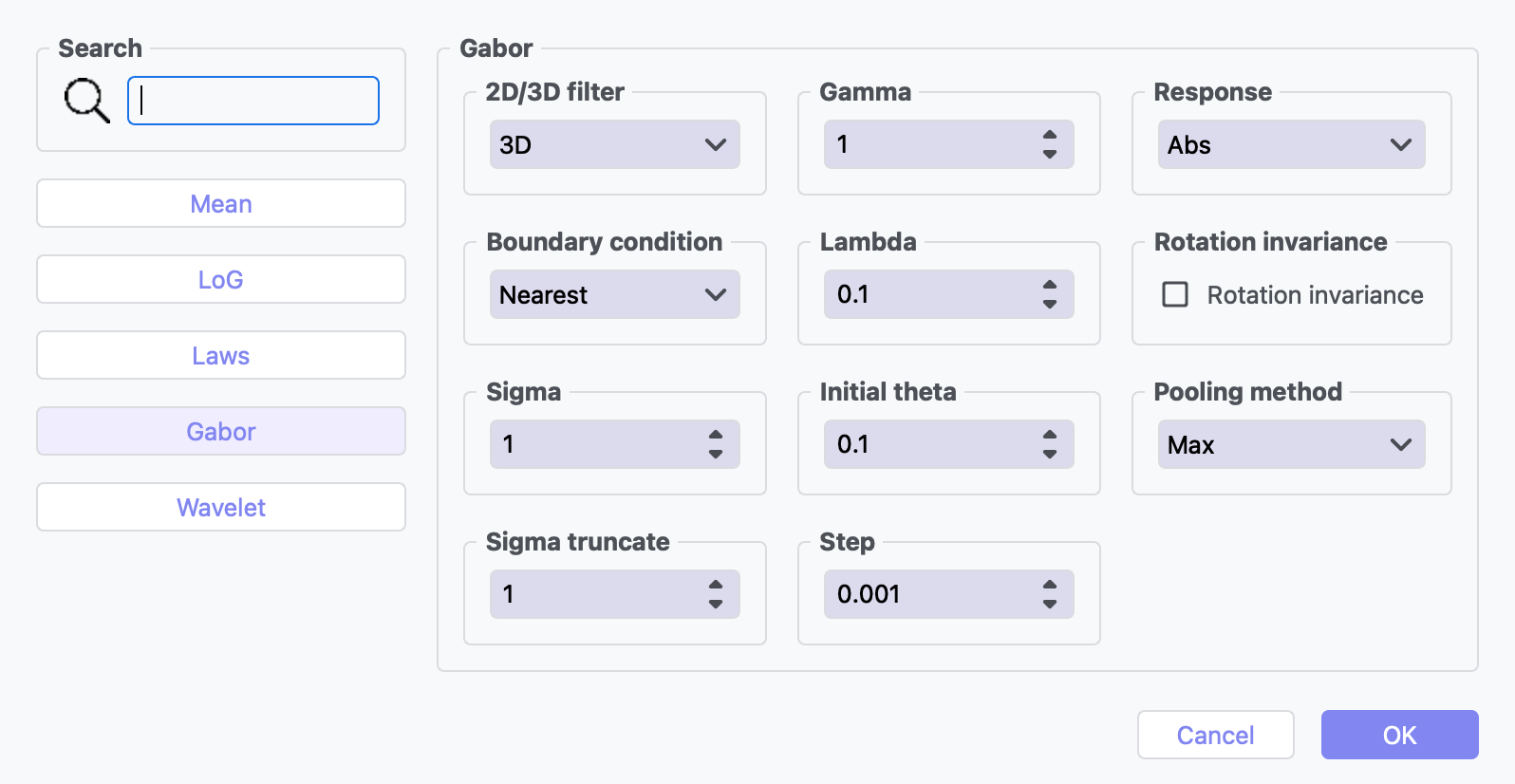
Gabor Filter Texture and edge detection at various orientations and scales.
Key Parameters
Gamma: Controls filter shape (default: 1)
Lambda: Wavelength of sinusoidal factor (default: 0.1)
Theta Initial: Starting orientation of filter (default: 0.1)
Step: Increment value for filter application (default: 0.001)
Response: Type of filter response (default: “Abs”). Available options: “Abs”, “Modulus”, “Magnitude” , “Angle”, “Phase”, “Argument”, “Real”, “Imaginary”.
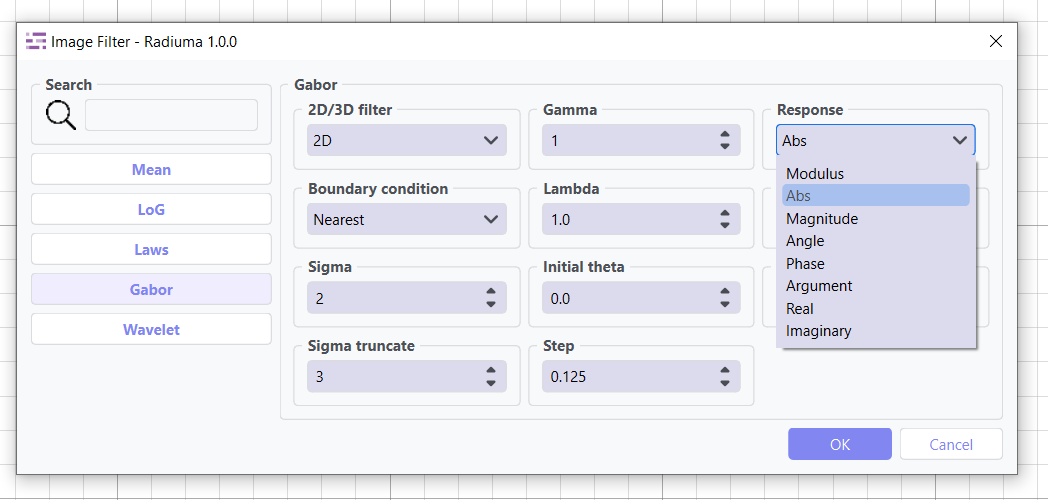
Rotation Invariance: Enable rotation invariance (default: False)
Pooling Method: Method for combining filter responses as “MAx” and “Mean”. (default: “Max”)
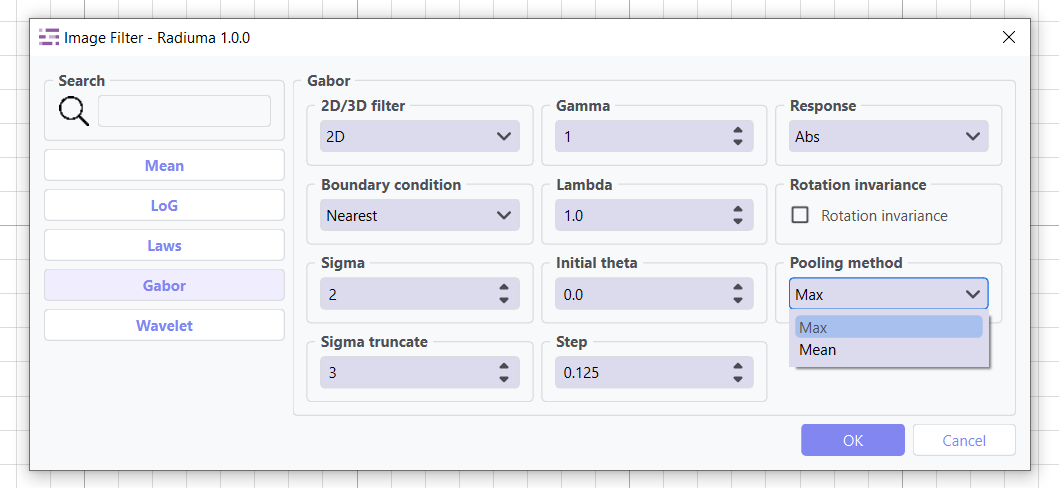
Sigma: Sigma value for Gabor kernel (default: 1)
Sigma Truncate: Truncation factor for Gaussian kernel (default: 1)
Wavelet Filter
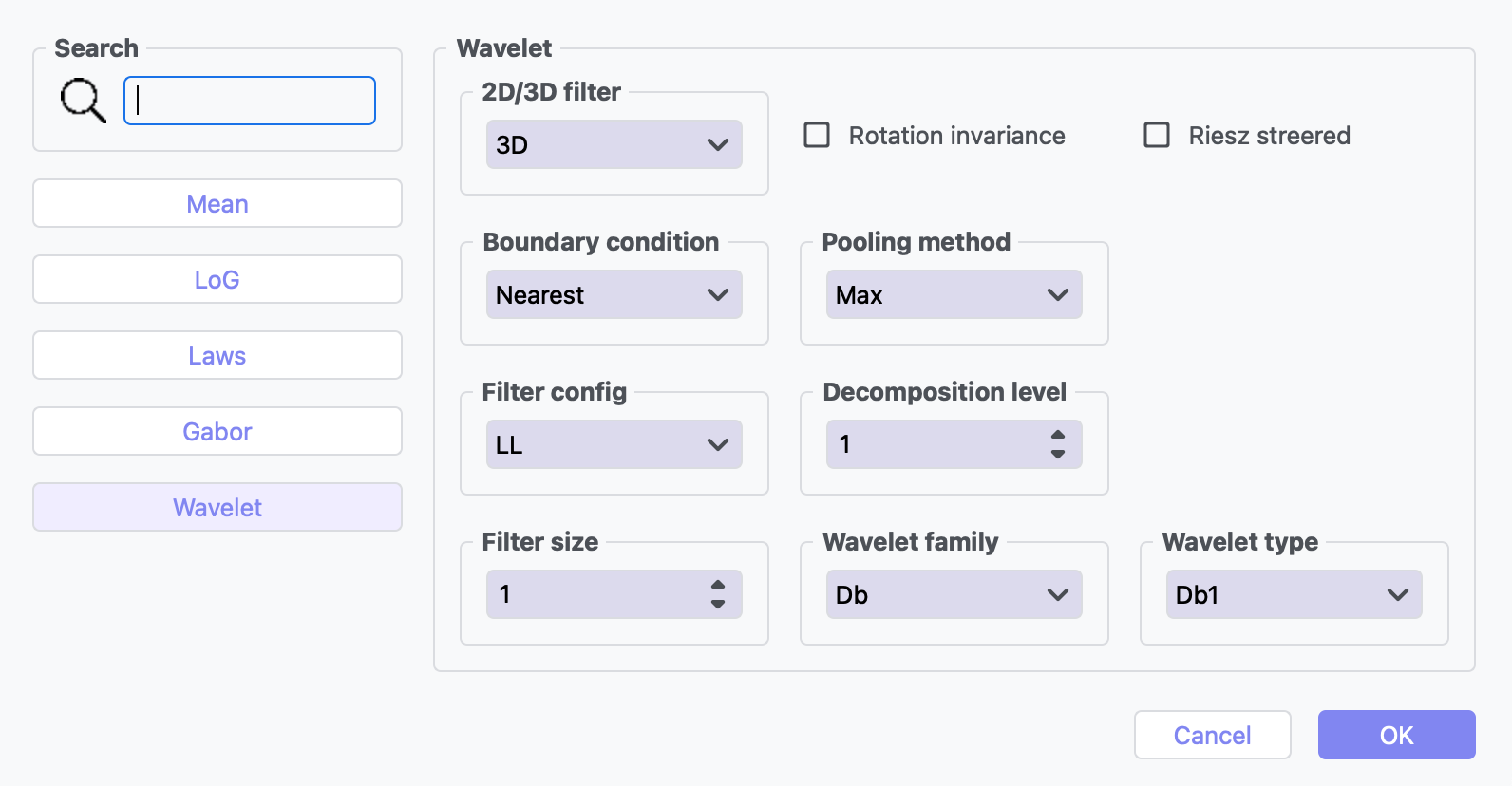
Wavelet Filter Multi-scale analysis for feature extraction.
Key Parameters
Filter Configuration: Specific wavelet decomposition level to use e.g “LL”, “LH”, “HL”, “HH”.(default: “LL”).
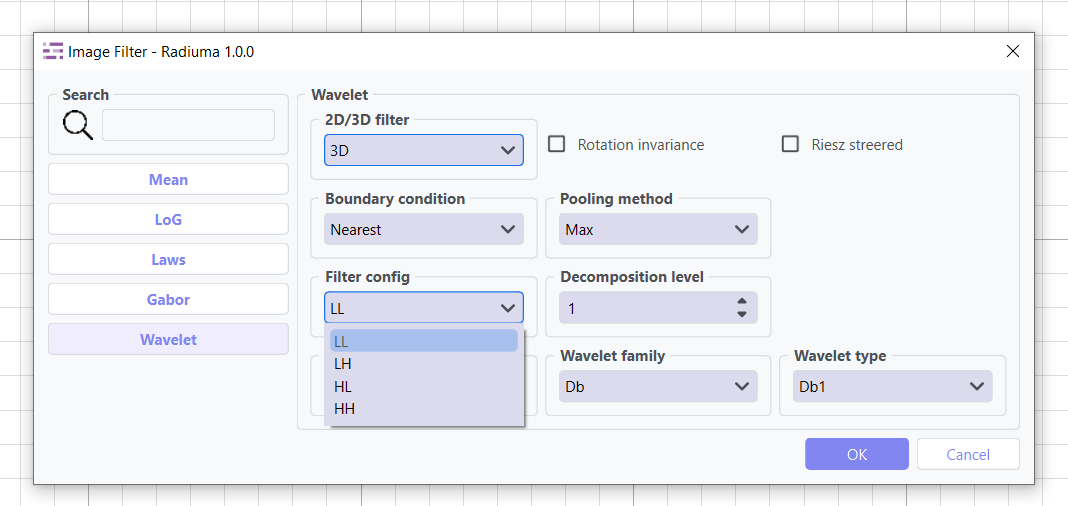
Filter Size: Size of the filter kernel (default: 1)
Rotation Invariance: Enable rotation invariance (default: False)
Pooling Method: Method for combining filter responses e.g “Max” and “Mean”. (default: “Max”)
Decomposition Level: Number of wavelet transform levels (default: 1)
Wavelet Family: Type of wavelet (default: “Db”)
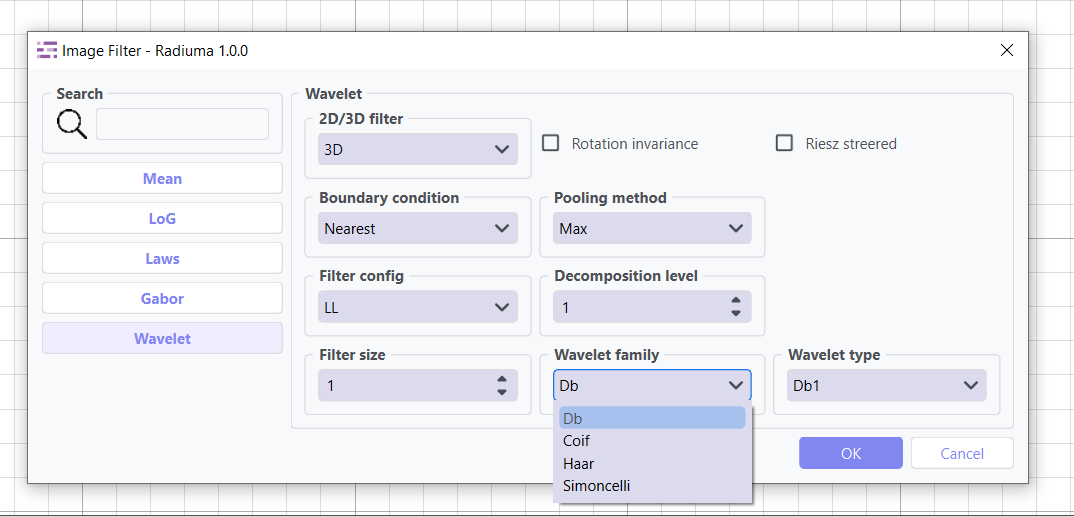
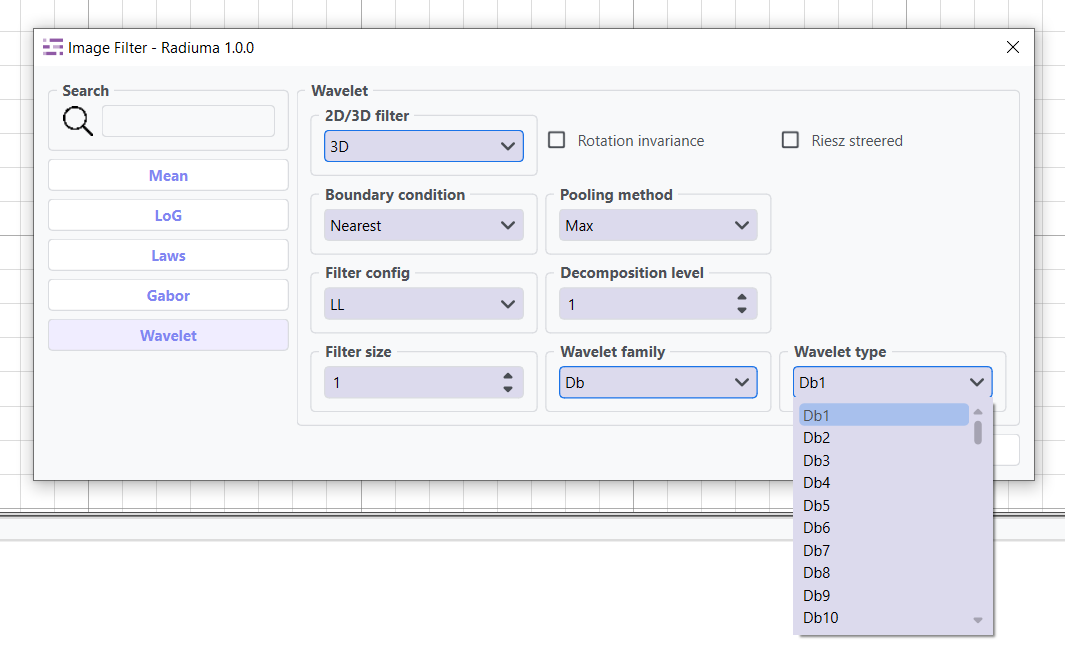
Wavelet Type: Specific wavelet implementation e.g “Db1”, “Db2”, “Db3”, “Db4”, “Db5”, “Db6”, “Db7”, “Db8”, “Db9”, “Db10”.(default: “Db1”)
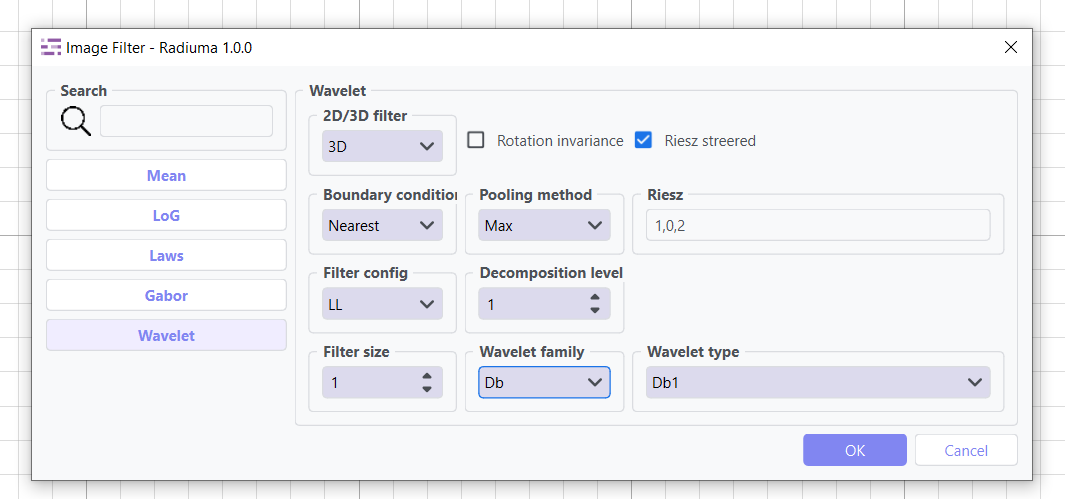
Riesz Steered: Apply Riesz transform (default: False)
Riesz Parameters: Parameters for Riesz transform (default: “1,0,2”)
Common Parameters
Slice/Volume Processing: 2D or 3D filtering
Boundary Condition: Handling of image boundaries (Zero, Mirror, Nearest, Reflect, Priodic).
Workflow Integration
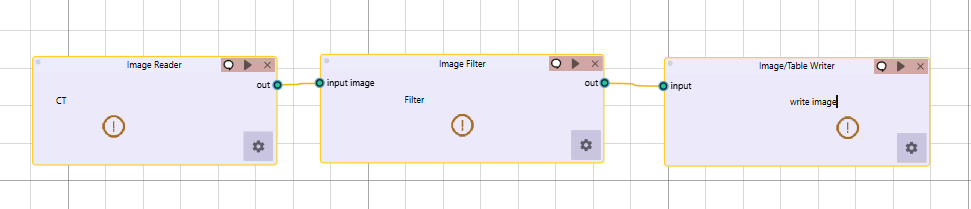
Takes image input
Applies selected filtering techniques
Outputs filtered image for further processing