Classification
Overview
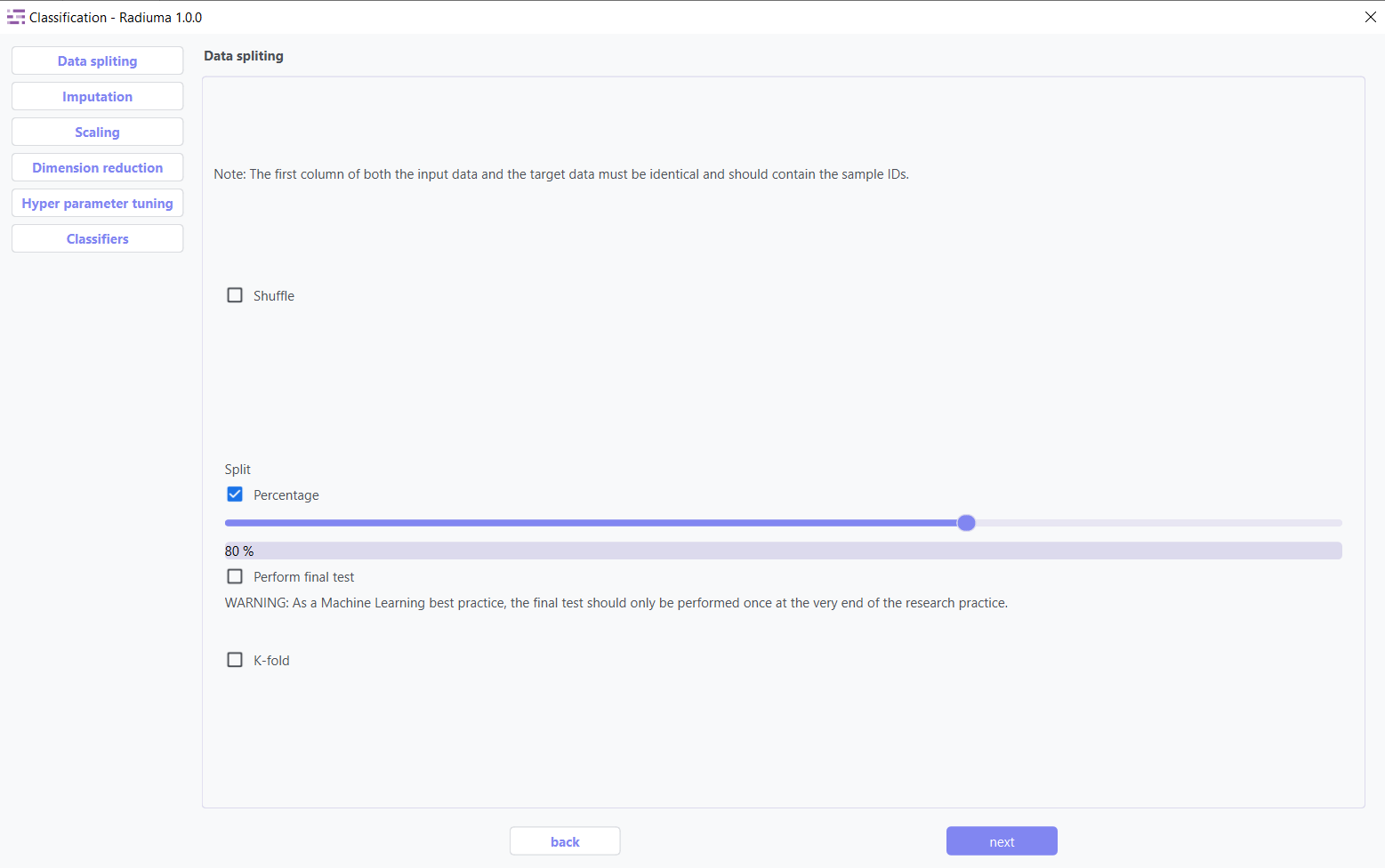
The Classification module provides a user-friendly, step-by-step interface that guides you through the entire machine learning process within the application. Starting with data import, the module automatically validates your feature and target tables to ensure proper formatting before proceeding to the analysis phase. Through a structured workflow of configurable panels, you can sequentially apply data splitting strategies, handle missing values with advanced imputation methods, normalize features using multiple scaling techniques, and optimize your dataset through dimension reduction. The interface then presents a comprehensive selection of classification algorithms with customizable parameters, allowing you to train and compare multiple models simultaneously. Finally, the system generates detailed performance metrics and visualizations, enabling you to select the optimal model for your specific clinical or research needs—all within a single, integrated environment designed for both machine learning experts and clinical researchers.
Complete machine learning pipeline with:
7+ classification algorithms
Automated data preprocessing
Hyperparameter optimization
Comprehensive model evaluation
Data Import
Before splitting or processing your data, ensure it is properly structured.
Note
Both feature and target tables must follow these requirements:
Identical Sample IDs in the first column of both tables.
Sample IDs must match exactly. e.g., Patient_001 in the feature table = Patient_001 in the target table.
Target column must be categorical for classification tasks (e.g., High / Low or 0 / 1).
Data Import Steps:
Import Feature Table
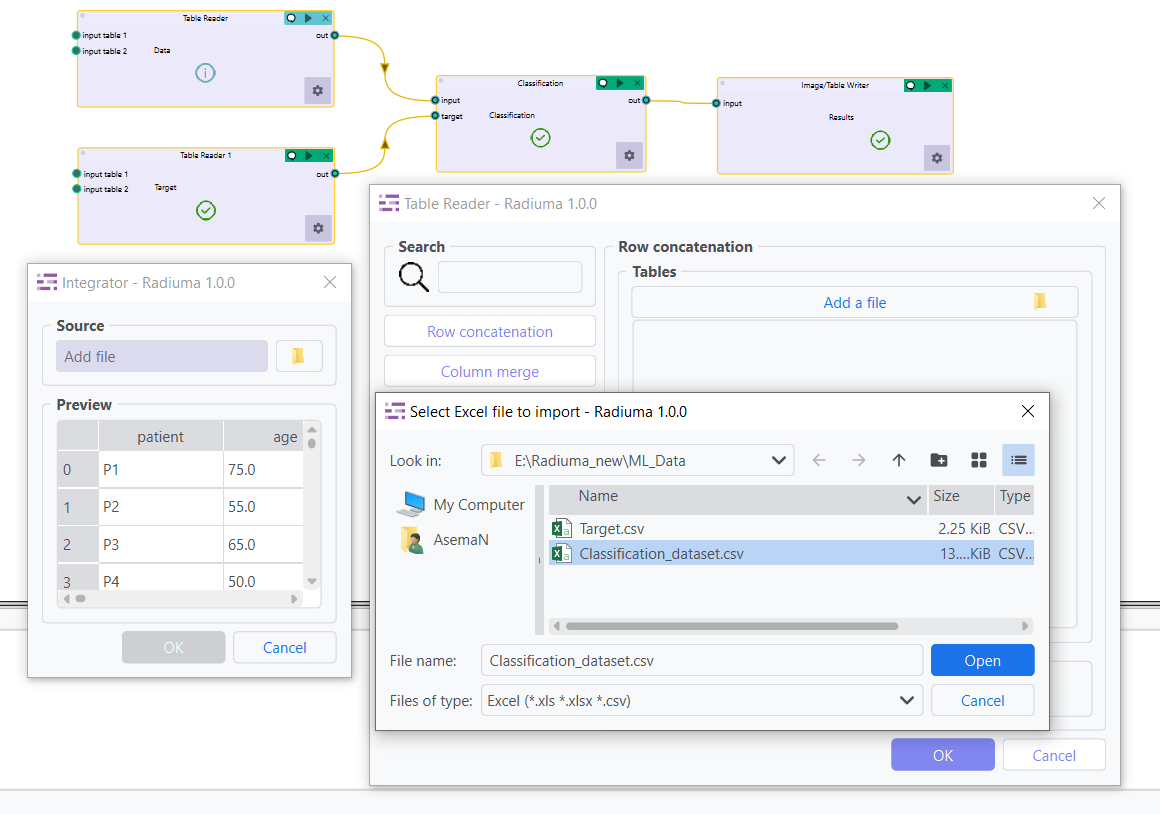
Select your main data table containing all features/predictors. Preview the table to verify structure.
Import Target Table
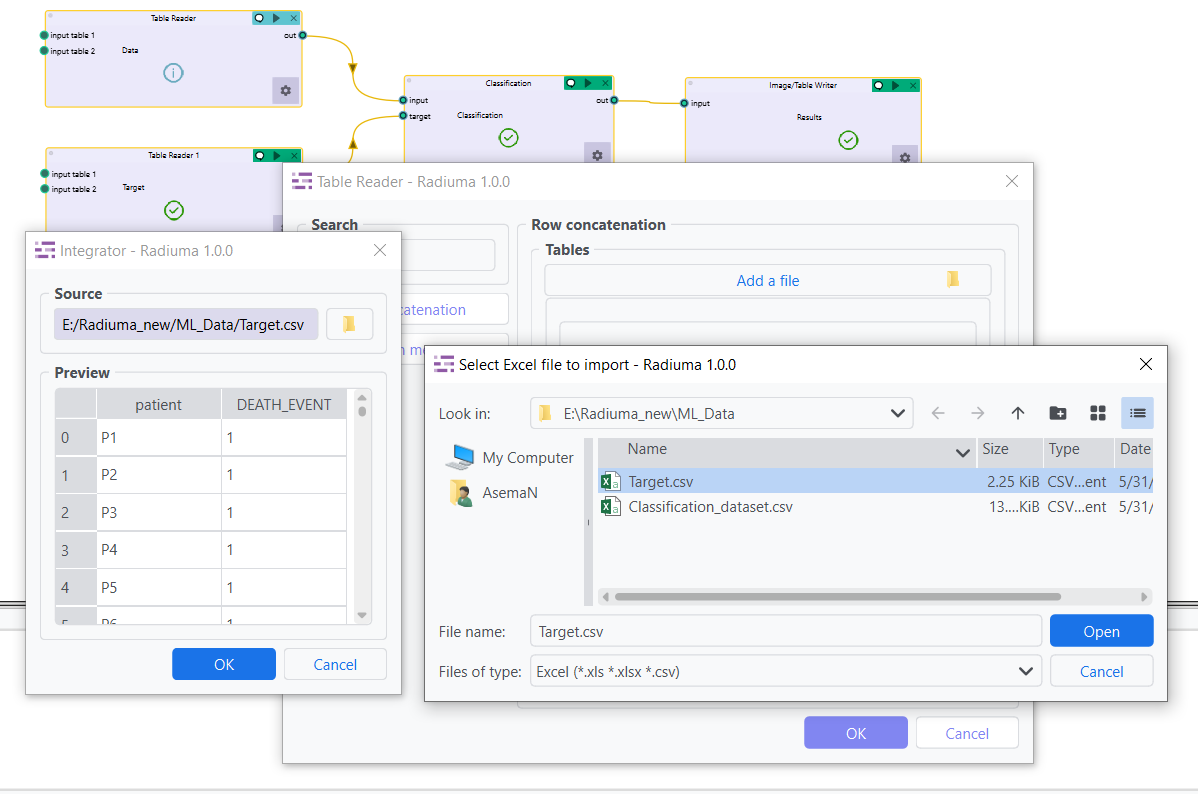
Select your target table containing only Sample IDs and Class Labels. Preview the table to verify structure.
Data Splitting
Important Note :
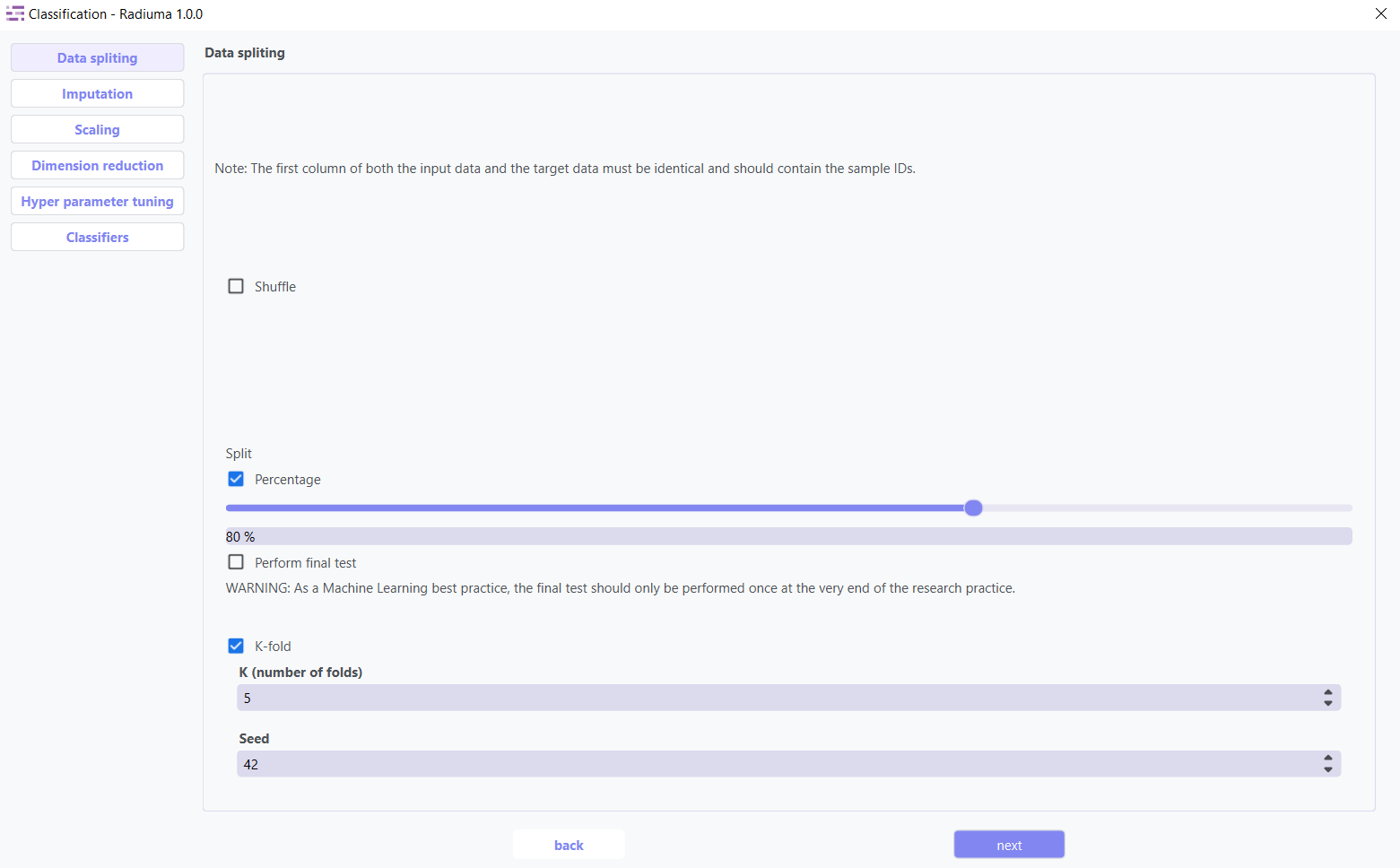
Data Requirement: The first column of both the input data and the target data must contain identical sample IDs.
Data Splitting Options:
Shuffle: Enable shuffling to randomize the data before splitting
Split: Choose between percentage split or K-fold cross-validation
Percentage: Specify training data percentage (e.g., 80%)
K-fold: Set the number of folds for cross-validation
Perform Final Test: Option to reserve data for final testing
Imputation
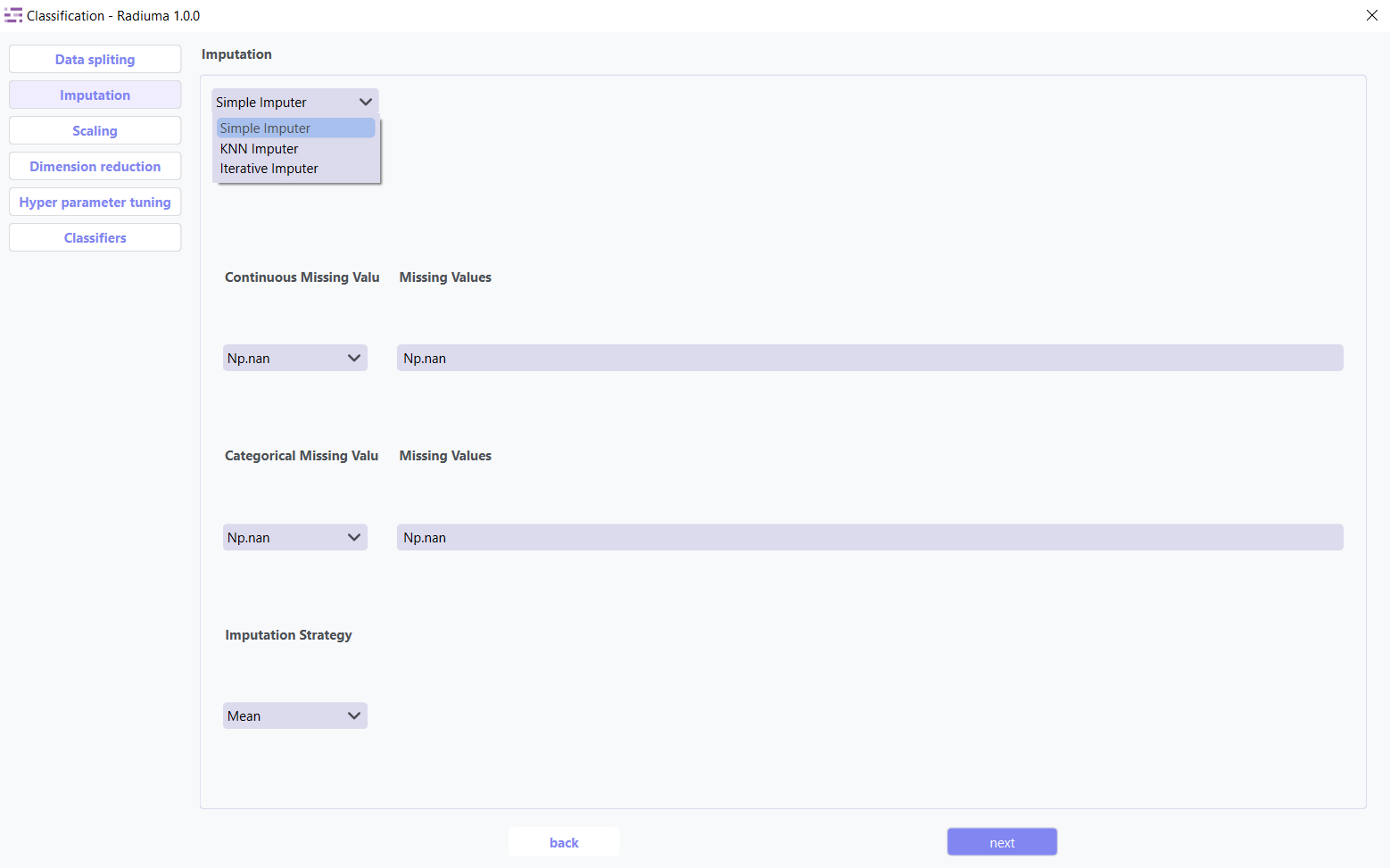
The imputation step addresses missing values in your dataset by replacing them with calculated values using three advanced strategies: Simple Imputer, KNN Imputer, and Iterative Imputer. Options include mean, median, or mode imputation for categorical data, ensuring your classification models have complete datasets for accurate predictions.
Simple Imputer: Basic replacement strategies for quick handling of missing data.
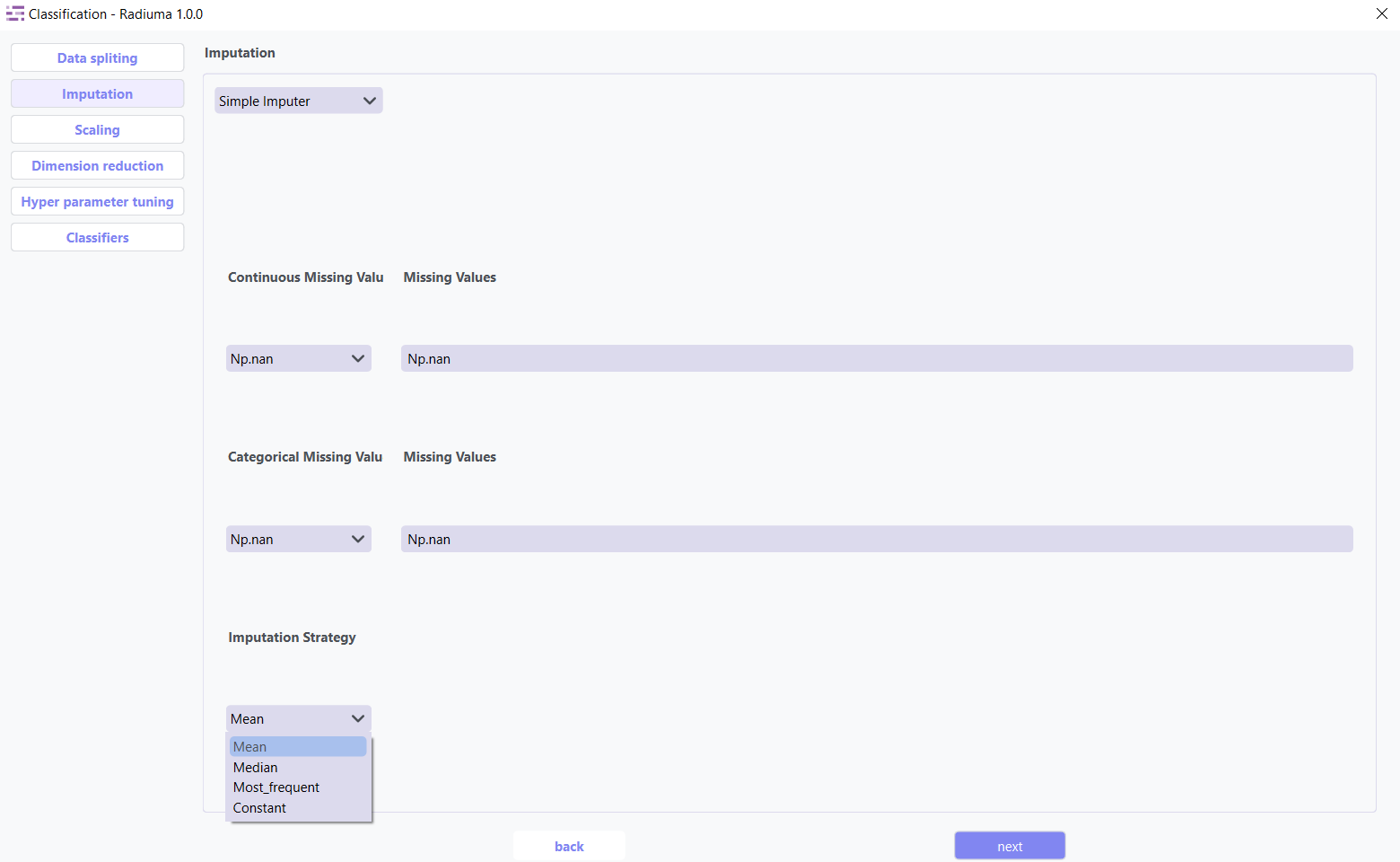
Imputation Options:
Continuous Missing Value: Strategy for handling missing numerical values
Categorical Missing Value: Strategy for handling missing categorical values
Imputation Strategy:
Mean: Replace with feature mean
Median: Replace with feature median
Most Frequent: Replace with most common value
Constant: Replace with user-specified value
KNN Imputer: Nearest-neighbor based imputation using feature similarity.
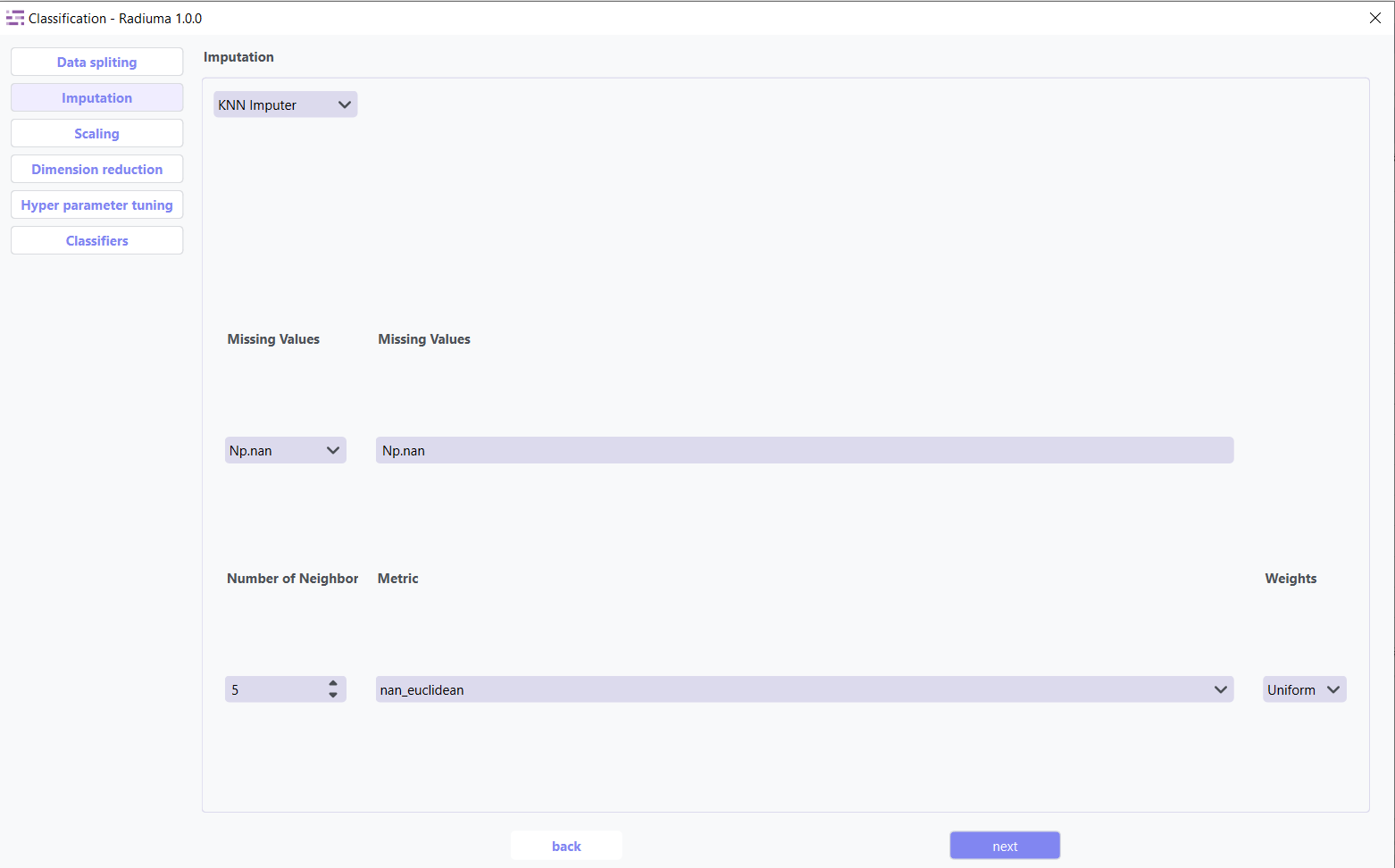
Key Parameters:
n_neighbors (default: 5) – Number of neighbors used to impute missing values
metric – Distance function non-euclidean,
weights – uniform or distance (distance gives more weight to closer neighbors)
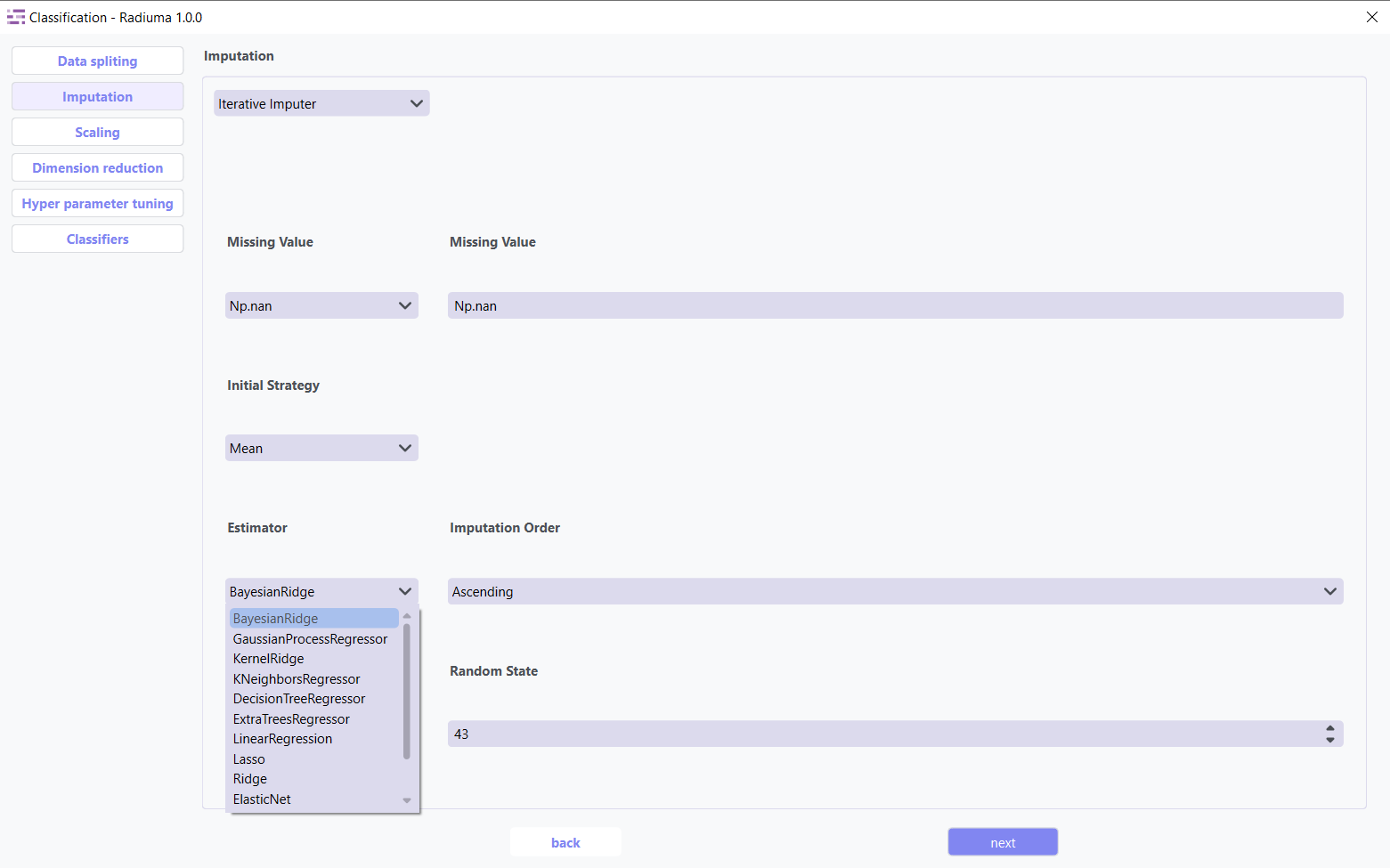
Iterative Imputer: Advanced method that models each feature with missing values as a function of other features.
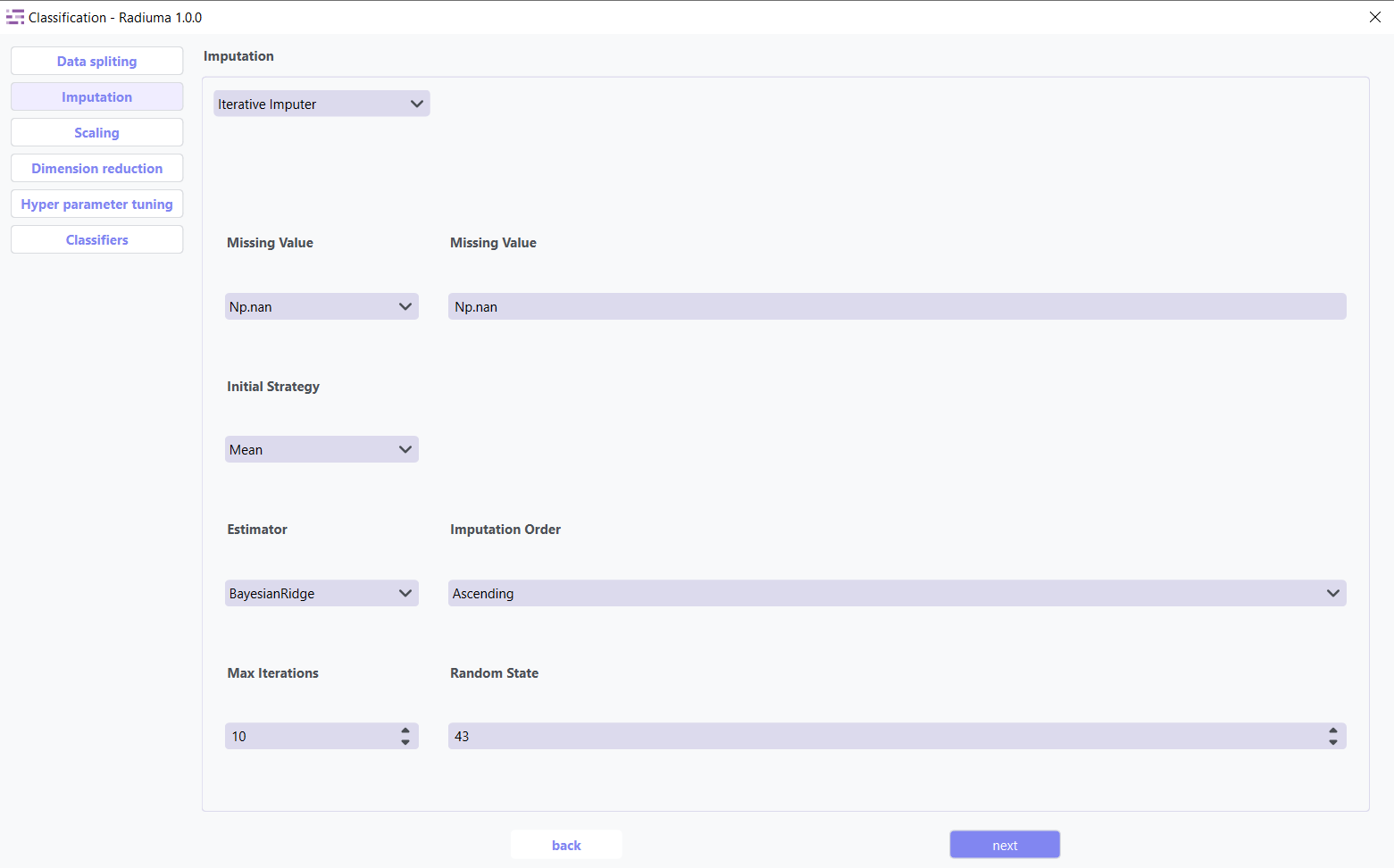
Key Parameters:
Estimator Algorithm used to predict missing values for each feature.
Common options include:
BayesianRidge (default) – Performs regularized linear regression using Bayesian principles
GaussianProcessRegressor – Models non-linear relationships with probabilistic output
KernelRidge – Combines ridge regression with kernel tricks for non-linear features
KNeighborsRegressor – Uses neighboring samples to estimate missing values
LinearRegression – Basic linear approach for imputation
Lasso / Ridge / ElasticNet – Regularized linear models for better generalization
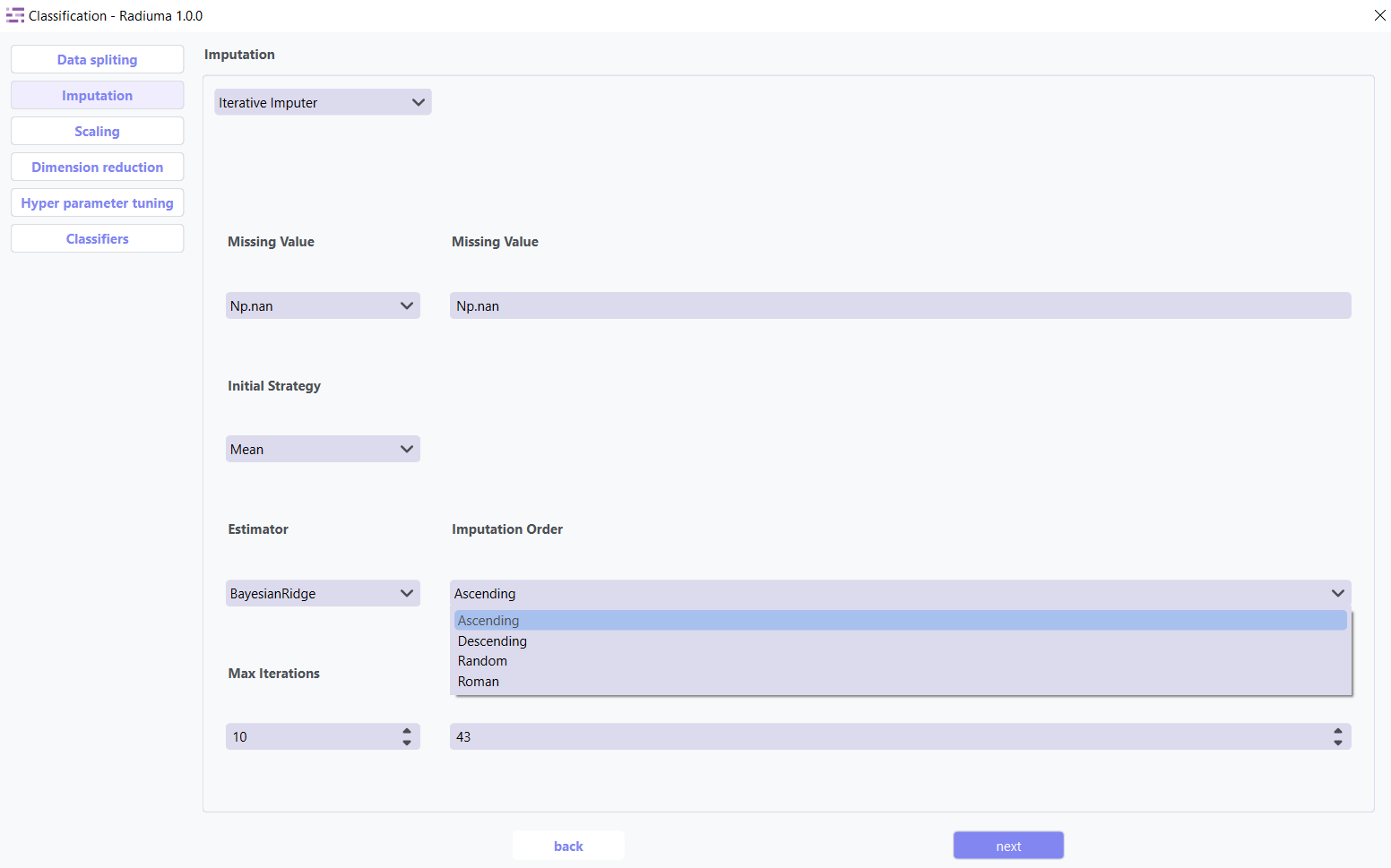
Imputation Order Determines the sequence in which features are imputed:
Ascending (default) – Start from features with fewest missing values
Descending – Start from features with most missing values
Random – Random order for each iteration
Roman – Left-to-right (fixed order)
Scaling
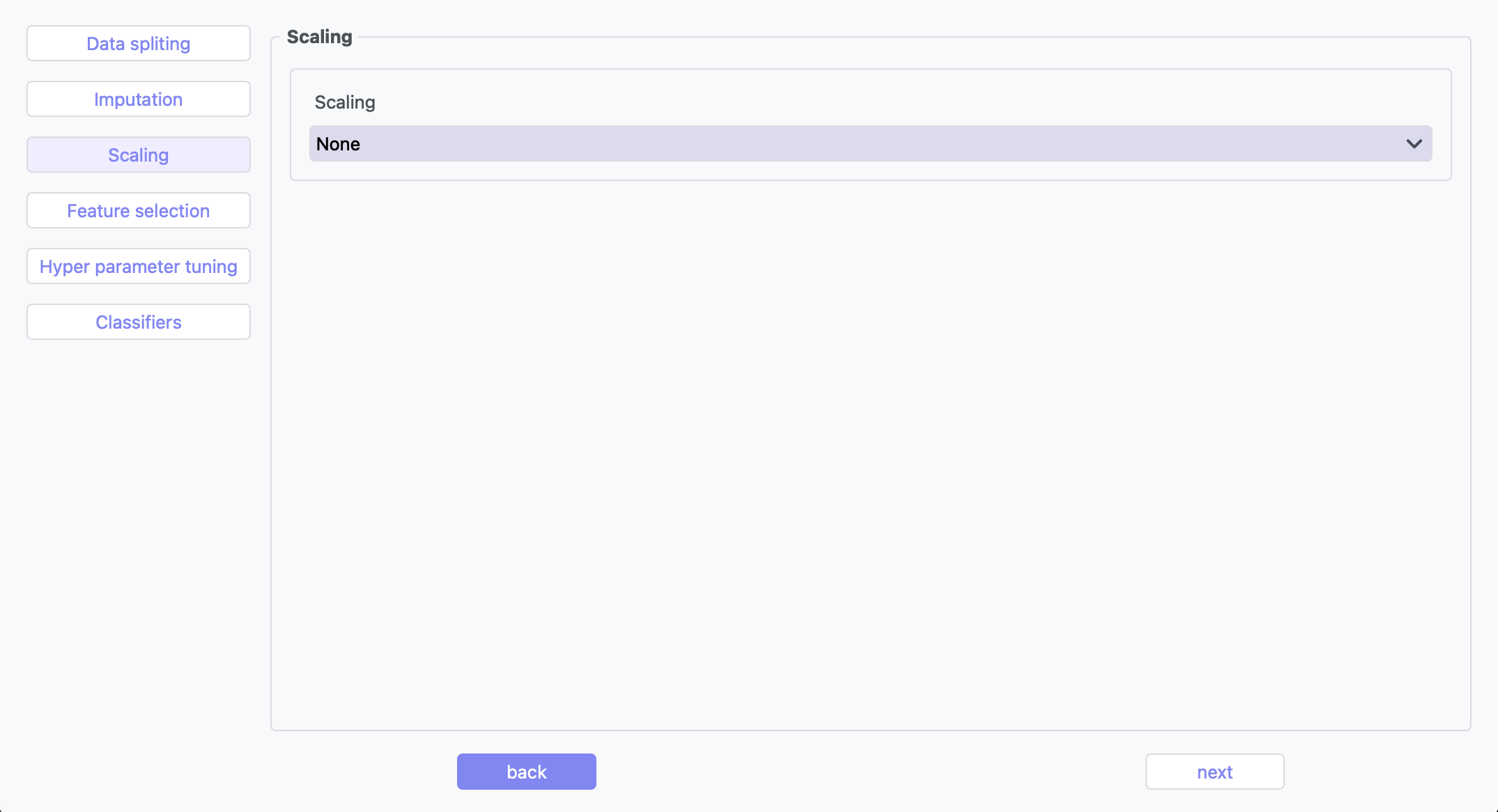
Feature scaling transforms your features to a common scale, which is essential for many classification algorithms that are sensitive to feature magnitudes. Methods like StandardScaler, MinMaxScaler,Max abs Scaler,Normalizer and RobustScaler help improve model convergence and performance.
Dimention Reduction
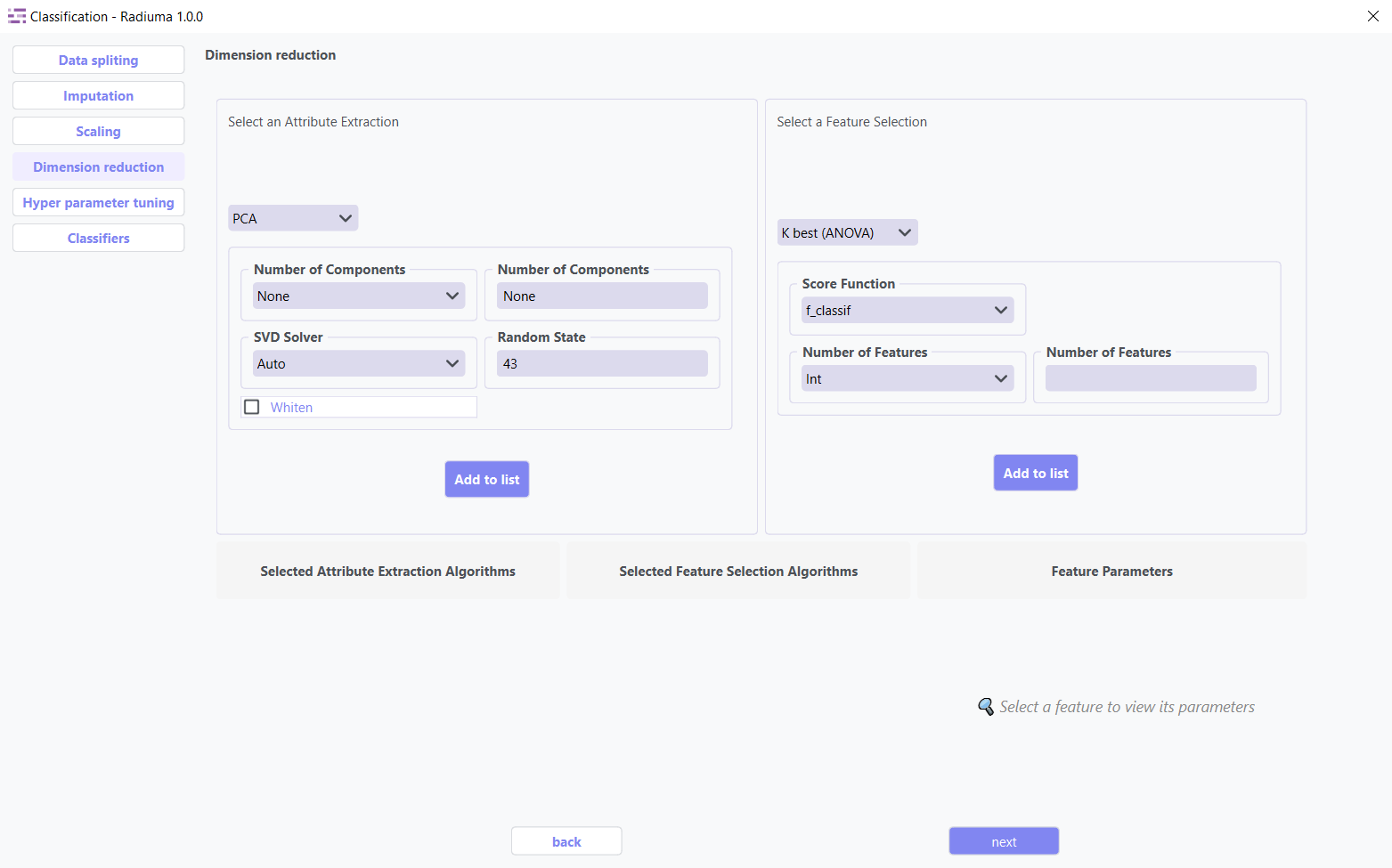
Dimension reduction techniques optimize your dataset by identifying and retaining only the most valuable features. These methods serve two primary purposes:
Attribute Extraction: Transforms features into a more compact representation while preserving essential patterns
Feature Selection: Identifies and keeps only the most informative original features
Key Benefits:
Reduces computational requirements and training time
Improves model performance by eliminating noise
Helps prevent overfitting
Enhances interpretability of results
1. Attribute Extraction Algorithms
Transform features into a lower-dimensional space while retaining patterns:
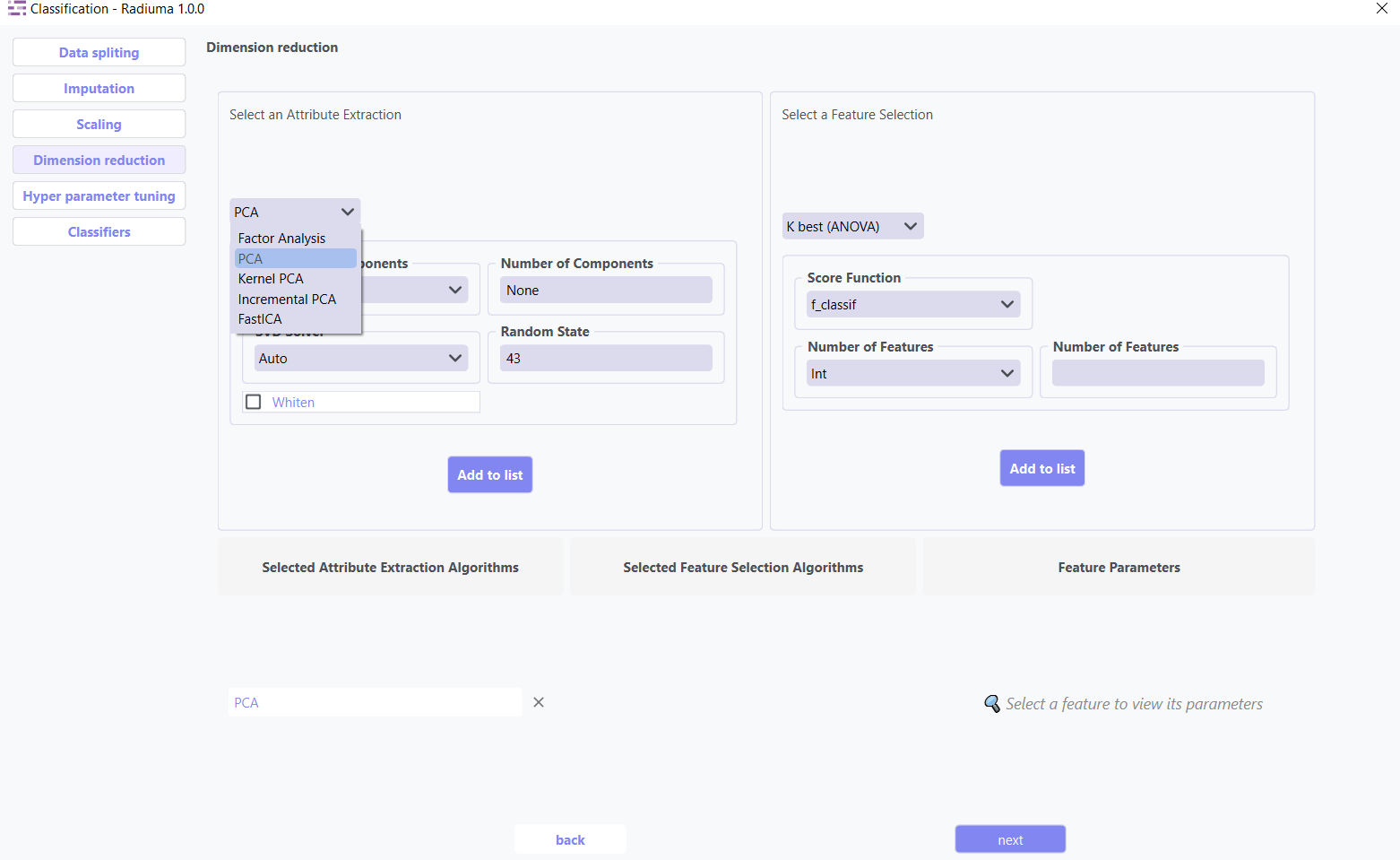
Available Methods:
PCA (Principal Component Analysis): Linear dimensionality reduction via orthogonal transformation
Kernel PCA: Non-linear extension of PCA using kernel functions
Factor Analysis: Models observed variables as linear combinations of latent factors
FastICA: Independent Component Analysis for signal separation
Incremental PCA: Efficient PCA for large, streaming datasets
2. Feature Selection Algorithms
Select the most relevant features without transformation:
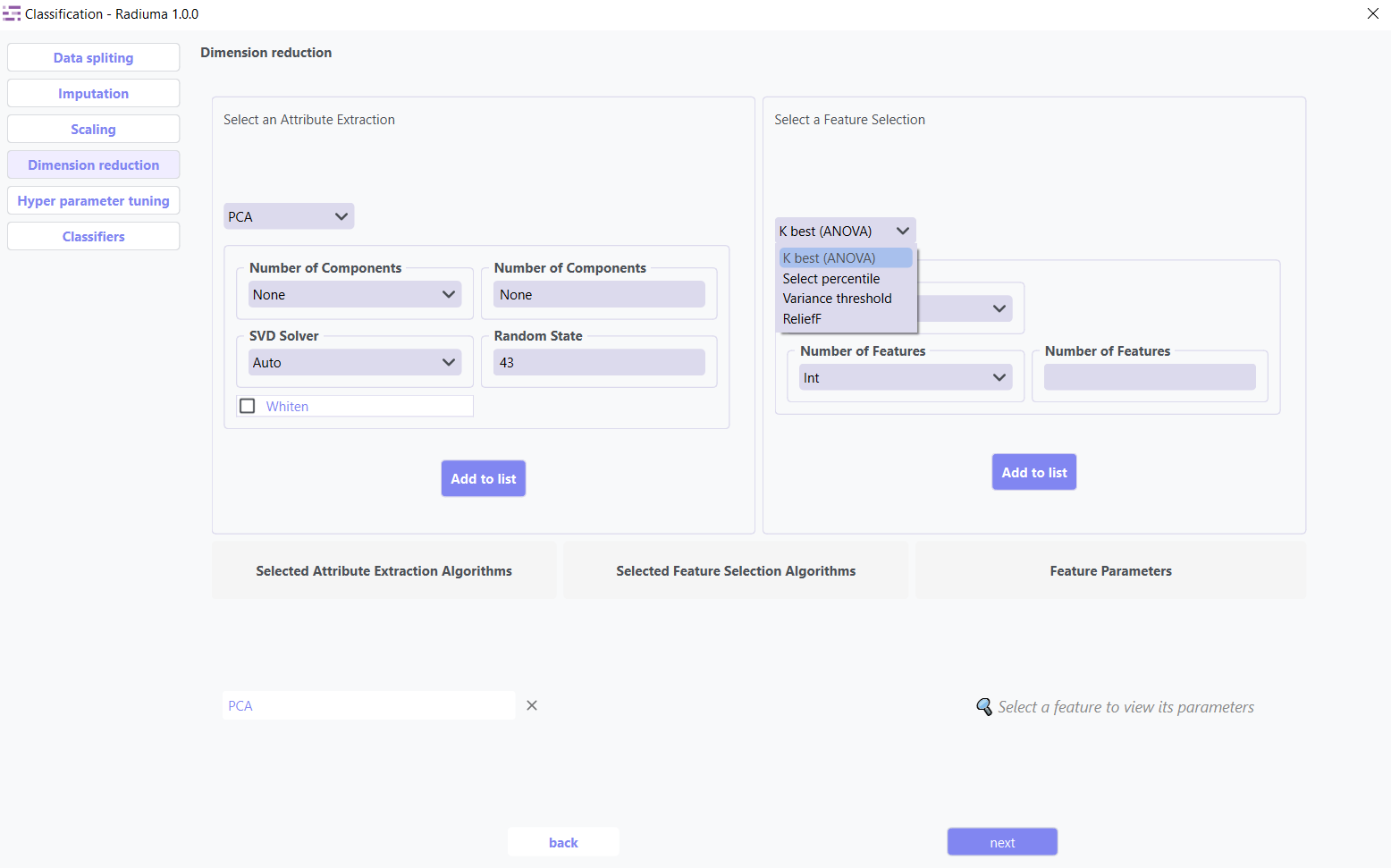
Available Methods:
K-Best(ANOVA): Select top k features based on statistical tests
Select Percentile: Keep top features above a specified percentile
ReliefF: Weight-based feature selection for multi-class problems
Variance Threshold: Remove low-variance features (user-defined threshold)
Hyperparameter Tuning
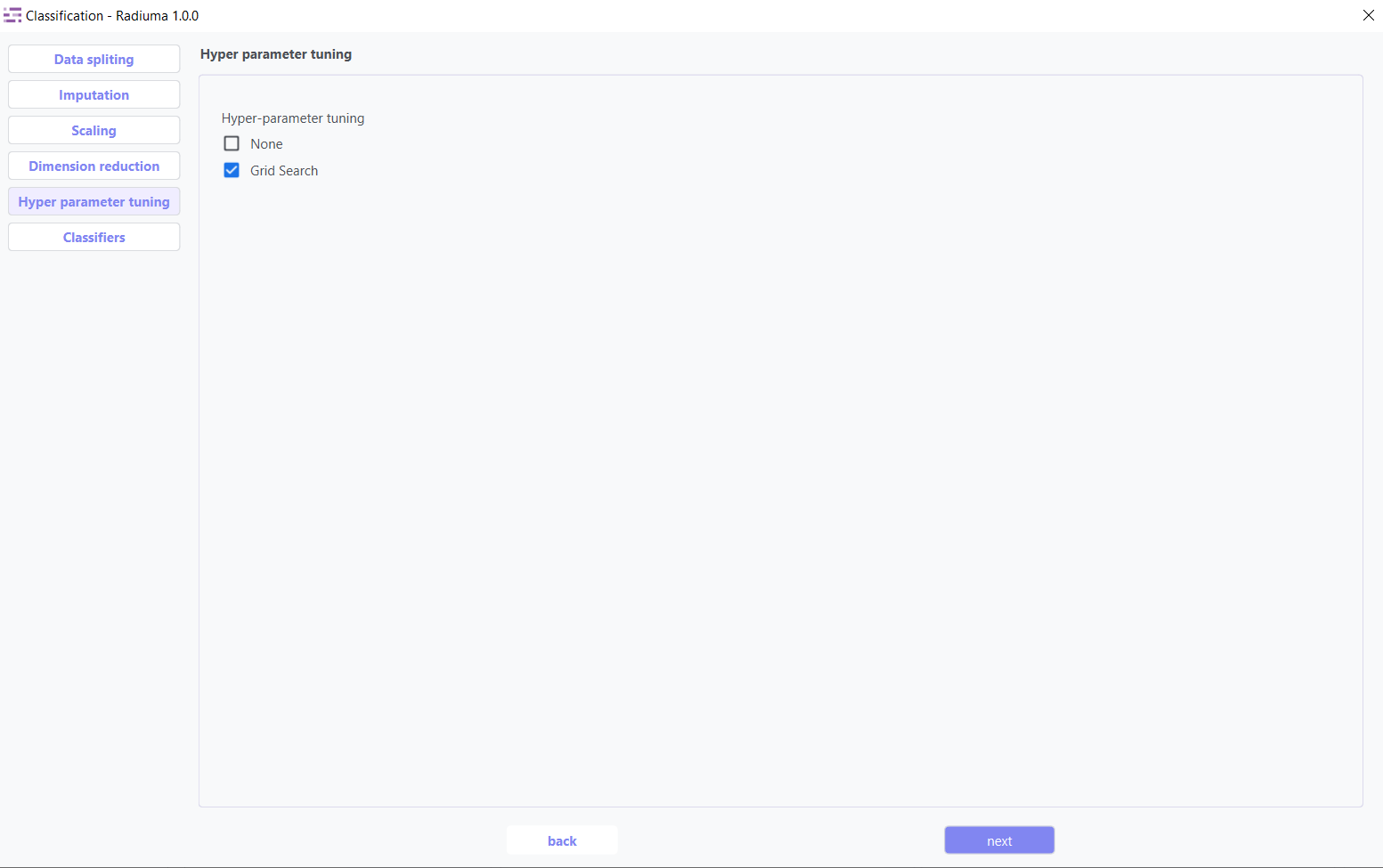
Hyperparameter tuning systematically searches for the optimal model configuration to maximize classification performance. Using methods like grid search or random search, this step fine-tunes algorithm-specific parameters that cannot be learned directly from the data.
Classifier Selection
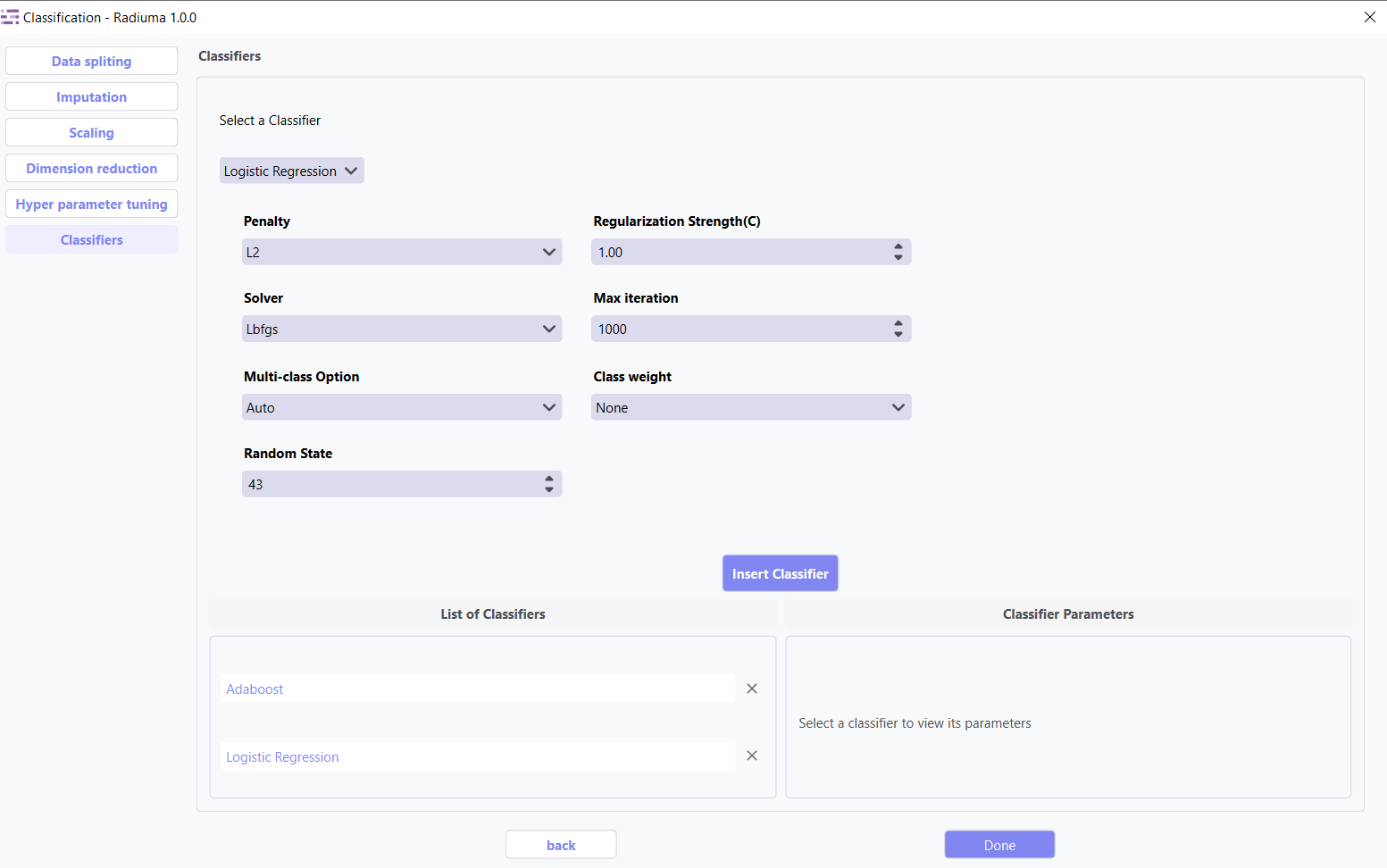
The algorithm selection interface lets you choose and configure the most appropriate classification model for your data characteristics and prediction goals, with detailed options for each algorithm’s parameters.
Supported Algorithms
1. Logistic Regression Classifier
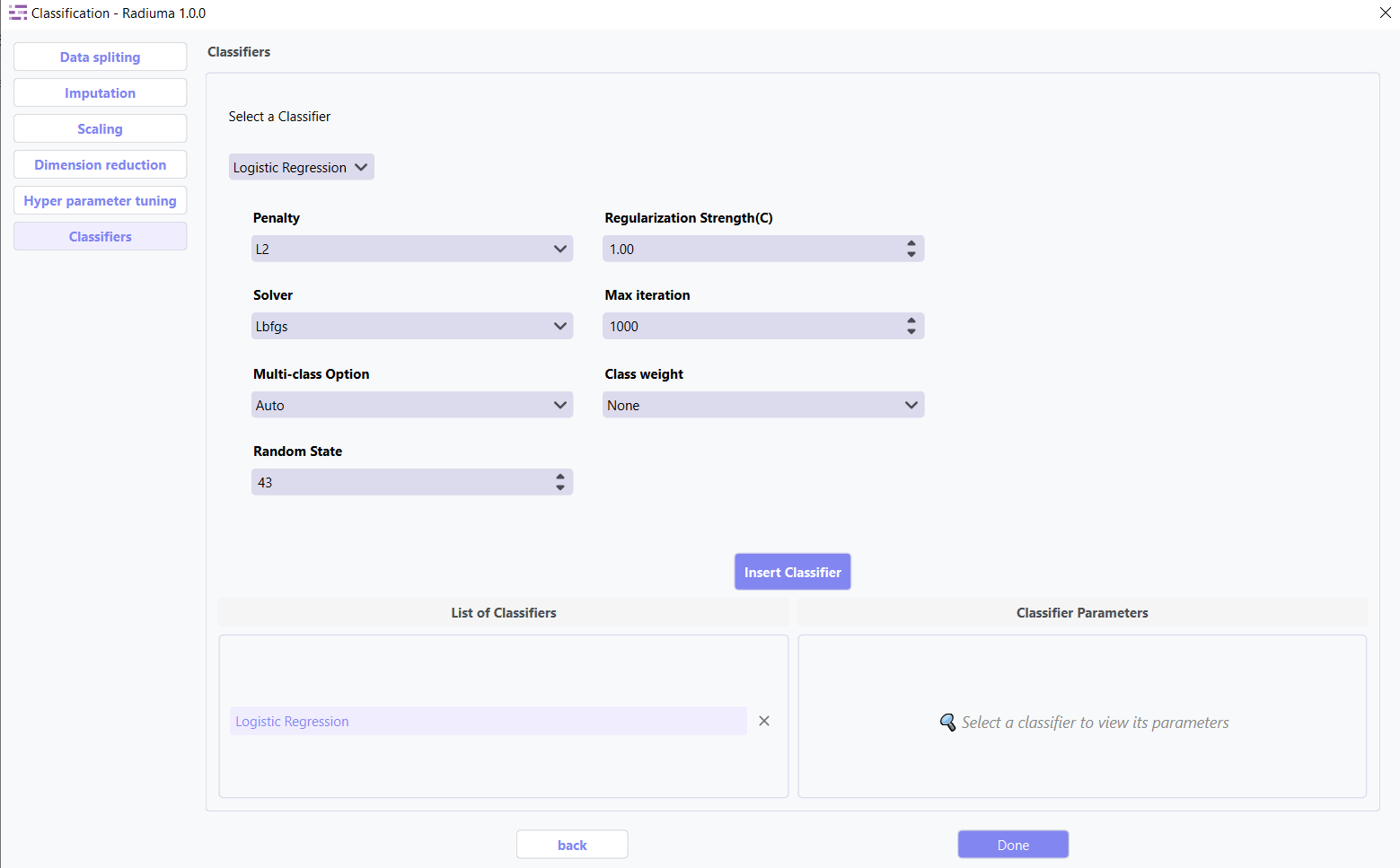
A linear model for classification that predicts class probabilities.
Key Parameters:
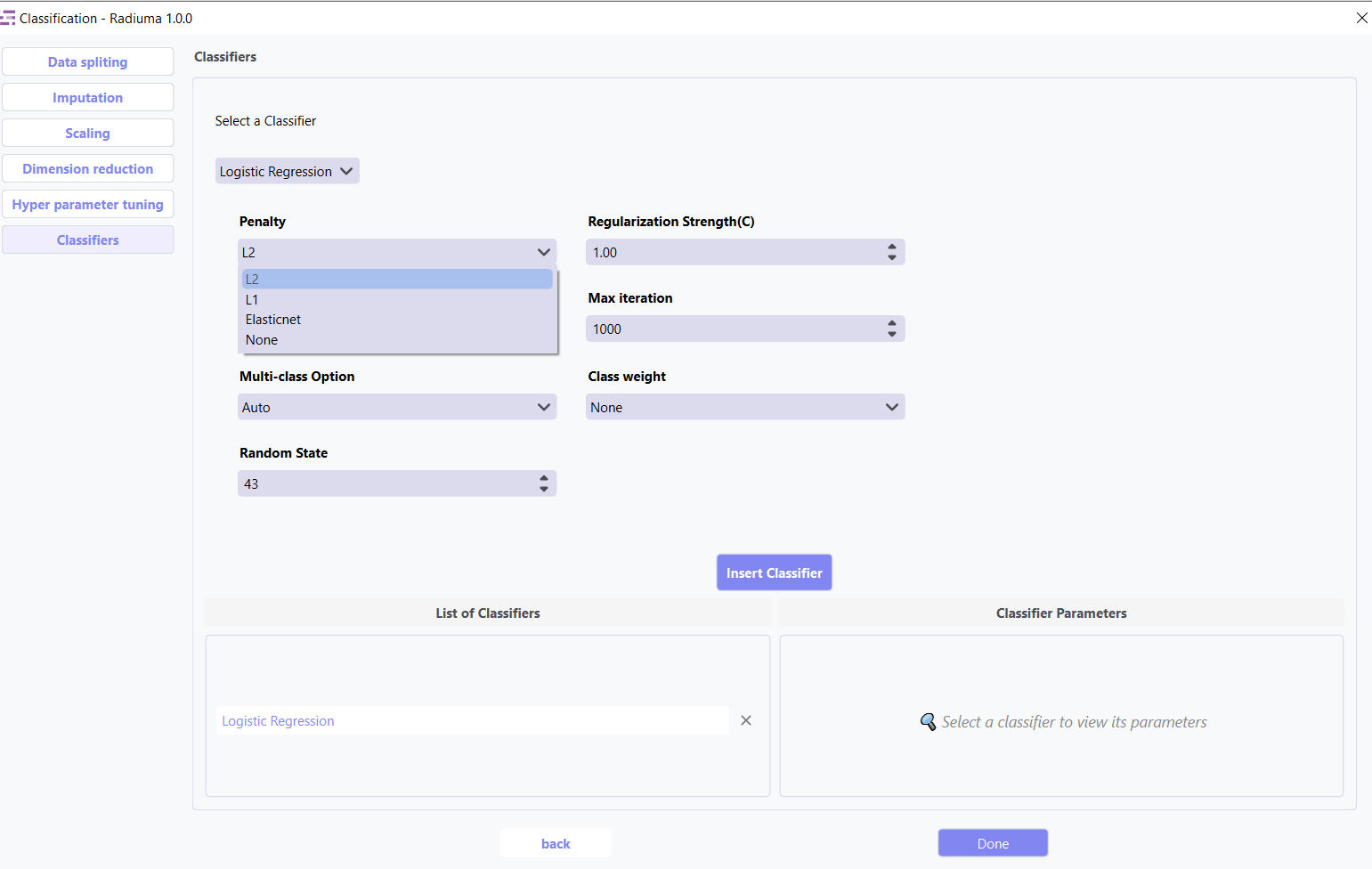
Penalty: Regularization type (L1, L2, Elasticnet, None)
Regularization Strength (C): Inverse of regularization strength (default: 1.0)
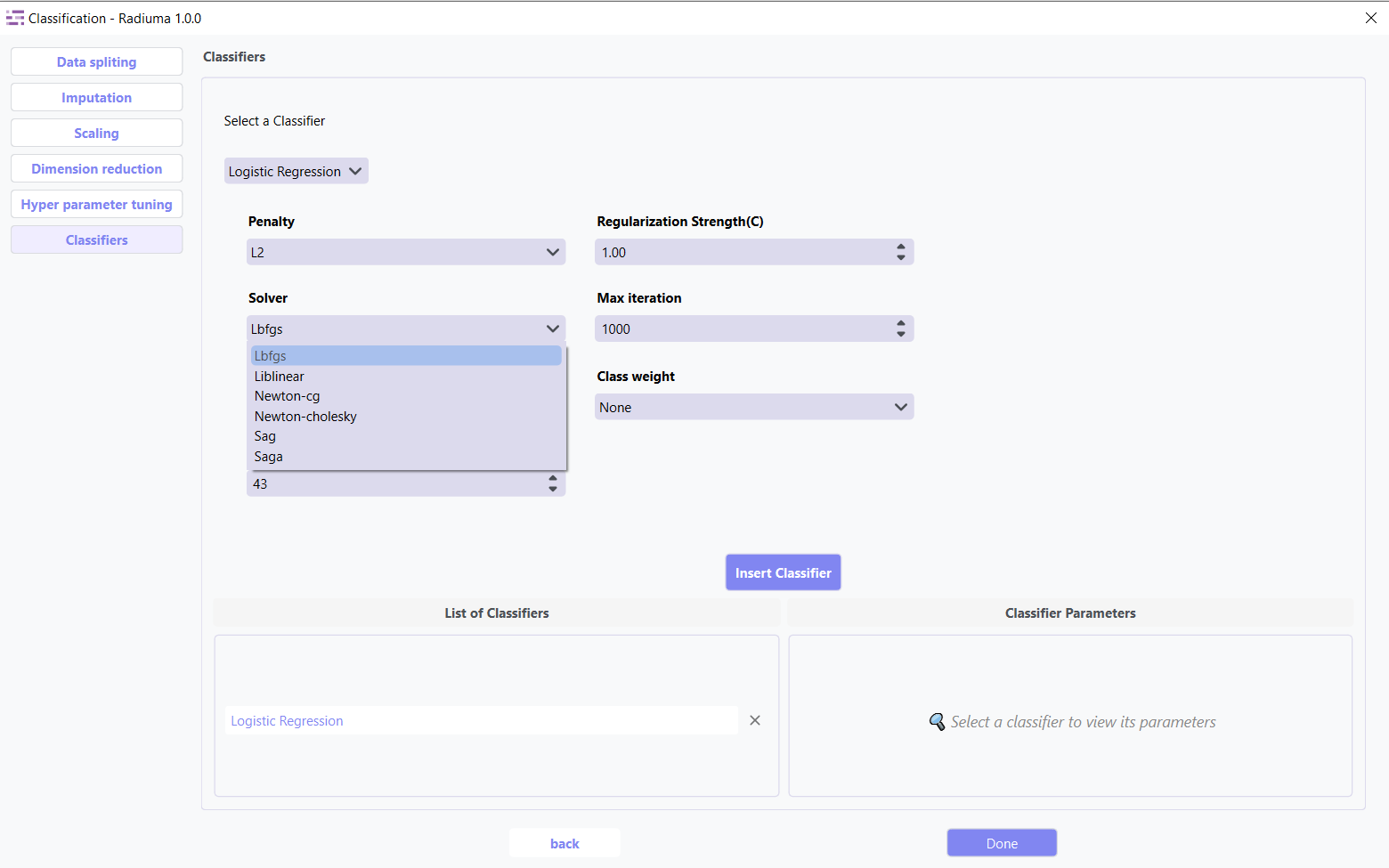
Solver: Algorithm for optimization (lbfgs, liblinear, newton-cg, sag, saga)
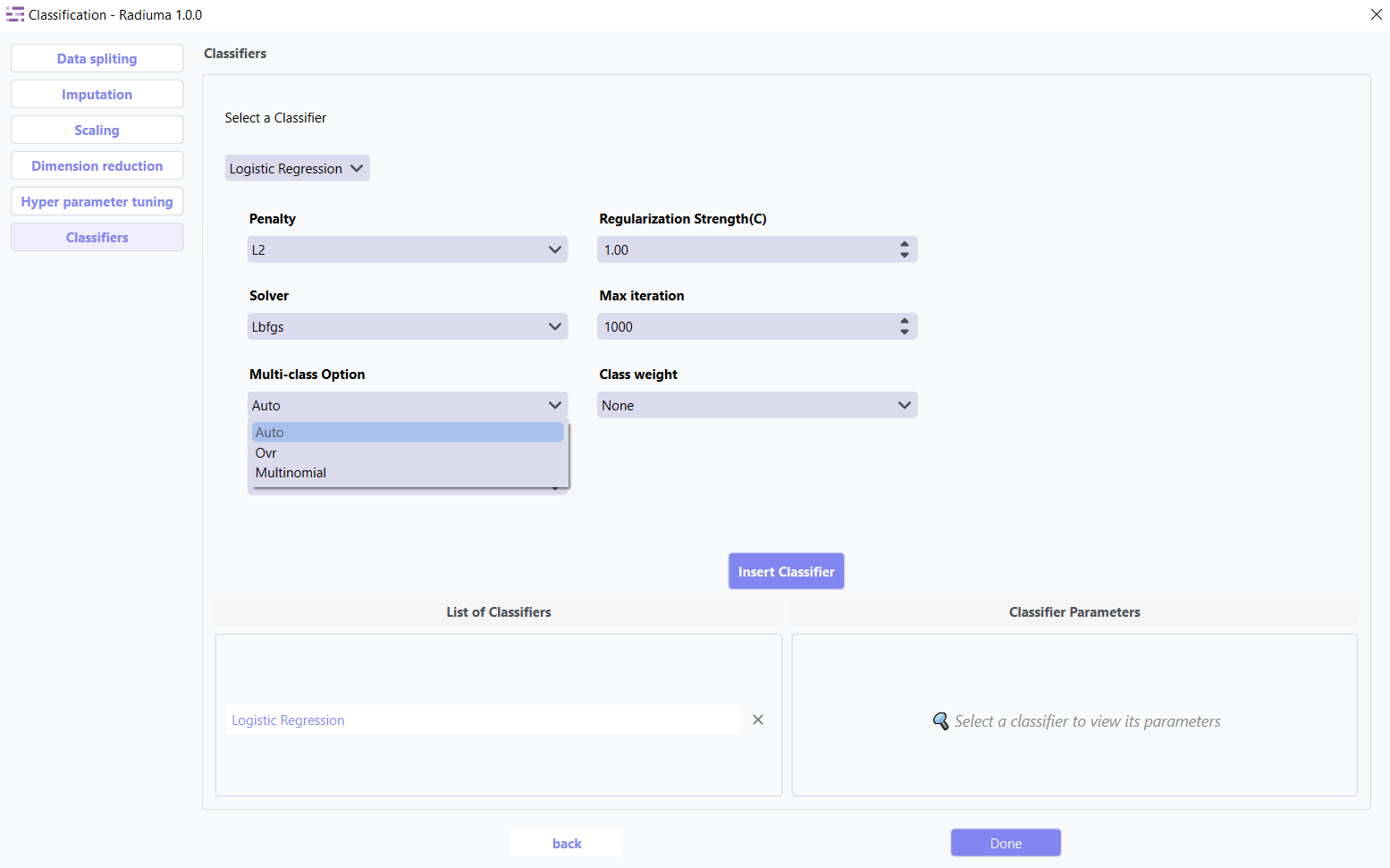
Multi-class Option: How to handle multi-class data (auto, ovr, multinomial)
Max Iterations: Maximum iterations for solver (default: 100)
Random State: Seed for reproducibility (default: 43)
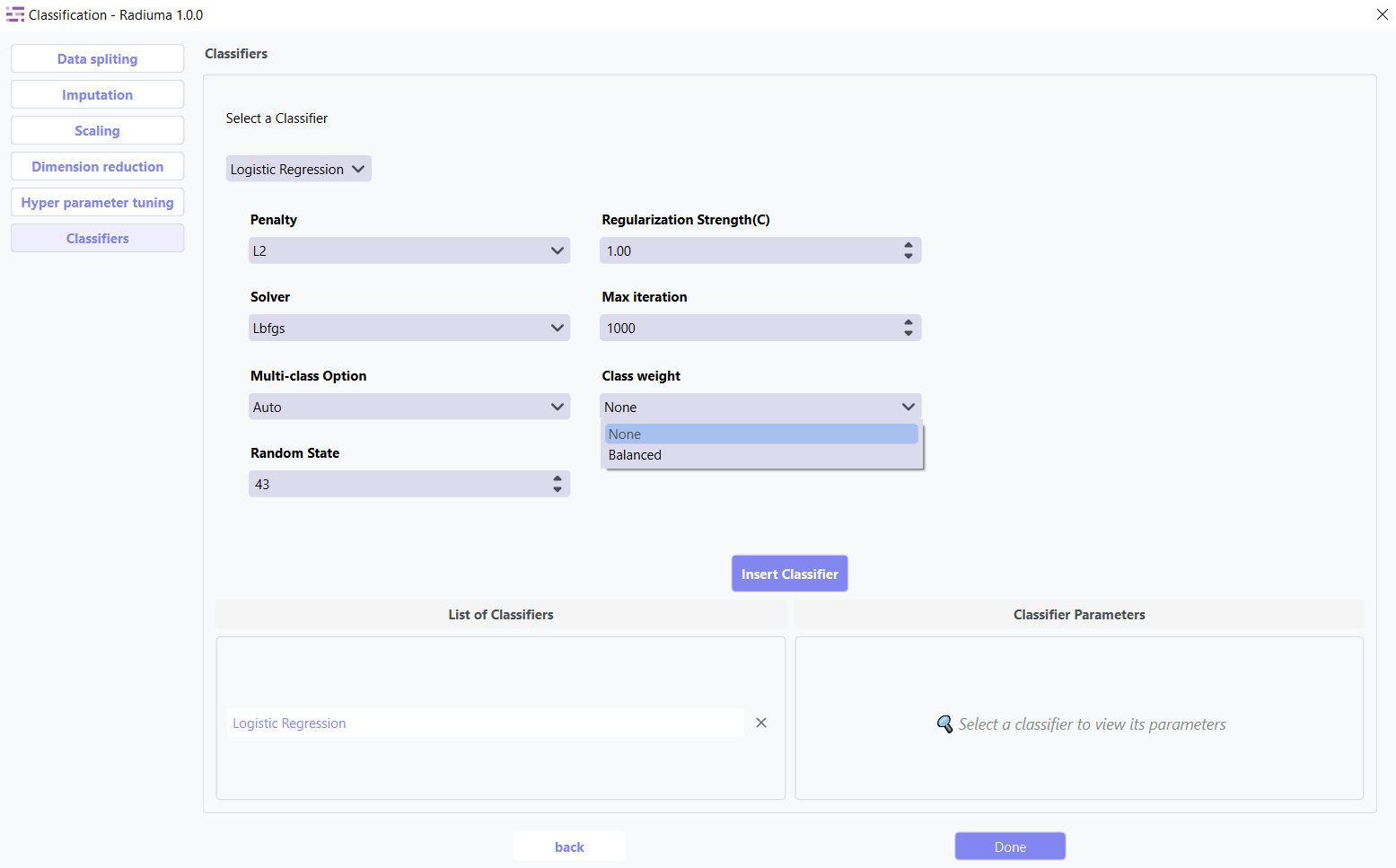
Class Weight: Balance classes by weights (None or ‘balanced’)
2.Bagging Classifier
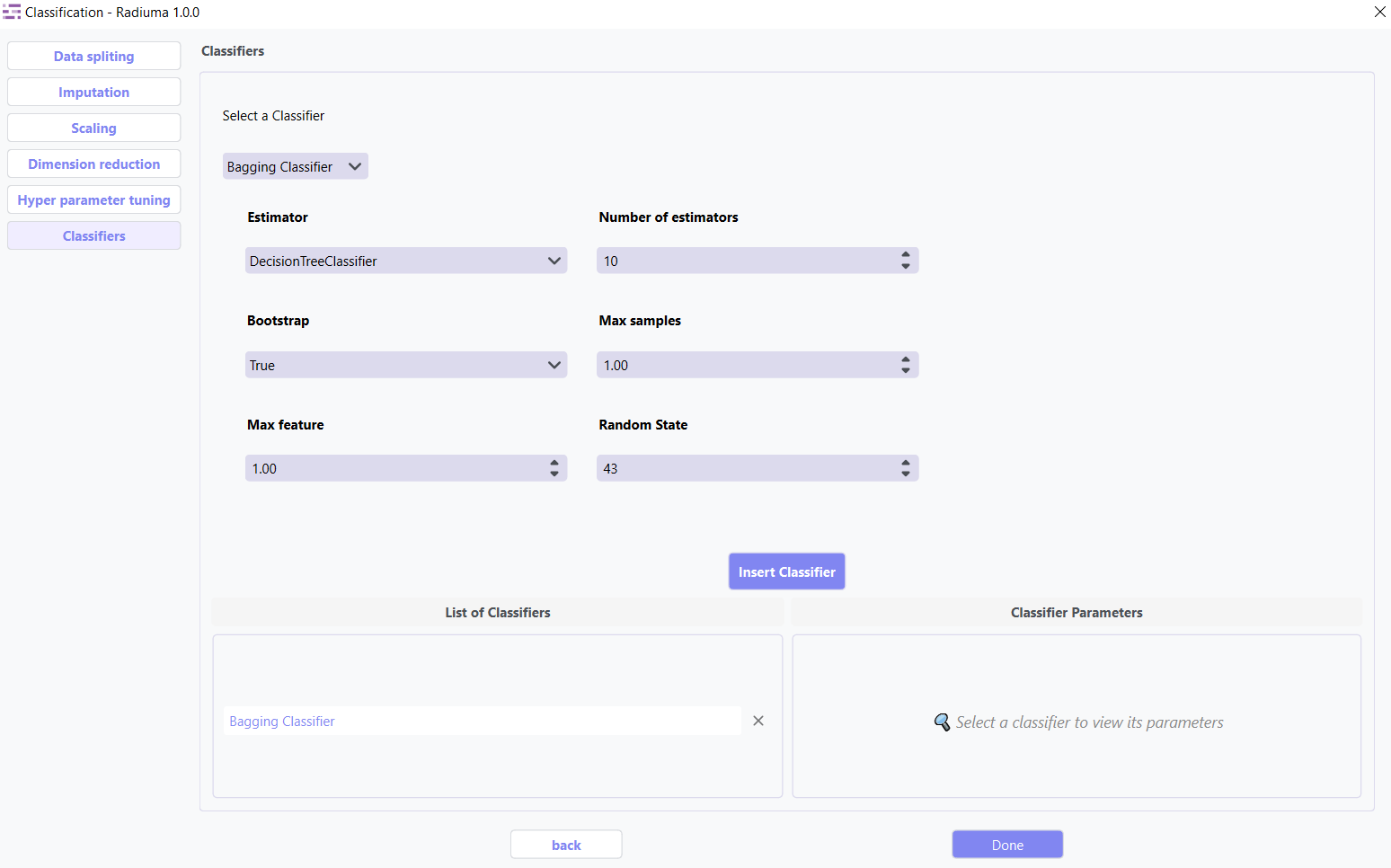
Ensemble using base classifiers on random data subsets.
Key Parameters:
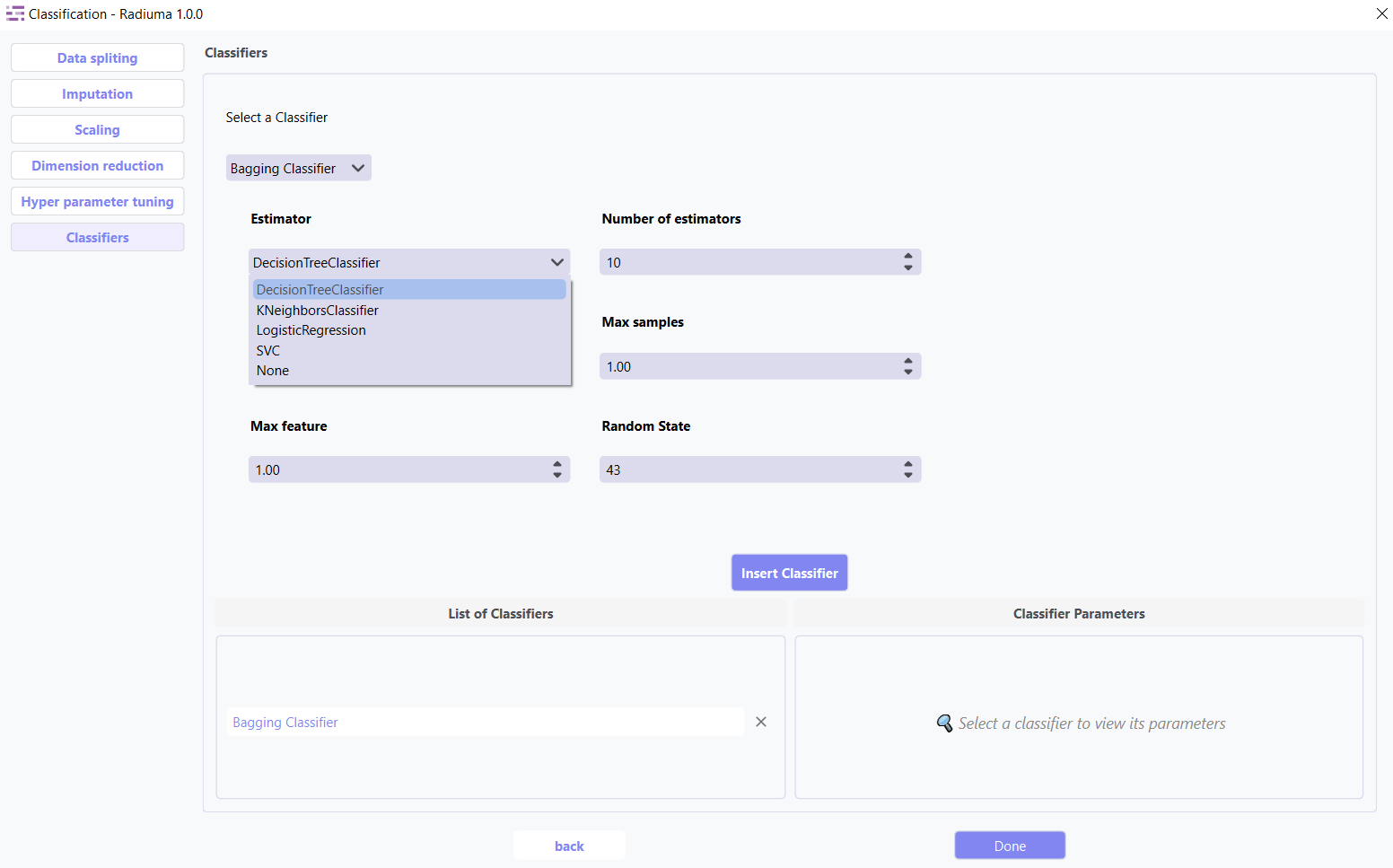
Base Estimator: Base estimator type (DecisionTreeClassifier, SVC, etc.)
Number of Estimators: Number of base estimators (default: 10)
Max Samples: Samples per base estimator (default: 1.0)
Max Features: Features per base estimator (default: 1.0)
Bootstrap: Whether to sample with replacement (True/False)
Random State: Seed for reproducibility
3.K-Nearest Neighbors Classifier
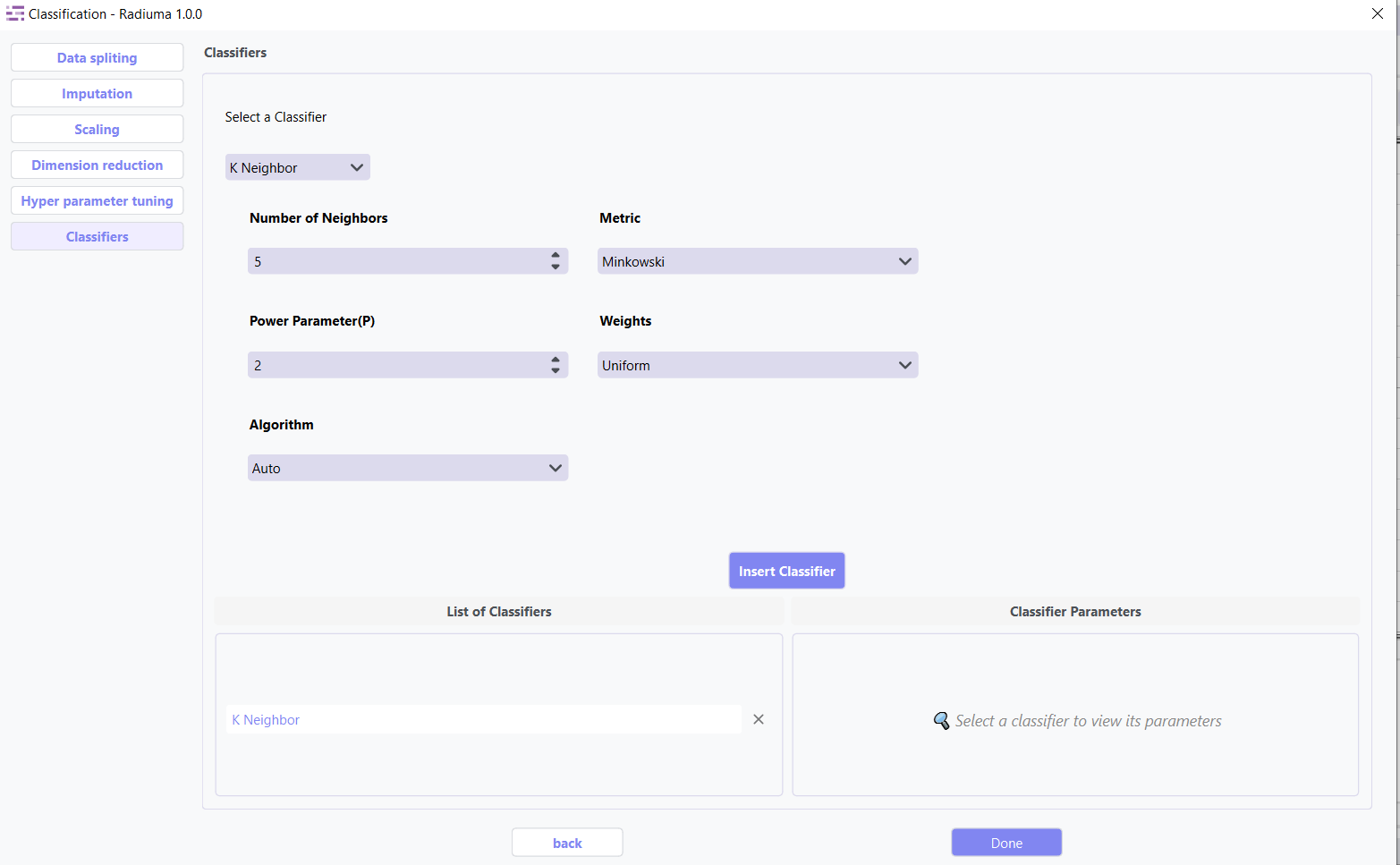
Non-parametric method using closest training examples.
Key Parameters:
Number of Neighbors: K value for nearest neighbors
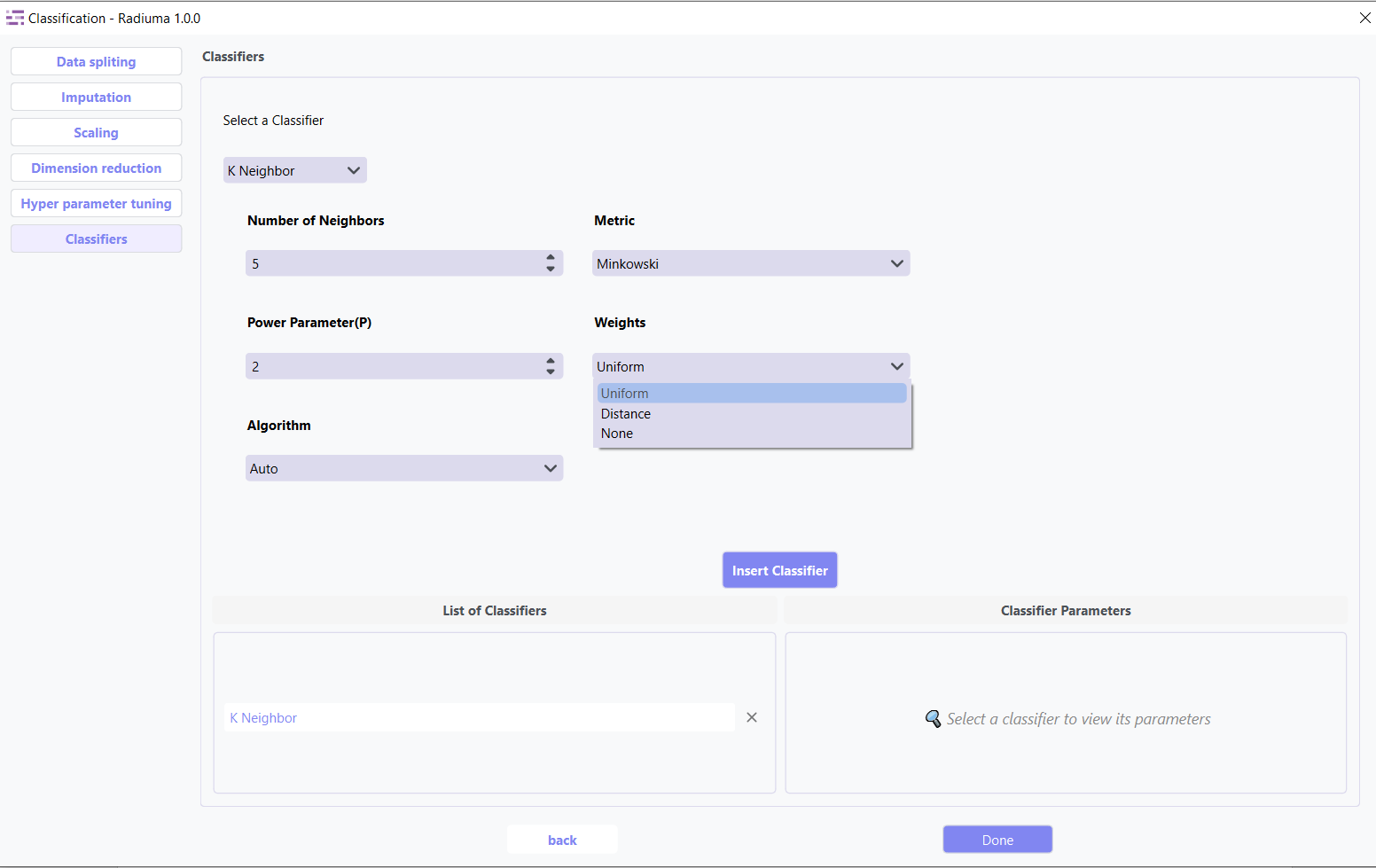
Weights: How to weight neighbors (Uniform, Distance)
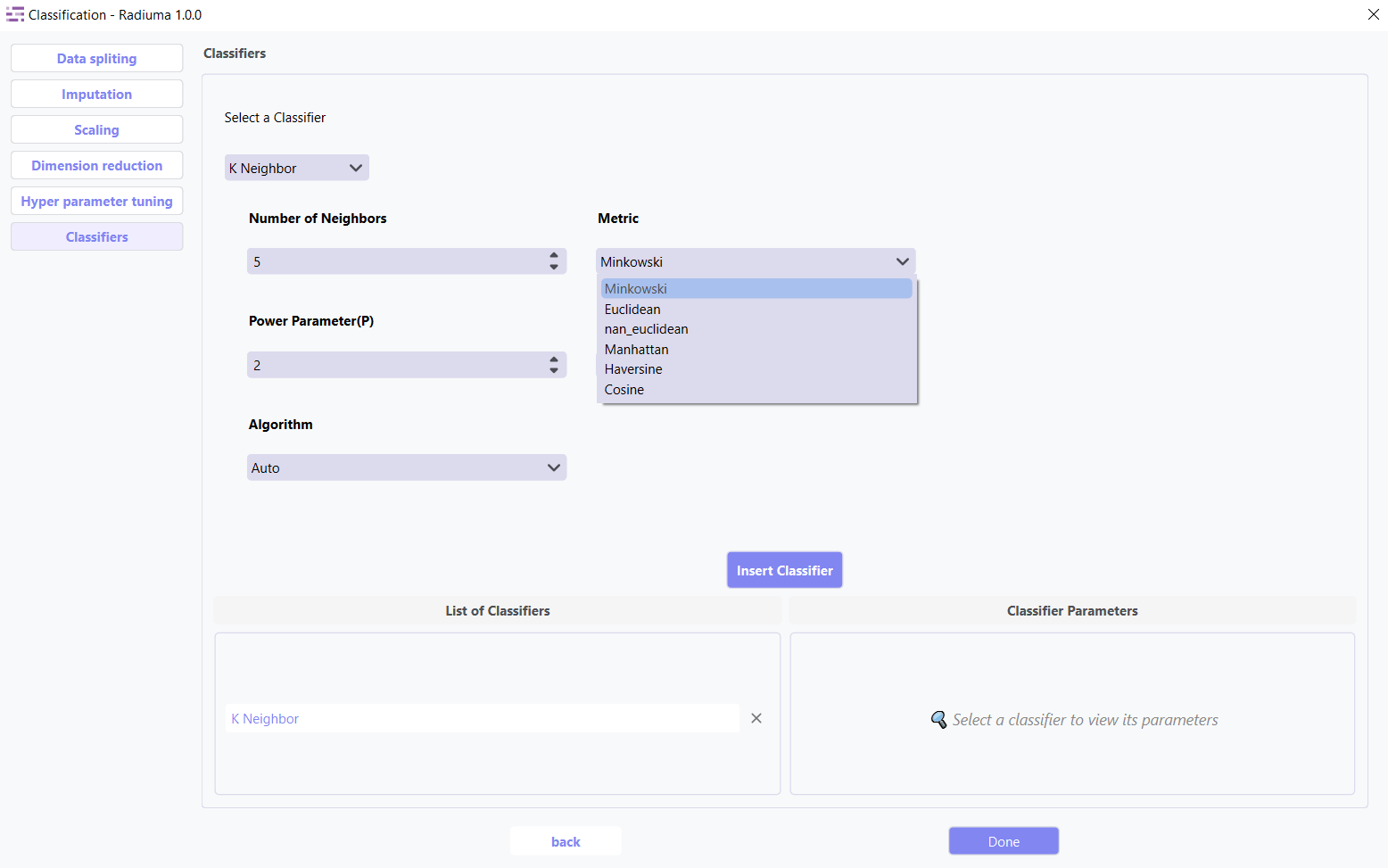
Distance Metric: Method for calculating distances (euclidean, manhattan, etc.)
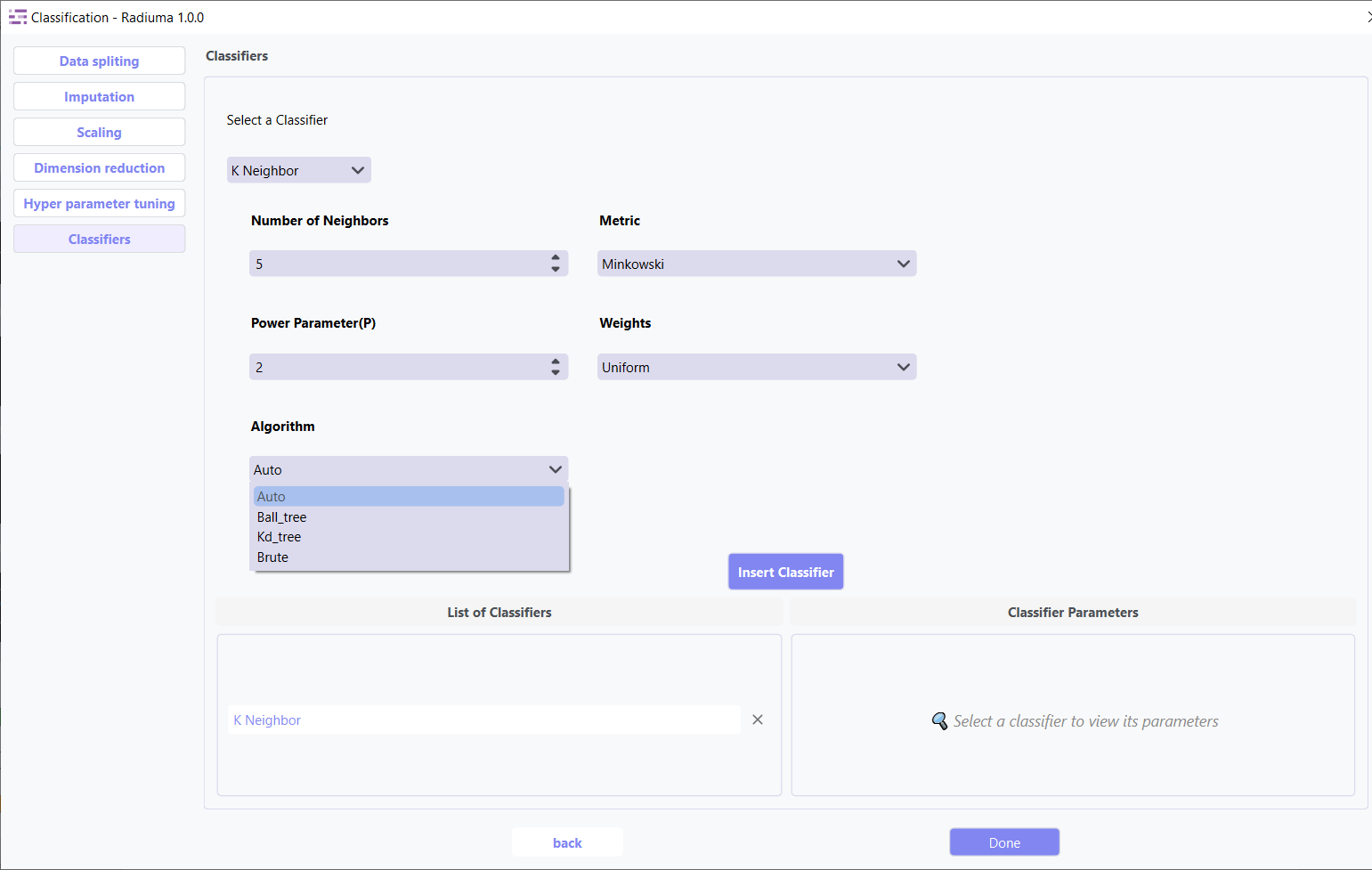
Algorithm: Search method (Auto, Ball_tree, Kd_tree, Brute)
4. Decision Tree Classifier
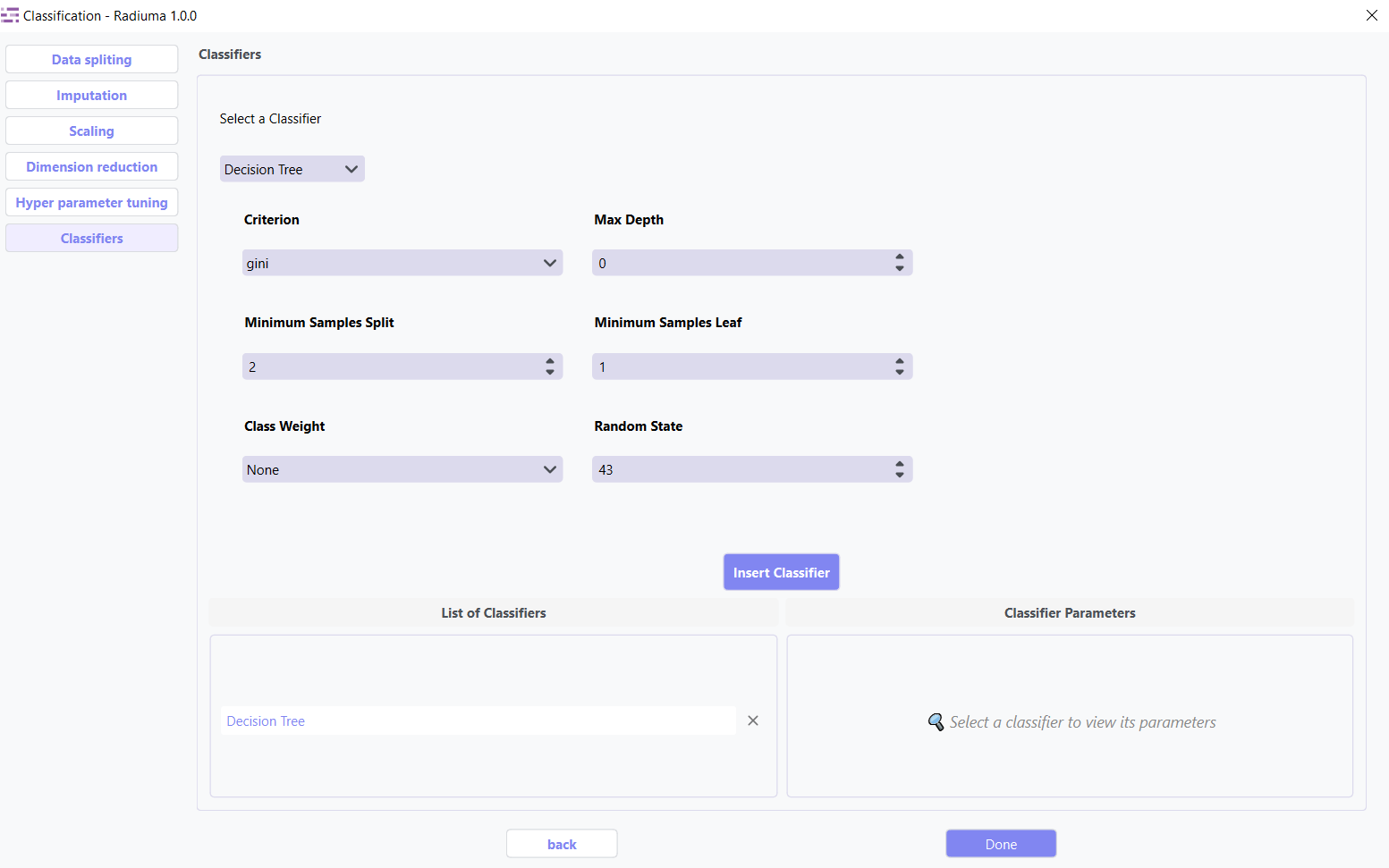
Creates a model predicting targets by learning decision rules.
Key Parameters:
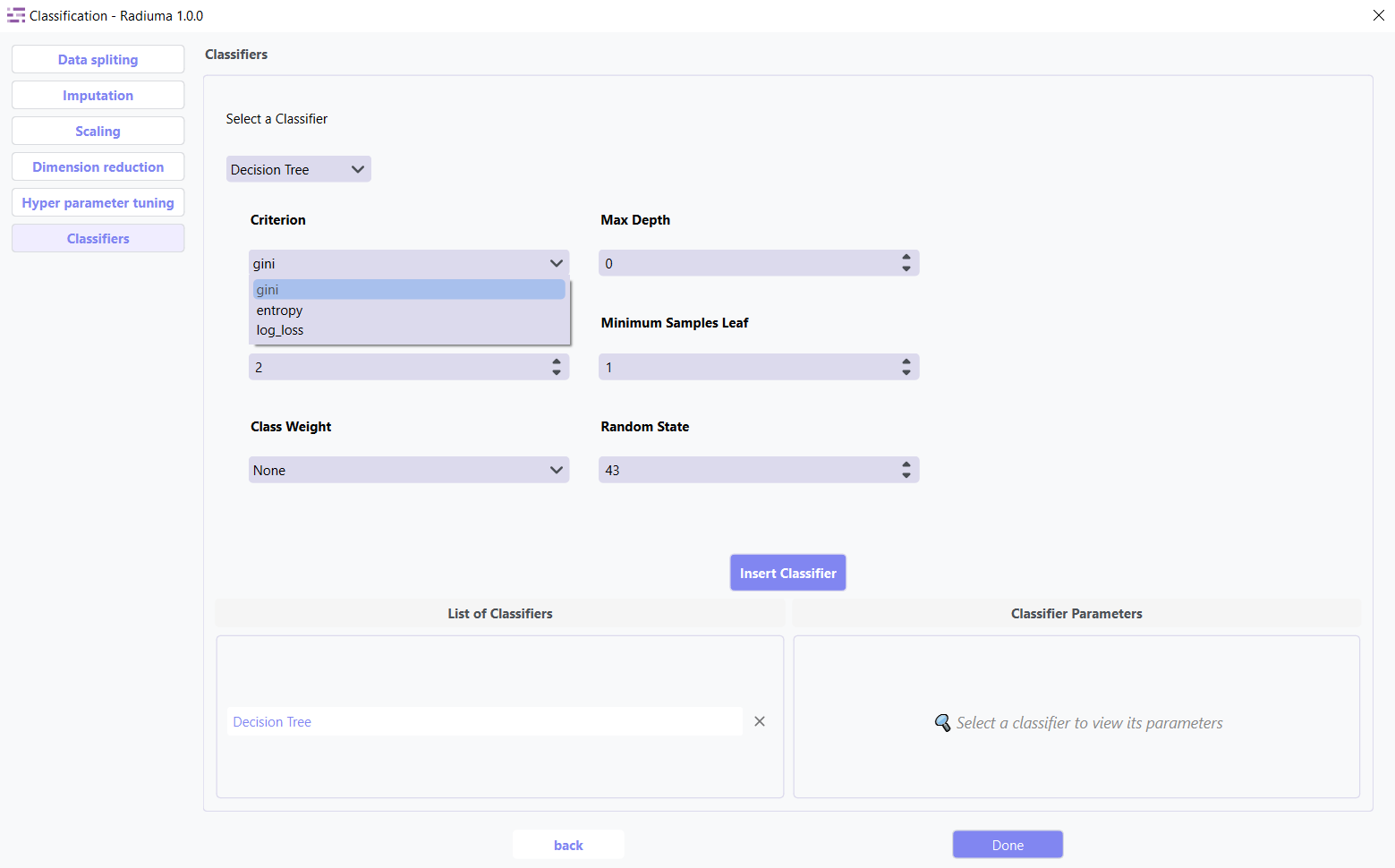
Criterion: Function to measure split quality (gini, entropy, log_loss)
Max Depth: Maximum depth of the tree
Min Samples Split: Minimum samples required to split node
Min Samples Leaf: Minimum samples required at leaf node
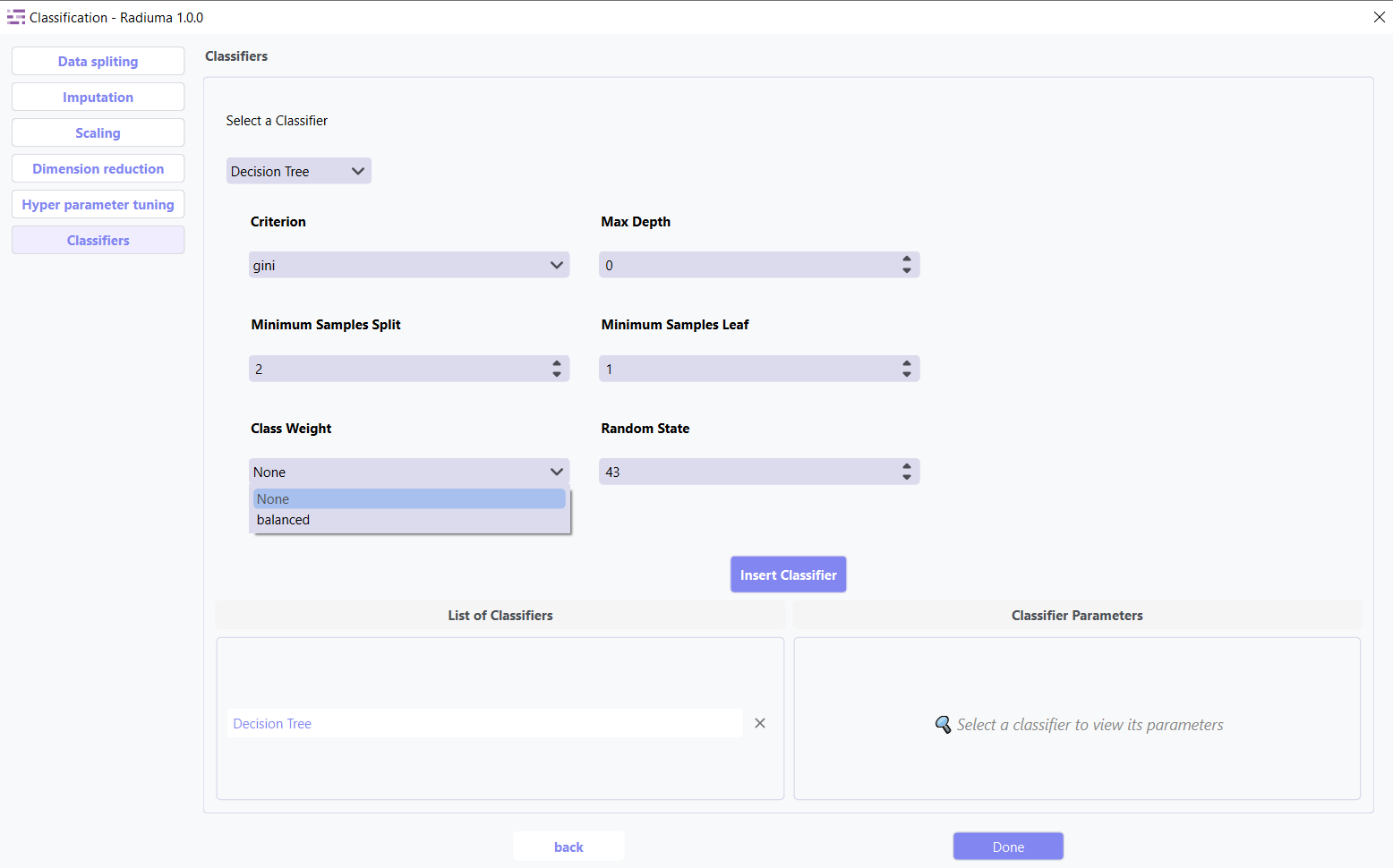
Class Weight: Class weights (None, ‘balanced’)
Random State: Seed for reproducibility (default: 43)
5. Support Vector Machines (SVM)
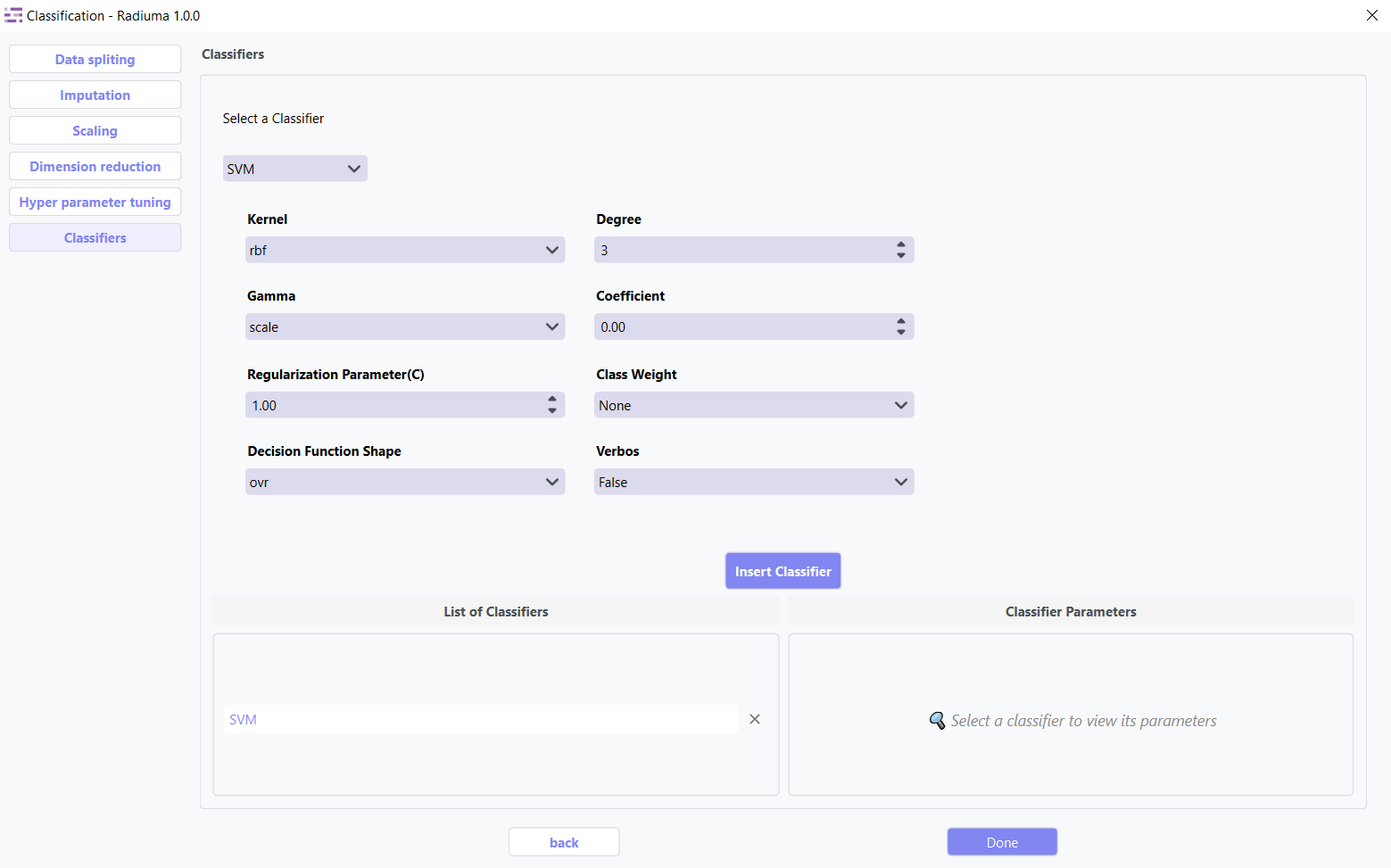
Finds optimal hyperplane to separate classes.
Key Parameters:
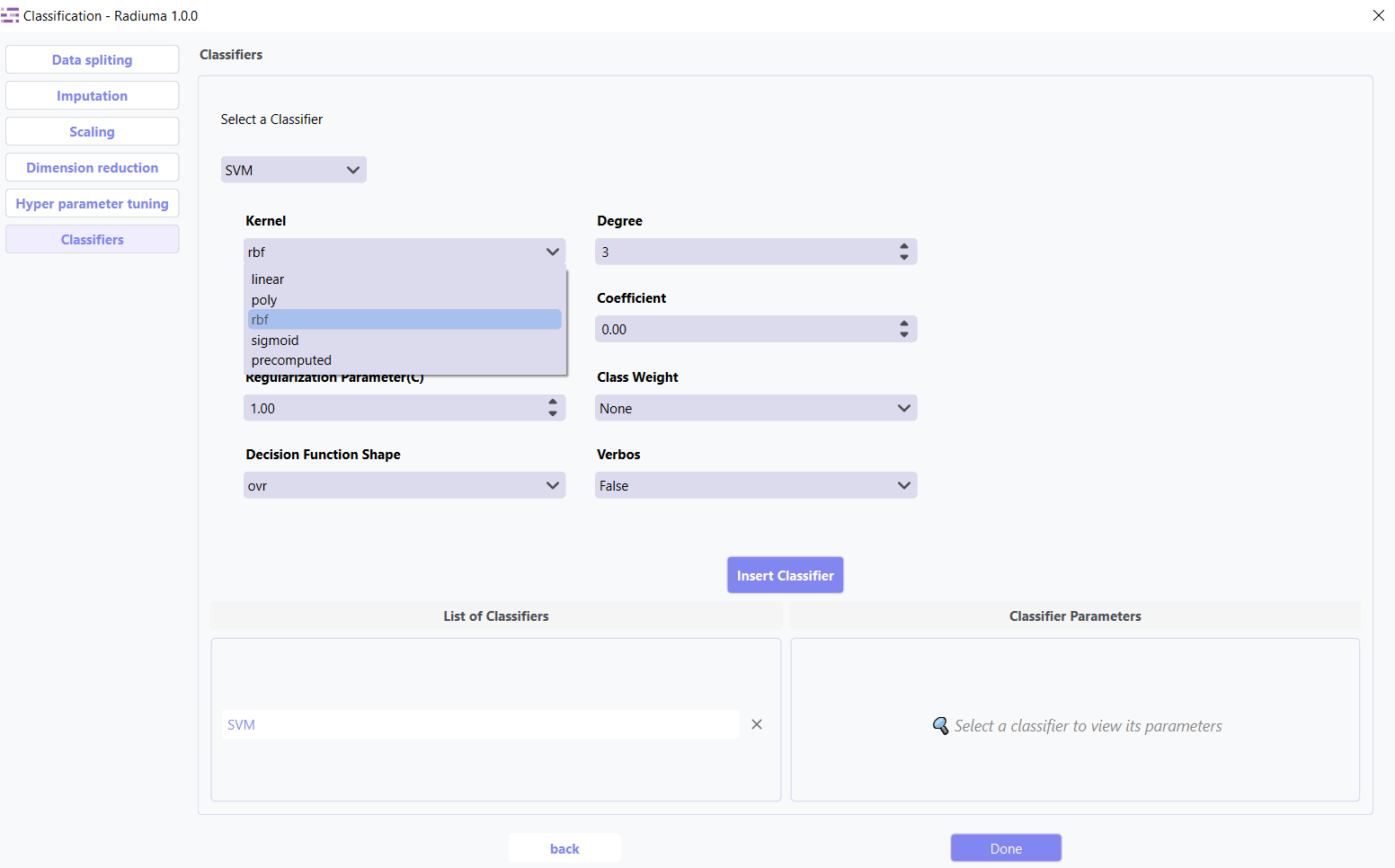
Kernel: Kernel type (linear, poly, rbf, sigmoid)
Regularization Parameter (C): Regularization strength (default: 1.0)
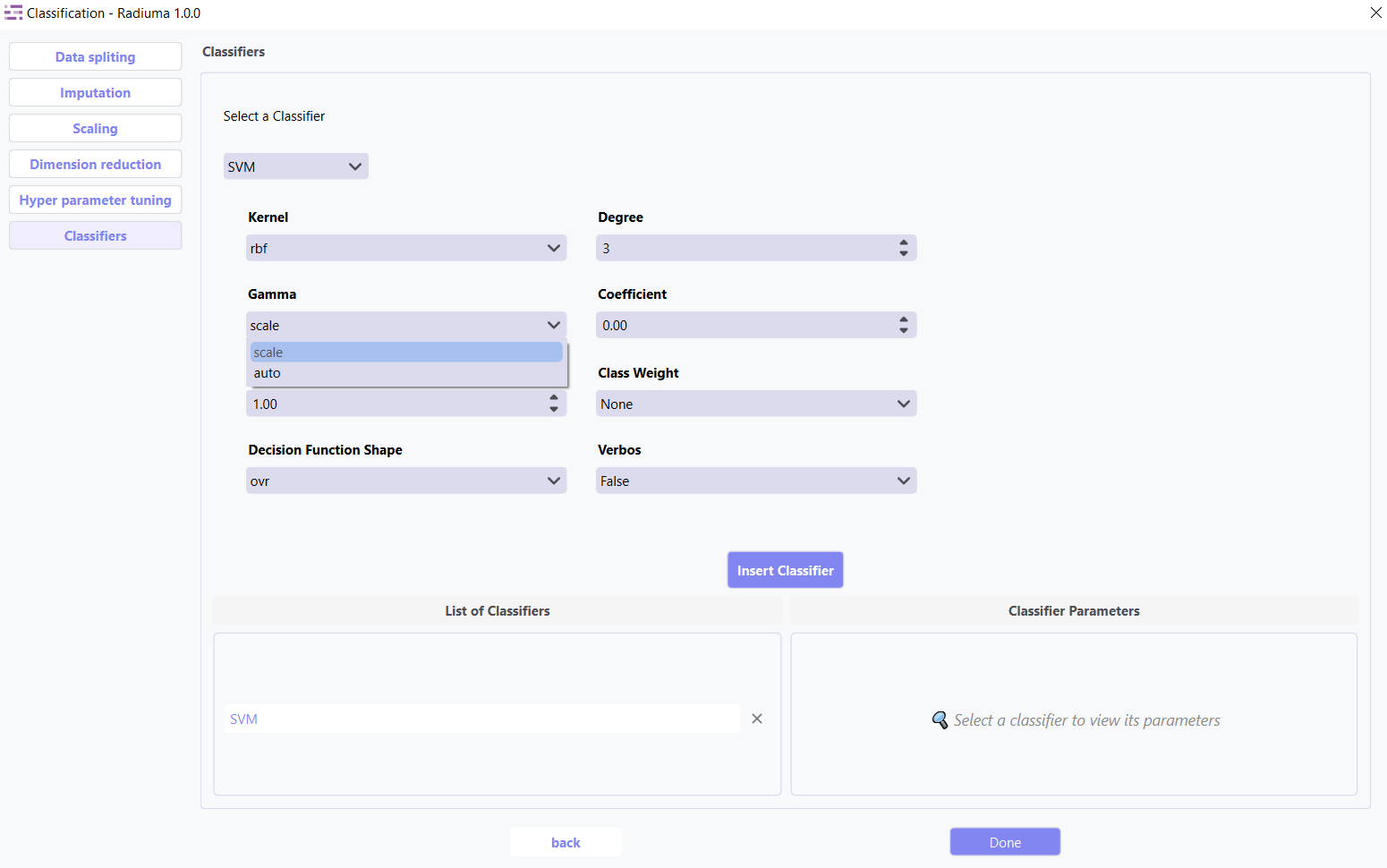
Gamma: Kernel coefficient for ‘rbf’, ‘poly’ and ‘sigmoid’ (scale, auto)
Degree: Degree for poly kernel
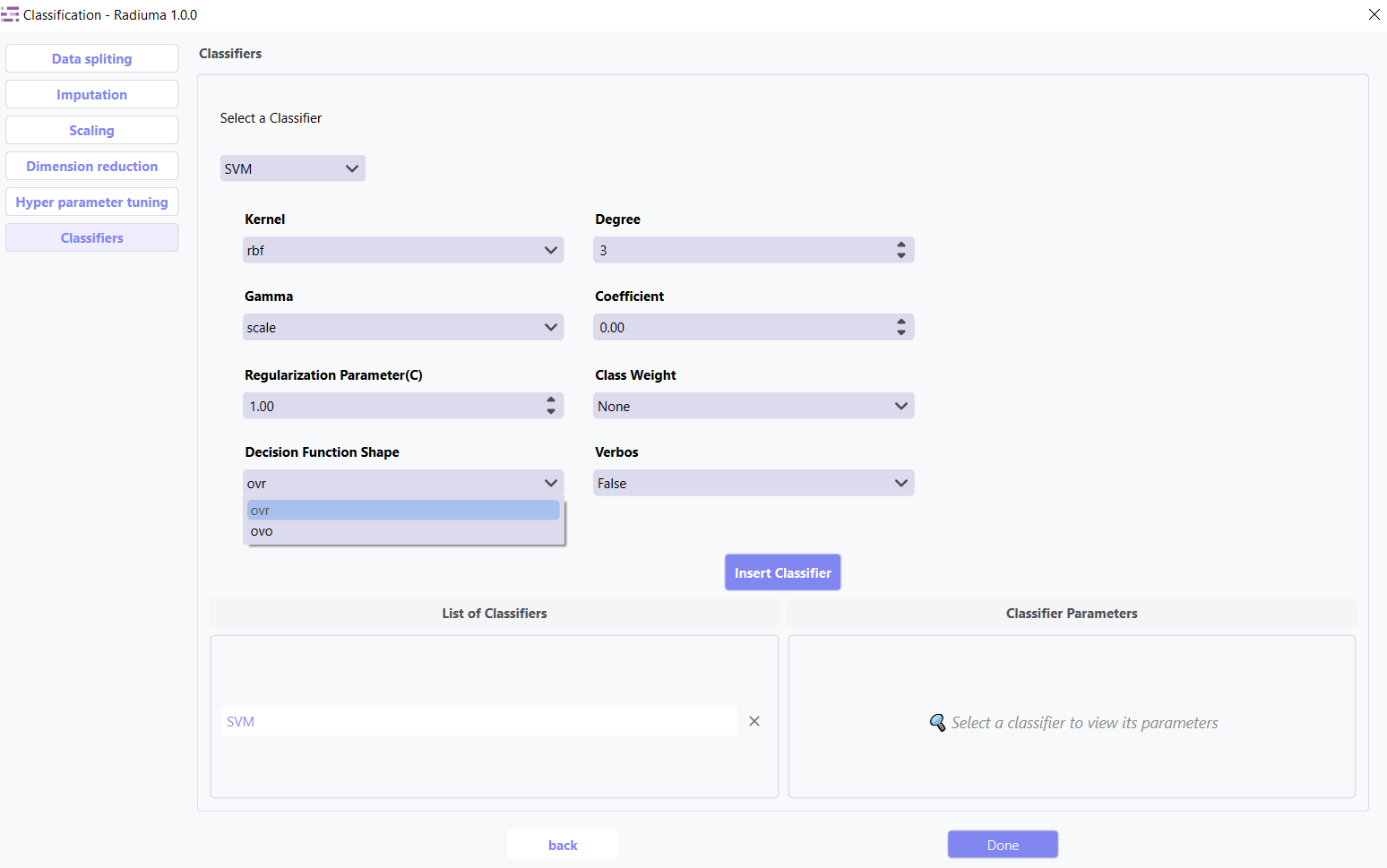
Decision Function Shape: Shape of decision function (ovr, ovo)
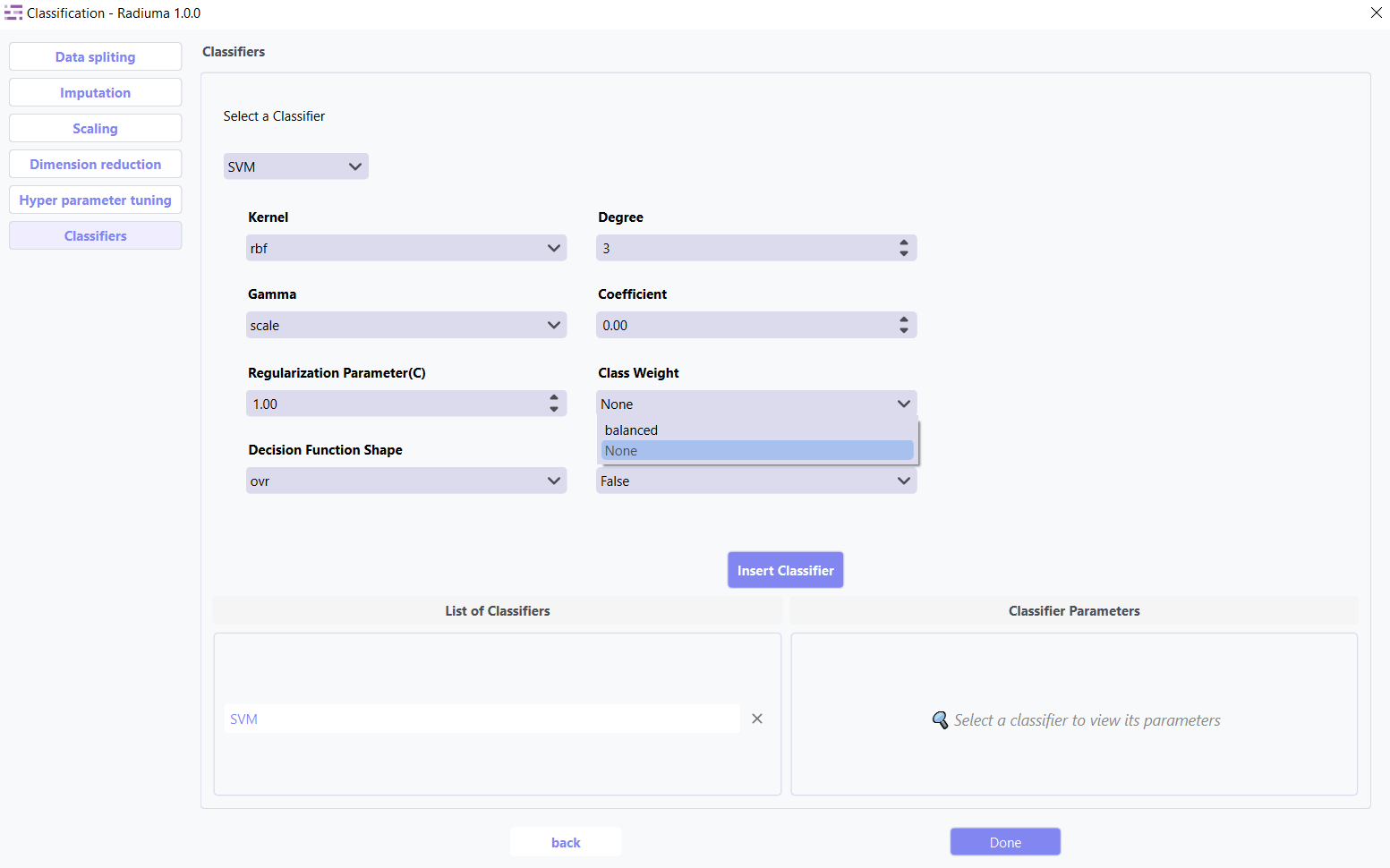
Class Weight: Class weights (None, ‘balanced’)
6. AdaBoost Classifier
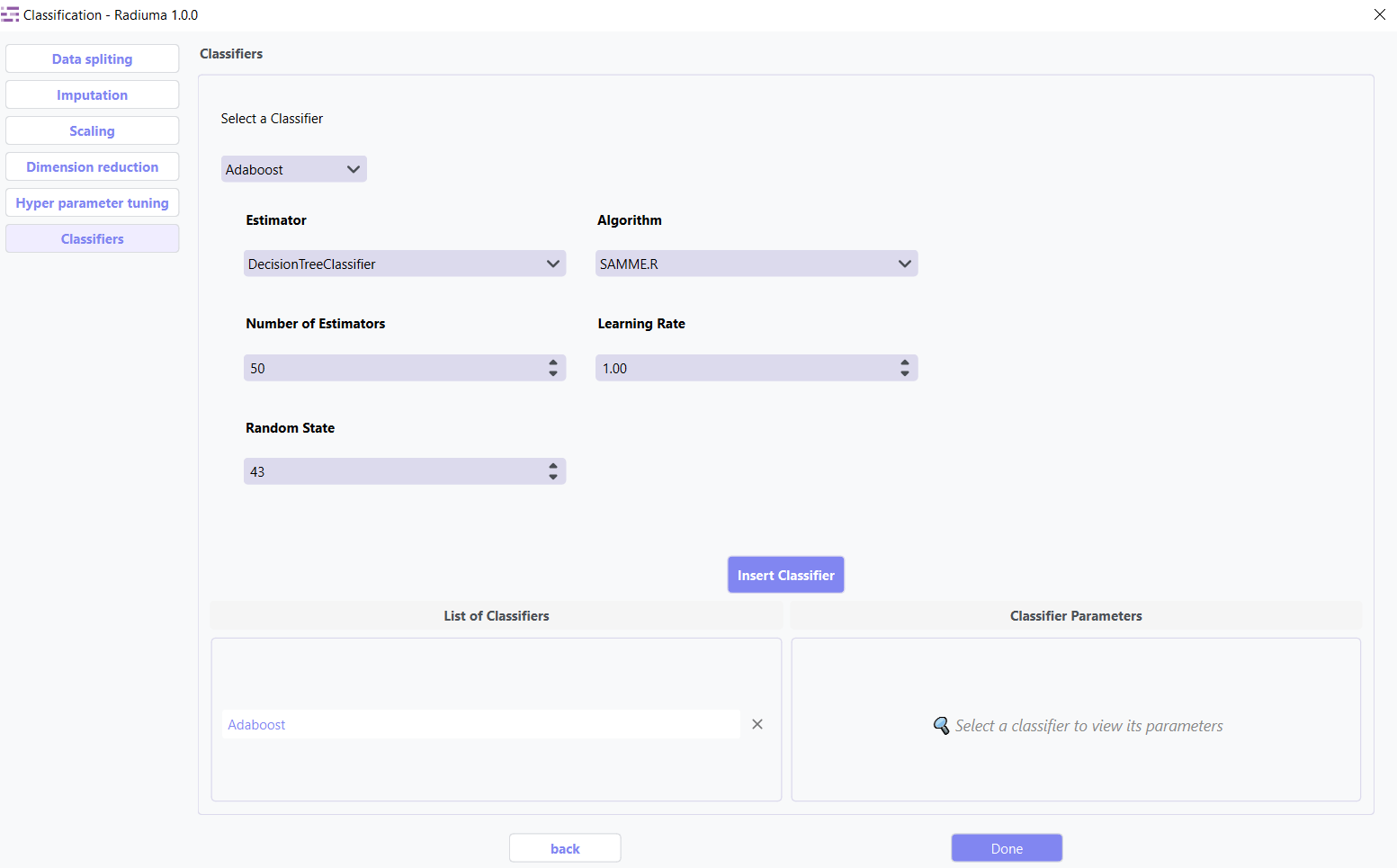
Ensemble method using weak classifiers on modified data versions.
Key Parameters: * Base Estimator: Base estimator type (DecisionTreeClassifier,KNeighborsClassifier,LogisticRegression, SVC, None.)
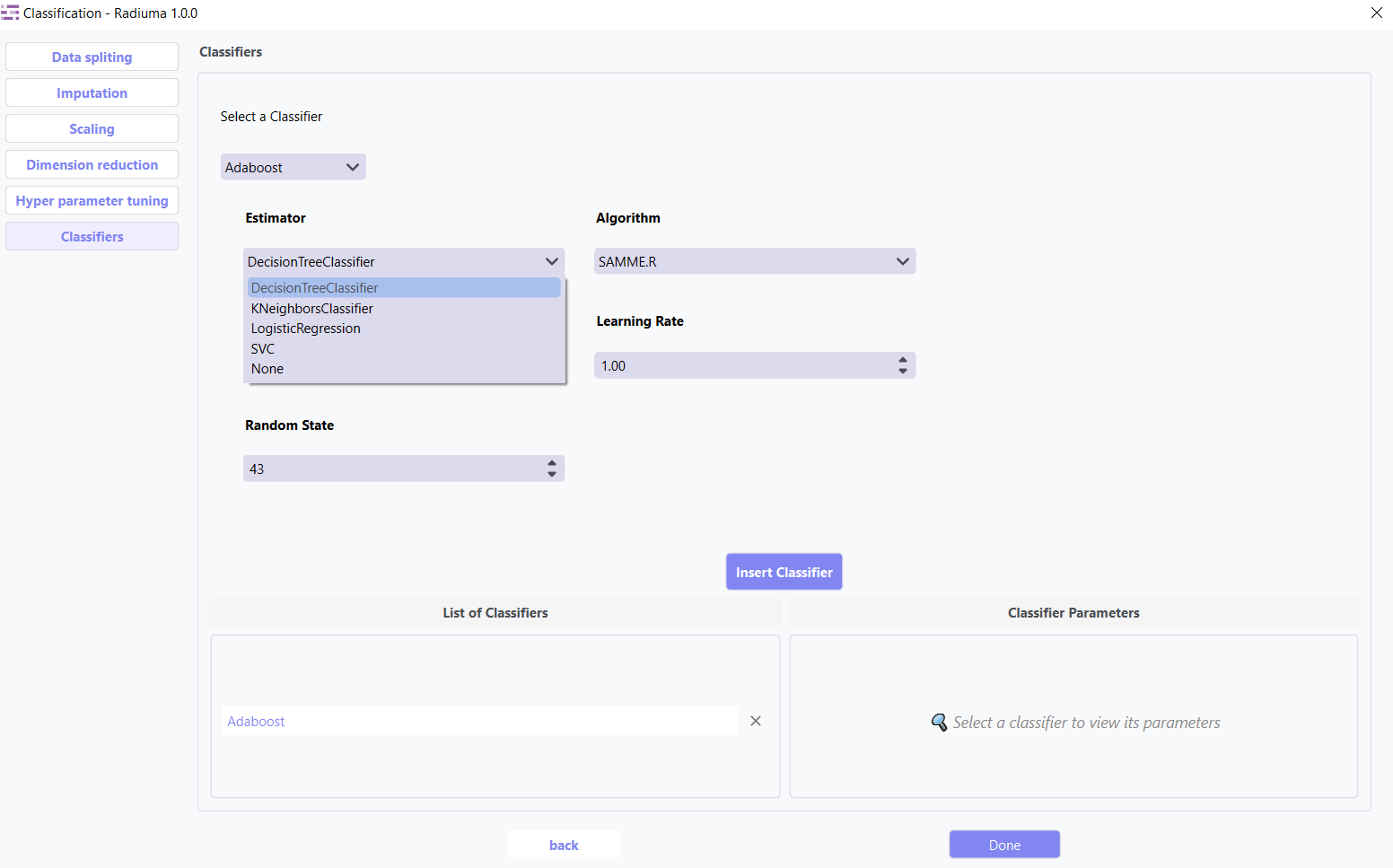
Algorithm: Boosting algorithm (SAMME, SAMME.R)
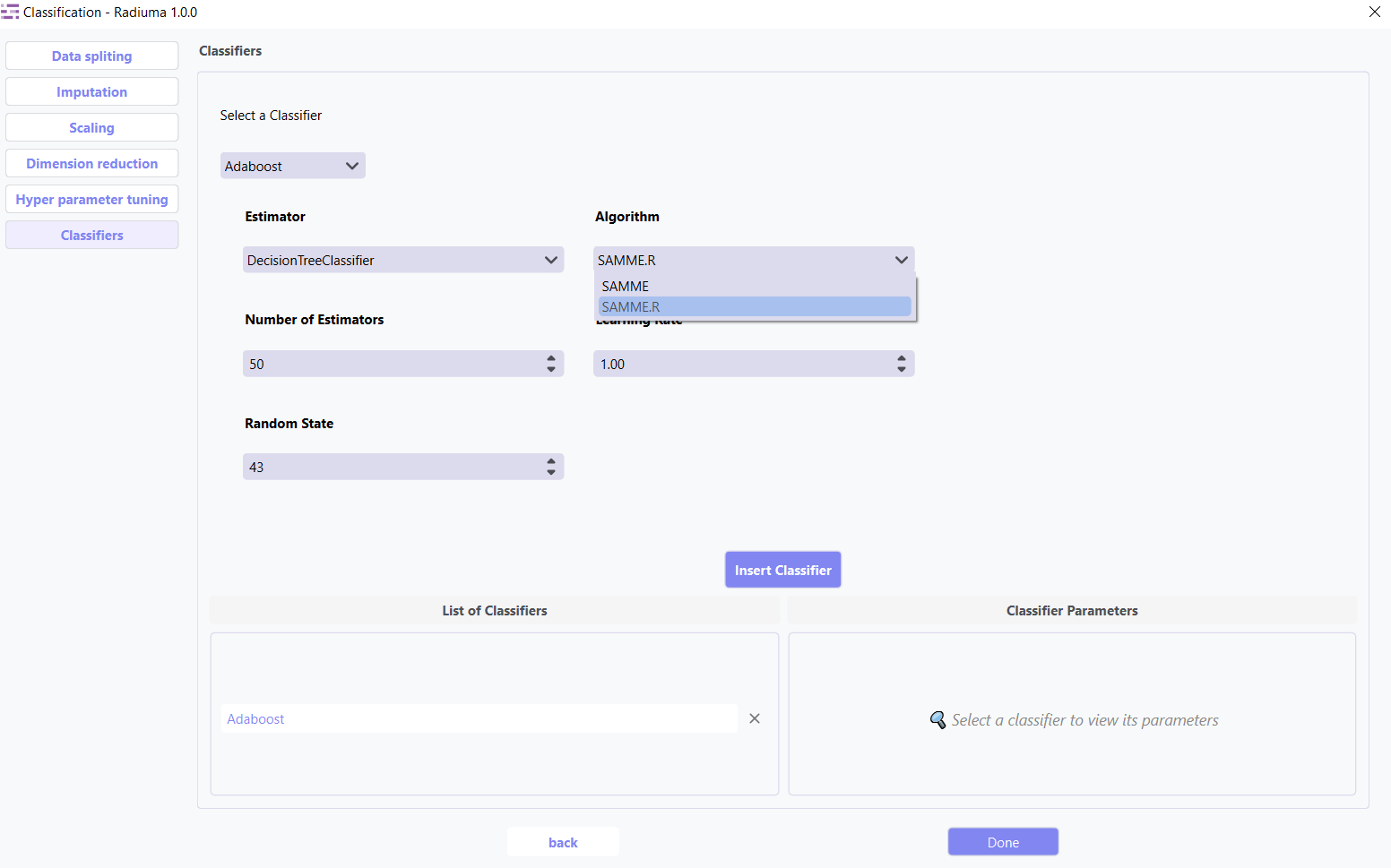
Number of Estimators: Boosting iterations (default: 50)
Learning Rate: Weight applied to each classifier (default: 1.0)
Random State: Seed for reproducibility
7. Naive Bayes (GaussianNB)
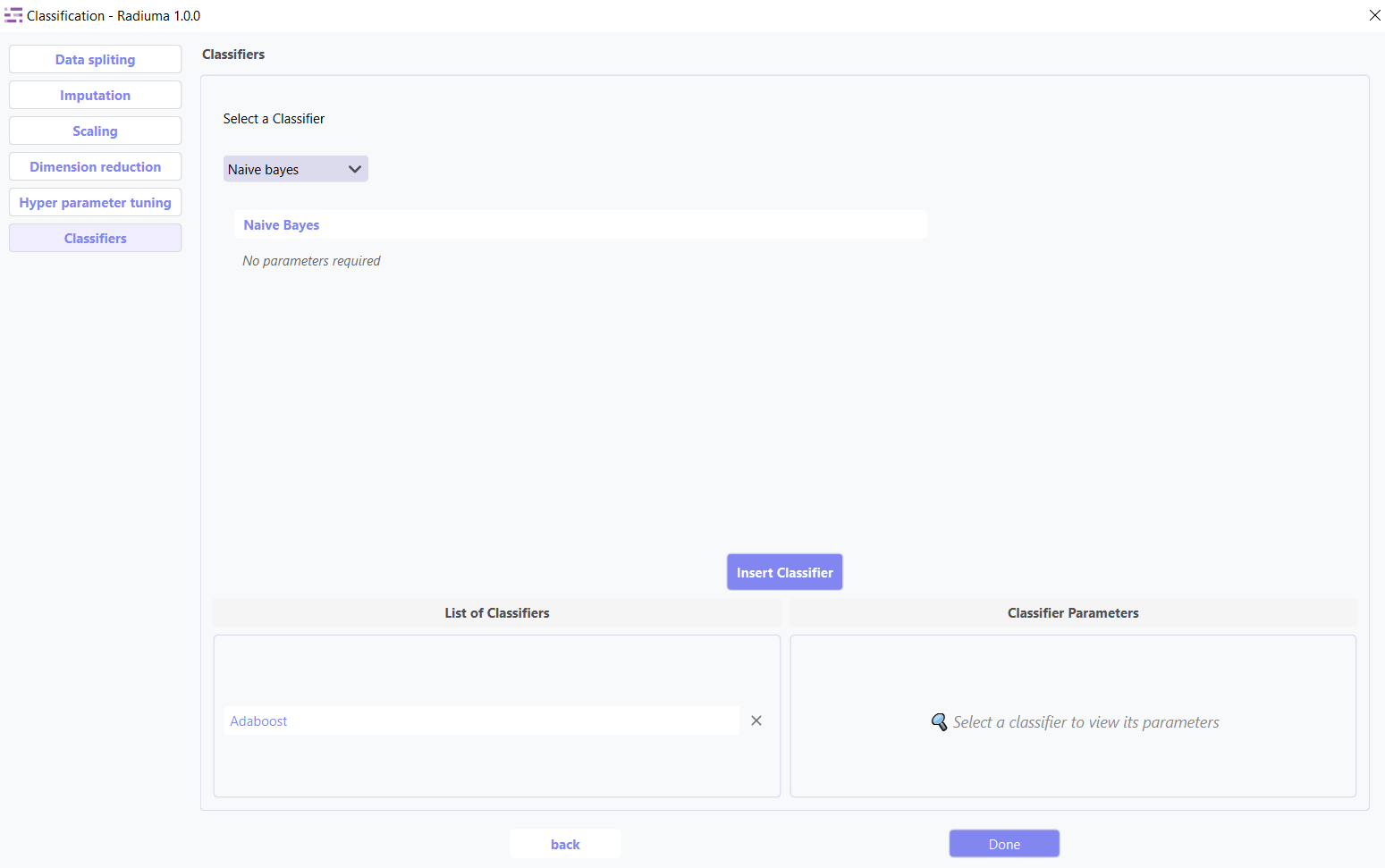
Applies Bayes’ theorem with feature independence assumption.
Evaluation Metrics
After training, Radiuma automatically computes standard classification metrics:
Accuracy: Proportion of correctly classified samples.
Precision: Proportion of positive predictions that are correct.
Recall (Sensitivity): Proportion of true positives detected.
F1 Score: Harmonic mean of precision and recall.
Misclassification Rate: Proportion of samples that are incorrectly classified (1 − Accuracy).
Classification Workflow
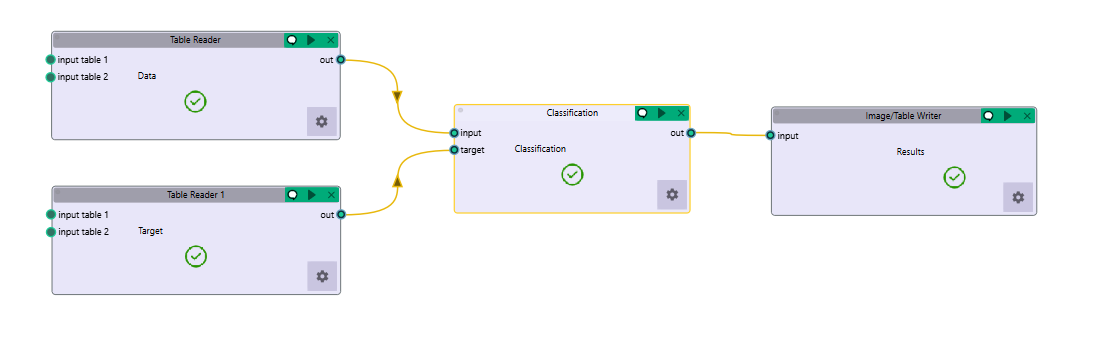
Quick Workflow Summary:
Example Workflow: Download the Classification workflow
Import data using Table Reader.
Verify sample IDs match between feature and target tables.
Apply Data Splitting (shuffle, percentage, or K-fold).
Handle missing values using Imputation.
Apply Scaling and Dimension Reduction if needed.
Choose a Classifier and optionally perform Hyperparameter Tuning.
Evaluate using:
Accuracy, Precision, Recall, F1 Score
Compare models and select the best one.
Classification Output
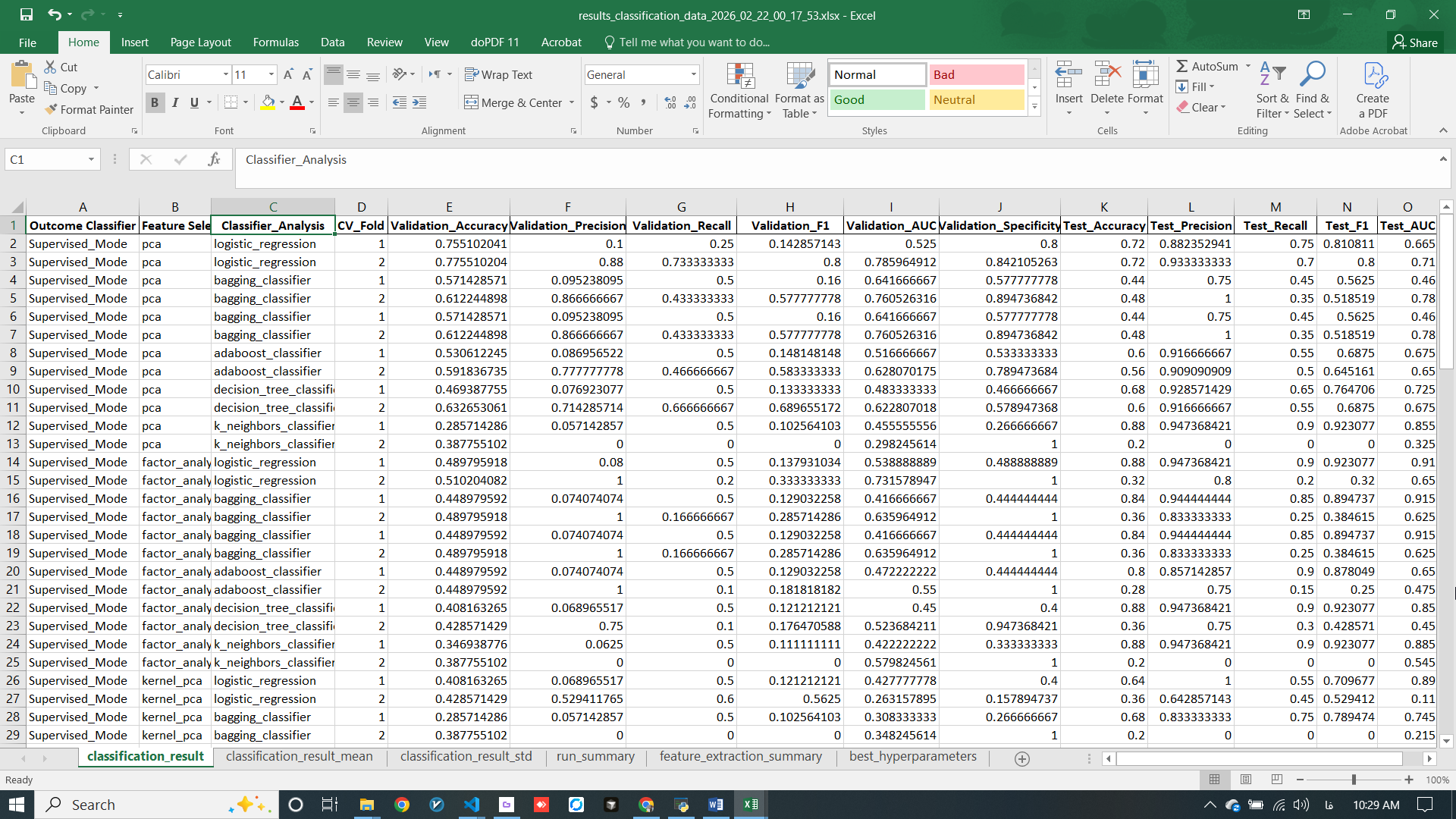
The Classification module provides comprehensive output including performance metrics, model comparisons, and detailed evaluation results to help you select the optimal model for your specific application.
Classification Pipeline
The Classification module guides you through a complete machine learning pipeline:
Data Import – Features + Targets with identical Sample IDs
Data Preprocessing – Splitting, Imputation, Scaling
Feature Optimization – Dimension reduction and selection
Modeling – Choose and tune classifiers
Evaluation & Comparison – Select the optimal algorithm
Video Tutorial: Watch the step-by-step guide on YouTube: Radiomics and Classification with Radiuma | Radiuma Tutorial